
Microsoft wants to give you highlights from your PC gaming sessions using the new Postgame Recaps feature.
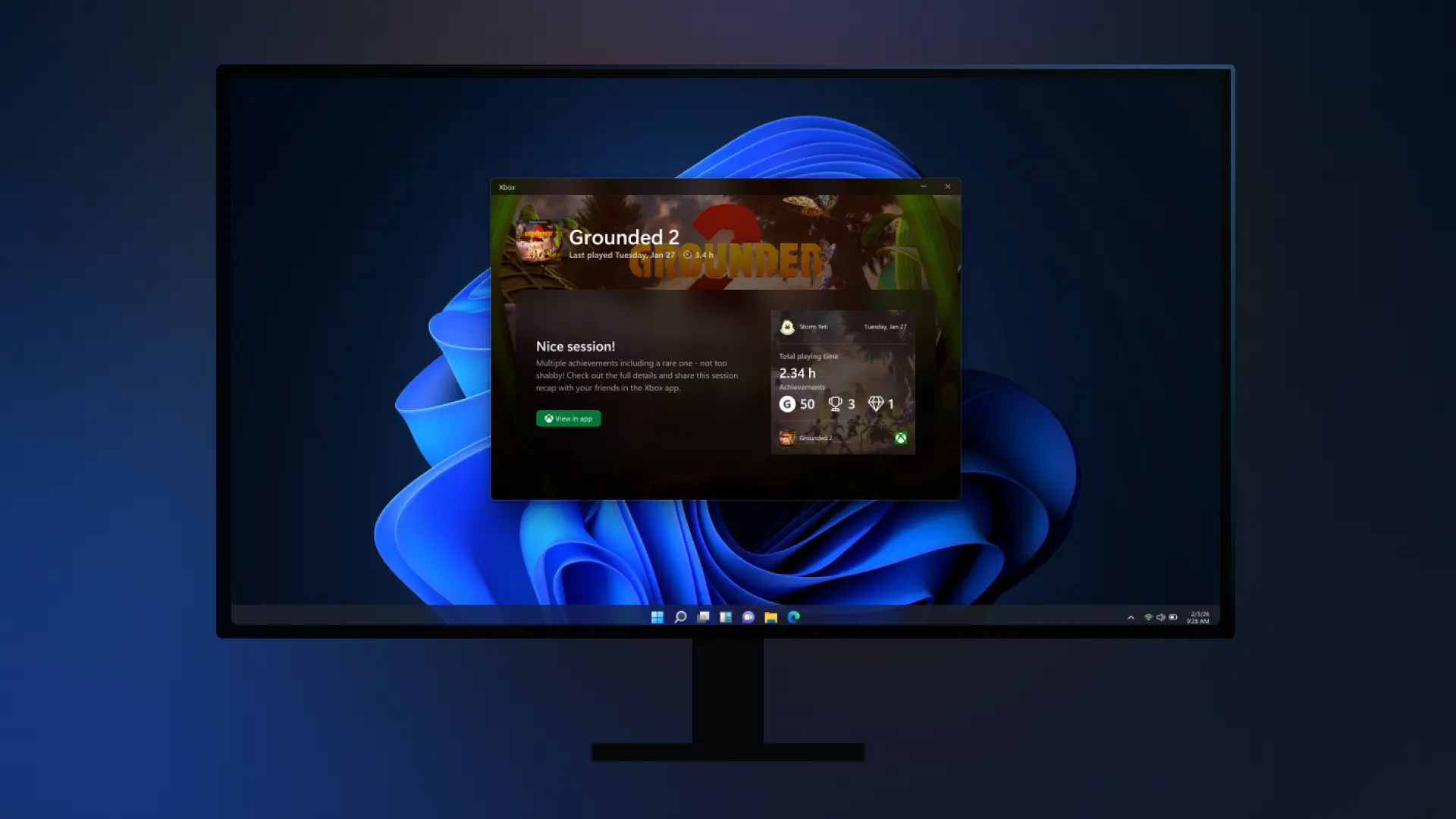
Before new features roll out to everyone, Microsoft tends to test them out with Insiders to see how they function out in the wild and to gather feedback. Today, that plan is being put into effect on the Xbox side, specifically the PC crowd. Those enrolled in the PC Gaming Preview will now begin seeing a new Postgame Recaps feature when playing a game on the Xbox PC app on Windows.
As the name suggests, Postgame Recaps are designed to give a quick look at what you accomplished in a gameplay session. This can include details on any captured screenshots or videos, unlocked achievements, playtime, and other significant events, all neatly gathered into one place. Check out how the pop-up can appear in the image above.
For those that may be worried about this pop-up appearing every time they stop playing a game, Microsoft says that it won’t be the case.
“Postgame recaps are designed to show up only when they’re useful—not after every game,” says Alex Charters, the Senior Product Manager at Xbox, assuring Xbox on PC users. “You’re most likely to see a recap when you take a capture through Game Bar or unlock an achievement. On your first time playing a game (and occasionally after that), you may also see a short check‑in and recommendations for other games you might enjoy.”
The Xbox app will be running silently in the system tray to support this feature going forward. The company says that it has optimized the app to “minimize memory and performance impact.” There will also be an option to turn recaps off entirely too, which will also stop the Xbox app from starting in the system tray. This toggle can be found inside Settings > App > Postgame recaps.
There will be an option to share feedback straight from Postgame Recaps too, letting players inform Microsoft of what was helpful, missing, or unnecessary with the current implementation.