
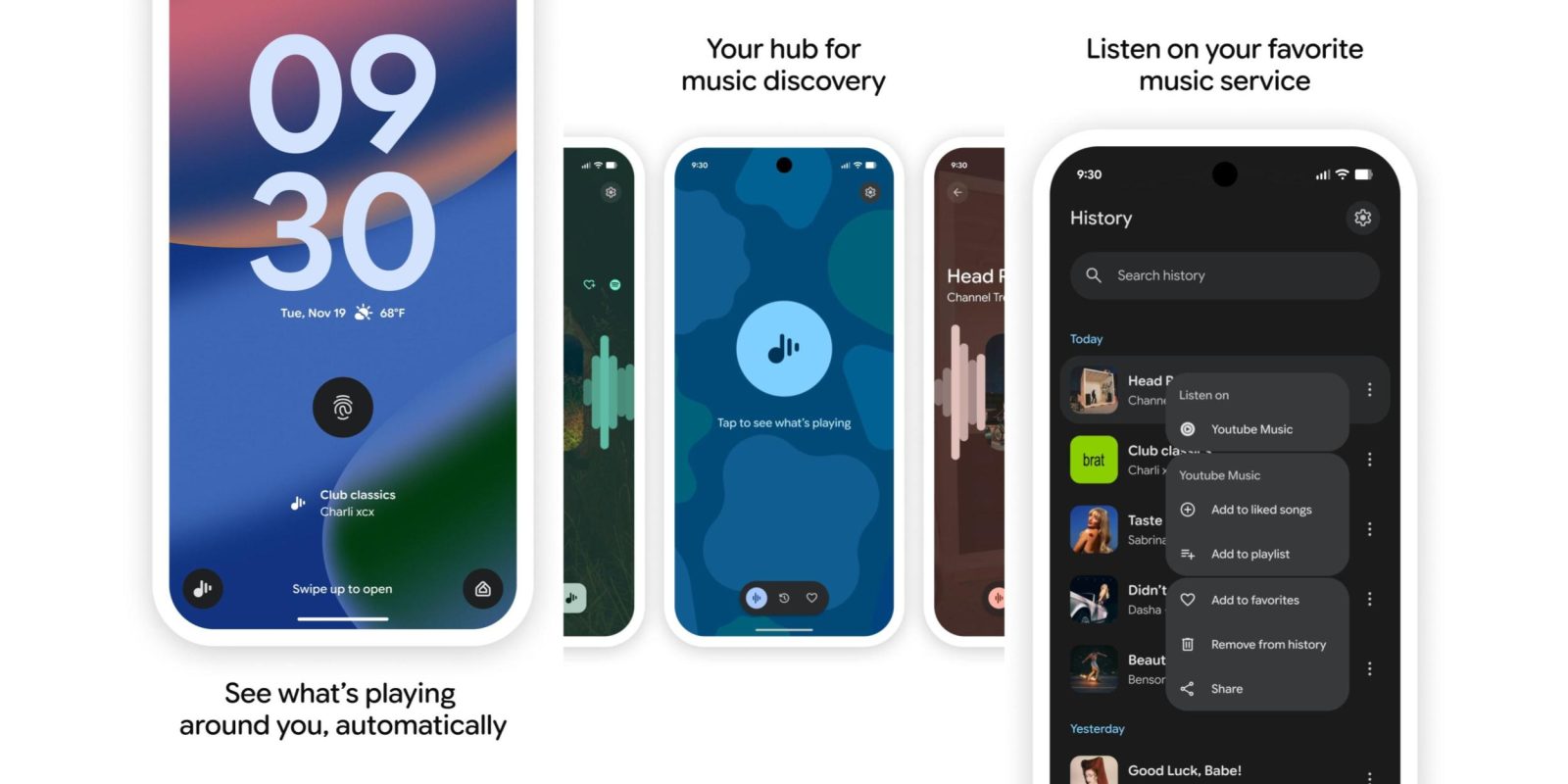
As we’ve been expecting, Google is rolling out a complete redesign of Pixel Now Playing with a dedicated app that’s available via the Play Store.
The previous interface powered by Android System Intelligence had a very old layout. This redesign uses a three-tab layout that leverages a Material 3 Expressive floating toolbar. The first tab lets you “Tap to see what’s playing” and see results. After the match or when you’re viewing the other two pages, a FAB (floating action button) appears at the right to start another song search.
A reverse-chronological History is next, with the ability to search at the top. Google touts how you can “view & curate,” with this list view heavily leveraging M3 Expressive.
Swipe left to quickly “Share,” “Add to favorites,” and “Listen on” (if you connect a music service). Tap the three-dot overflow menu at the right to “Remove from history,” while YouTube Music lets you “Add to liked songs” and “Add to playlist.”
Favorites is the app’s final tab and works like before. Now Playing offers a lockscreen shortcut, with results appearing slightly larger at the bottom of the screen.
There’s a nice Quick Settings Tile that’s best used in the 2×1 configuration, with Google showing your last match. Tap to start a new search and long-press to directly open History.
Visiting the Play Store listing lets you “Update” and install the revamped experience. This gives you a new app icon in your launcher and homescreen that fits the modern Pixel blue aesthetic.


FTC: We use income earning auto affiliate links. More.
