
Support our independent tech coverage. Chrome Unboxed is written by real people, for real people—not search algorithms. Join Chrome Unboxed Plus for just $2 a month to get an ad-free experience, access to our private Discord, and more. Learn more about membership here.
START FREE TRIAL (MONTHLY)START FREE TRIAL (ANNUAL)
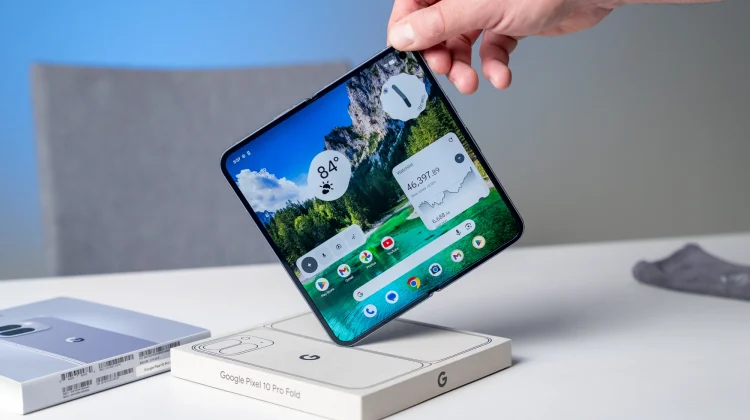
Since the launch of the original Pixel Fold, the tech enthusiast in me—the contrarian that loves trying out interesting new tech—has desperately wanted to love foldables. But the same cycle would always happen. I would get my SIM switched over, enjoy a brief honeymoon period testing all my regular apps on the big screen, and then reality would set in. After a week or two, I would find myself using mainly the outer display, essentially lugging around a thicker, heavier phone for no real reason.
I could just never find that one foldable application I couldn’t live without. While I loved the cutting-edge nature of the hardware, I only found myself actually cracking open that larger inner screen on rare occasions. That is, until just recently.
Breaking the cycle
I have finally found the one killer feature—at least for me—that I simply cannot live without. Anytime I think about moving back to a standard slab phone, I think about giving up this one particular application, and I just can’t bring myself to do it. It is something genuinely helpful, and it actually gives me joy when I unfold that inner screen on the Pixel 10 Pro Fold.
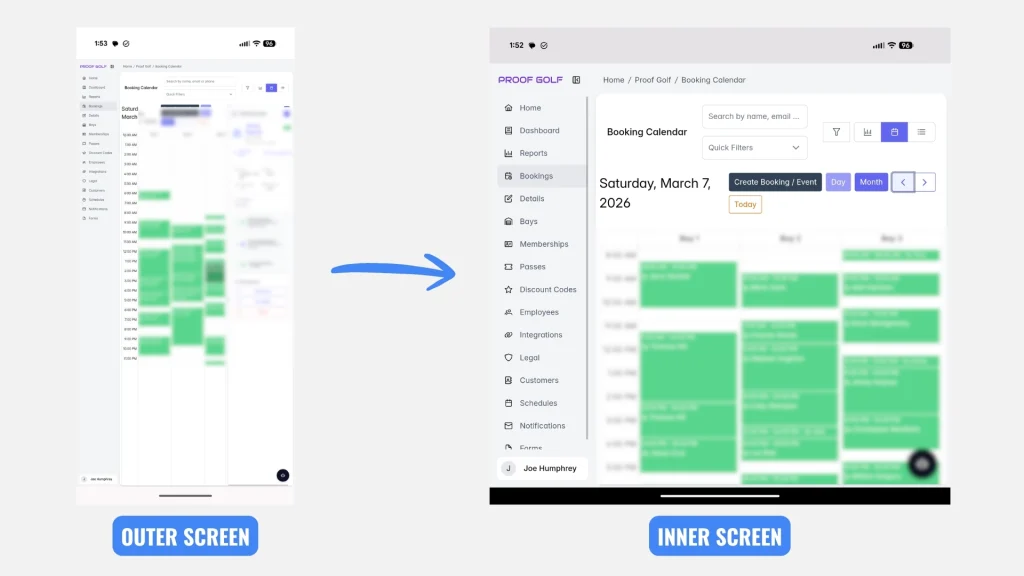
For those of you who might not know, Robby and I also own an indoor golf facility called Proof Golf. And one of the things we have to do frequently throughout the day is check our booking software to manage the tee sheet and customer database. It is a large amount of dense information. While trying to navigate that software on a smaller outer screen is technically fine, it isn’t nearly as easy to view and move around as it is on the inner, tablet-sized display. The inner screen of the Pixel 10 Pro Fold is just perfectly suited for this exact task.
Finding your specific use case
I know this is an extremely specific scenario, but hear me out. For you, it might be an entirely different application that becomes your foldable “can’t live without” feature. I recognize that not everyone needs a larger inner display for managing a small business. For some of you, it might be the perfect canvas for watching media on a commute, playing games, or managing a complex workflow for your own job.
In a world where standard smartphone updates feel extremely iterative year over year, folding phones have always been incredibly intriguing. But they are undeniably expensive, and so to truly justify that premium price tag, you have to find the one feature you simply cannot live without.
For me, it is our golf simulator software portal. It took me a while to find that one specific thing, but now that I have, you’re going to find a folding phone in my pocket for the foreseeable future. What are your thoughts? Have you tried out a folding phone? If so, let me know what your experience has been like in the comments below!
SUBSCRIBE TO UPSTREAM
Get Chrome Unboxed delivered straight to your inbox
Upstream is our flagship, curated newsletter with the top stories, most click-worthy deals, giveaways, and trending articles from Chrome Unboxed sent directly to your inbox a few times a week. Join 31,000+ subscribers.