
The new MacBook Neo is in the same performance ballpark as the M1 MacBook Air. Here’s how the newest budget notebook compares against the original Apple Silicon MacBook Air.
Apple’s latest notebook model, the MacBook Neo, will remind people of a previous model in more ways than one.
The MacBook Air with M1 shipped over five years ago, in late 2020, as one of the first Apple Silicon devices to hit the market. Half a decade later, the MacBook Neo turns up, with it seemingly providing a similar experience, albeit with an iPhone chip instead of an M-series version.
There are other parallels with the older model, which may lead some people to think that they could just use the M1 version as a second-hand device.
It’s not a clear-cut battle, because despite being made years apart from each other, there are many echoes from the past in the new budget-oriented release.
MacBook Neo vs M1 MacBook Air – Specifications
| Specifications | MacBook Neo (2026) | M1 MacBook Air (2020) |
|---|---|---|
| Launch Starting Price | $599 | $999 |
| Dimensions (inches) | 0.50 x 11.71 x 8.12 | 0.16-0.63 x 11.97 x 8.36 |
| Weight (pounds) | 2.7 | 2.8 |
| Display | 13.0-inch Liquid Retina, sRGB |
13.3-inch Retiina Wide Color (P3) True Tone |
| Resolution | 2,408 x 1,506 | 2,560 x 1,600 |
| Brightness | 500 nits | 400 nits |
| Processor | Apple A18 Pro | Apple M1 |
| Graphics | 5-core GPU | 7-core GPU, 8-core GPU |
| Memory | 8GB | 8GB, 16GB |
| Storage | 256GB, 512GB |
256GB, 512GB, 1TB, 2TB |
| Battery | 36.5Wh lithium-polymer | 49.9Wh lithium-polymer |
| Networking | 802.11ax Wi-Fi 6E Bluetooth 6 |
802.11ax Wi-Fi 6 Bluetooth 5 |
| Touch ID | Yes (512GB model only) | Yes |
| Camera | 1080p FaceTime HD | 720p FaceTime HD |
| Audio | Dual-speaker sound system, Dual-mic array with directional beamforming, Headphone jack, Dolby Atmos support with Spatial Audio |
Stereo Speakers Three-mic array with directional beamforming, Headphone jack, Dolby Atmos support |
| Ports | One USB 3 Type-C, One USB 2 Type-C, 3.5mm headphone |
Two Thunderbolt/USB 4 ports, 3.5mm headphone |
MacBook Neo vs M1 MacBook Air – Design, weight, size
The MacBook Neo is a built-to-a-budget MacBook. Various areas are cut to save on cost, but it still retains as much of the aesthetic and style of the MacBook Air and MacBook Pro.
Just by looking at it, you see many of the design elements that current-gen Apple notebooks have. It even manages to keep the aluminum enclosure despite its budget pricing.
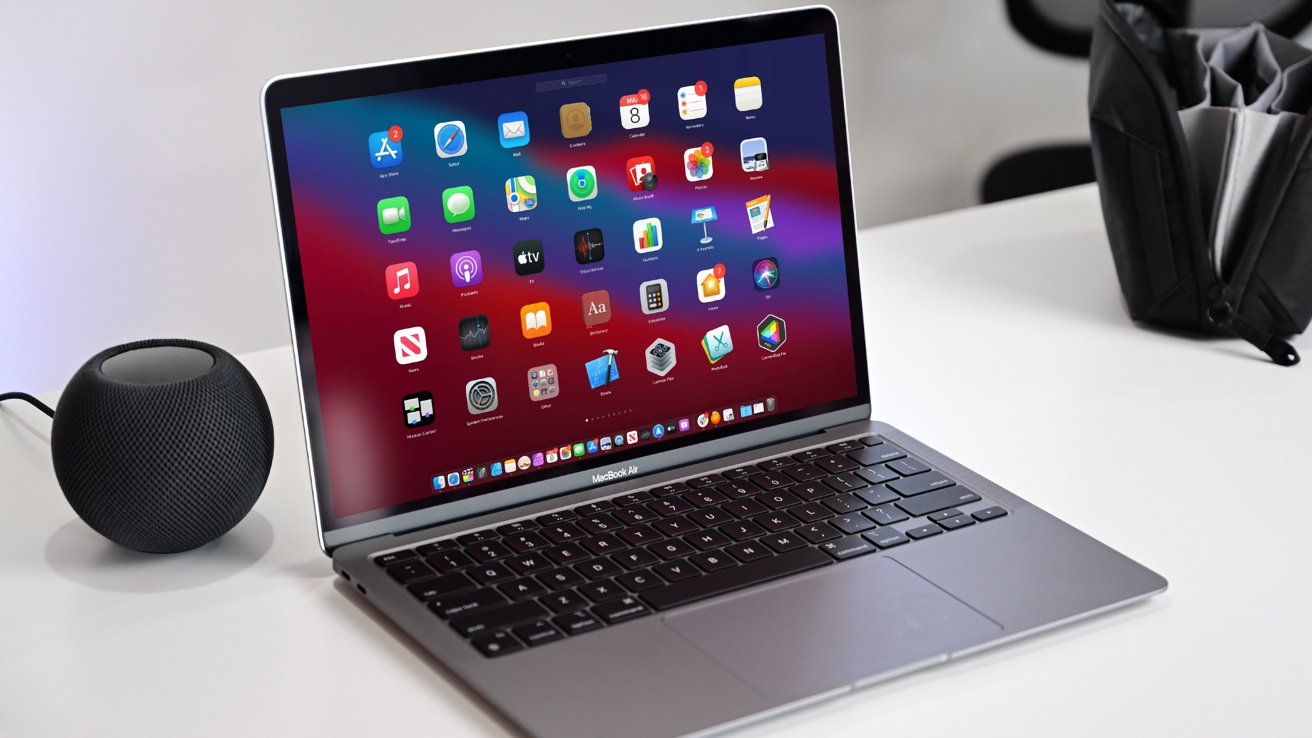
MacBook Neo vs M1 MacBook Air: The old Air’s wedge design.
However, a lot of this is also more directly comparable with the M1 MacBook Air. The last in the older style of MacBook Air, before the line gained more MacBook Pro styling.
Both are still very thin aluminum notebooks with a full-size keyboard, track pad, and a similar-sized display. That screen also uses a thicker bezel in both models than the current-gen Air and Pro, which means there’s not a notch in either of them.
When it comes to the footprint, the old MacBook Air is slightly larger at 11.97 inches by 8.36 inches, versus 11.71 by 8.12 inches for the Neo.
A big differentiator is caused by the generational styling. The Neo uses the same flat slab design, with a uniform thickness of 0.50 inches.
However, the previous MacBook Air styling was wedge-shaped, so that the edge could be impossibly thin at 0.16 inches. At the other end of the wedge, the MacBook Air measured 0.63 inches, meaning the two are roughly comparable in thickness.
On the weight side, the older MacBook Air is also slightly heavier at 2.8 pounds to 2.7 pounds for the Neo.
MacBook Neo vs M1 MacBook Air – Display
The MacBook Neo has a 13-inch Liquid Retina display, with LED backlighting. It’s a more basic display compared to other models in the range, but it’s still quite capable.
With a resolution of 2,408 by 1,506 pixels, it has a pixel density of 219 pixels per inch, which is pretty good for a modern machine.
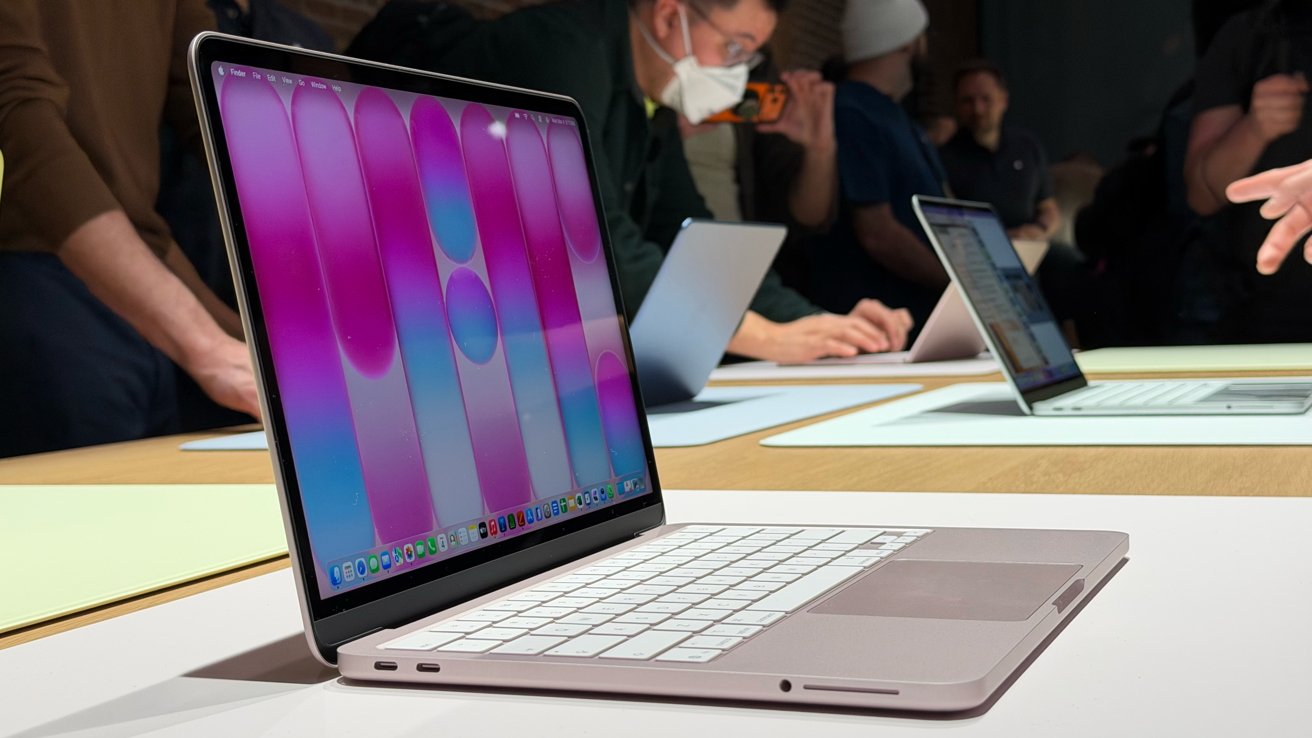
MacBook Neo vs M1 MacBook Air: The screens are similar, with thicker bezels than the current Air and Pro models.
The MacBook Air uses a 13.3-inch LED-backlit Retina display, just like the Neo. Its resolution of 2,560 by 1,600 is higher, but the pixel density of 227 pixels per inch isn’t much better.
While the sizes are reasonably similar, there are more differences.
For example, the MacBook Neo supports an sRGB color gamut, while the older Air supports Wide Color (P3) and True Tone. This would be a big improvement, but the creative industry workers who would care about this isn’t really looking to buy either of these models.
One other core difference is brightness, as the old Air manages up to 400 nits and the Neo gets to 500 nits.
The newer model’s display may not be as good, but it certainly is brighter.
MacBook Neo vs M1 MacBook Air – Performance
The M1 MacBook Pro used the first-gen Apple Silicon M-series chip. This consisted of an eight-core CPU with four performance cores and four efficiency cores, and a Neural Engine.
It was paired with either a 7-core or 8-core GPU, depending on the configuration. While it didn’t have the Media Engine of other models, it could still handle hardware accelerated encoding and decoding of H.264 and HEVC video.
The MacBook Neo doesn’t use an M-series chip like other Macs. Instead, Apple includes the A18 Pro chip inside, taken from an iPhone 16 Pro.
This has a 6-core CPU with two performance cores and four efficiency cores, fewer than the M1. The five-core GPU is also short some cores against the Air, except it also has hardware-accelerated ray tracing.
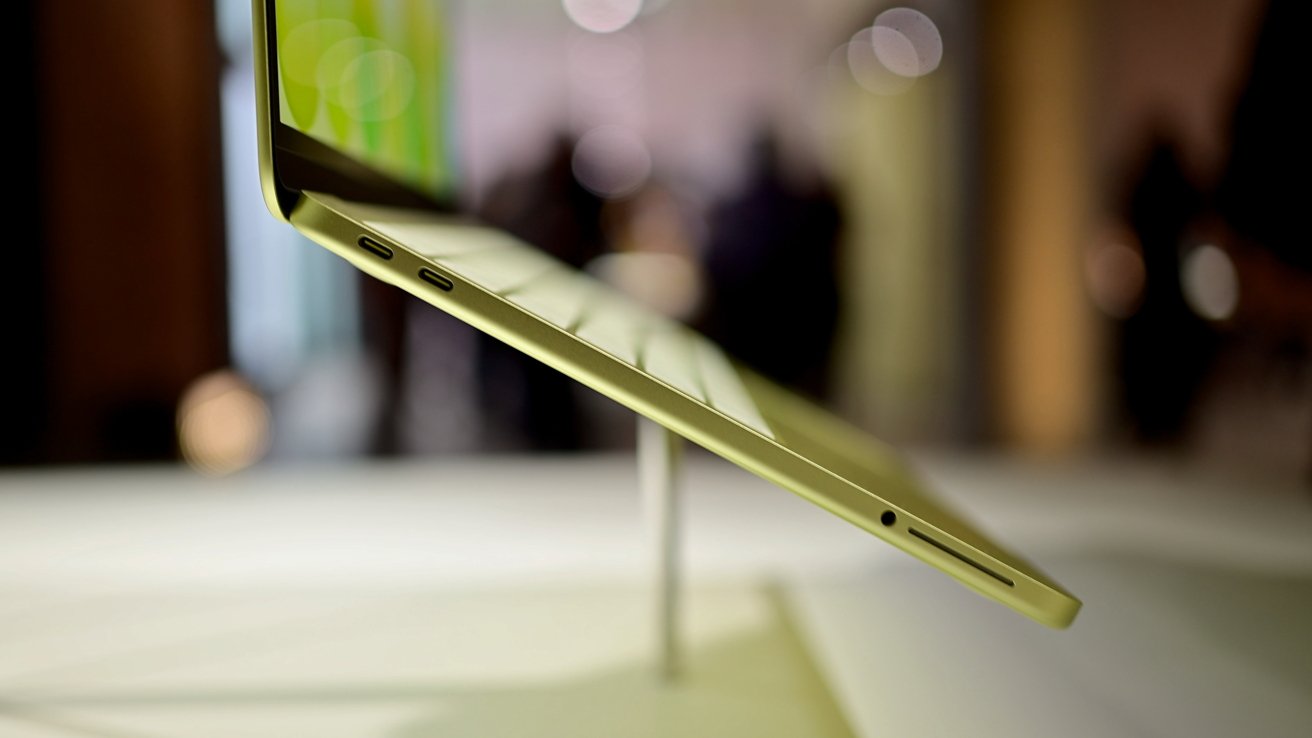
MacBook Neo vs M1 MacBook Air: The Neo uses an A-series chip, but it’s still very capable.
The Media Engine in the Neo is more fleshed out, with it having added ProRes and ProRes RAW support and dedicated ProRes encode and decode engines, and AV1 decode.
For memory, Apple includes only 8GB on the MacBook Neo, while the Air had 8GB and 16GB options. The unified memory bandwidth is quite comparable, as the M1 Air worked at 68.25GB/s, while the Neo is listed as having 60GB/s bandwidth.
While it is still very early days in the life cycle of the MacBook Neo, it does seem that the initial benchmarks for the A18 Pro are close to what were possible in the iPhone 16 Pro. Based on our previous analysis, this is a good thing for consumers.
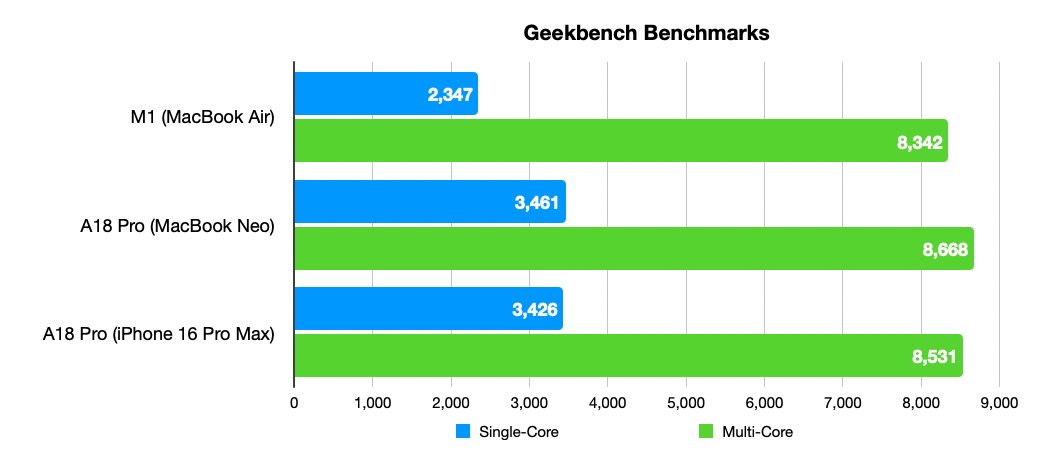
MacBook Neo vs M1 MacBook Air: Single-core and multi-core results
The early Geekbench benchmark results for the MacBook Neo put its single-core performance at 3,461, about the same as the iPhone 16 Pro’s 3,426 and better than the 2,347 in the M1 Air. That’s a 46% difference in the Neo’s favor.
The M1 does catch up when it comes to multi-core, getting 8,342 against 8,531 for the A18 Pro. The extra cores of the M1 help here, but not enough to take the lead from the Neo, which gets 8,668.

MacBook Neo vs M1 MacBook Air: Metal benchmarks
Turning to graphical performance, the Metal benchmark is close, but not by that much. The iPhone 16 Pro’s A18 Pro scored 32,506 to the M1 MacBook Air’s 30,636, while the Neo split the difference at 31,286.
This score is interesting, as the A19 Pro in the Neo has only five GPU cores, not the six that are in the iPhone 16 Pro, meaning the real results should be a little bit less. In the end, it’s not far off the pace of the M1.
MacBook Neo vs M1 MacBook Air – Camera and Audio
While neither has a notch, Apple did include a camera in each model’s thick bezel.
They are both classed as FaceTime HD cameras, not the new-fangled 12MP Center Stage version, but the Air has a 720p version versus the 1080p one in the Neo.
Both still benefit from having access to an advanced image signal processor with computational video to make each as good as they can be.
They’re ultimately serviceable for a basic webcam, and Continuity Camera is always available if you want to use your iPhone’s camera instead.
On the audio side, the MacBook Air has stereo speakers with wide stereo sound. The Neo has a “Dual-speaker sound system,” which uses side-firing speakers.
Both get two speakers, but are described differently.
Dolby Atmos support is available, though the Neo is specified to have Spatial Audio support if you use some supported AirPods with it.
There’s a headphone jack in both, with a similar lack of support for high-impedance headphones.
For capturing audio, Apple uses a three-mic array in the MacBook Air, complete with directional beamforming. The Neo is similar, but does the job with two mics.
MacBook Neo vs M1 MacBook Air – Storage, connectivity, power
Apple has severely limited the storage options on the MacBook Neo to just two. The base version has 256GB of storage, while the second has 512GB.
That second option also benefits from another upgrade. The keyboard on the higher-capacity MacBook Neo has Touch ID, while the lower-spec version does not.

MacBook Neo vs M1 MacBook Air: The Air has better Thunderbolt-equipped ports than the USB 3 and USB 2 on the Neo.
The M1 MacBook Air started off with 256GB of storage, but it had a higher ceiling. You could get 512GB, 1TB, or even 2TB at the time of purchase.
The port selection is comparable, as both have two USB Type-C connections on one side, while the other has the headphone jack.
However, the MacBook Neo’s ports differ, in that one operates at 10Gb/s USB 3 speeds, and the other at 480MB/s USB 2 speeds.
The MacBook Air has two Thunderbolt 3/USB 4 ports. These operate at a much faster maximum of 40GB/s, on both ports.
To battery life, and the MacBook Air has a bit more of a chance here, with a 49.9Wh lithium-polymer model to the 36.5Wh version in the Neo.
As to how this translates to usage, Apple claims the Neo can last for up to 11 hours of wireless web access, or 16 hours of video streaming. The Air does better, with 15 hours for web surfing and 18 hours for Apple TV app movie playback.
When it comes to wireless connectivity, the newer model does better in general. It has Wi-Fi 6E support and Bluetooth 6 against Wi-Fi 6 and Bluetooth 5 in the Air.
MacBook Neo vs M1 MacBook Air – Pricing
The MacBook Neo is available in two configurations, and four colors: Silver, Blush, Citrus, and Indigo. The base model with 256GB of storage is priced at $599, while the 512GB version with Touch ID is $699.
At launch in 2020, the MacBook Air started at $999 with the seven-core GPU, 8GB of memory, and 256GB of storage. A second version with the eight-core GPU and 512GB of storage cost $1,249, while the 16GB memory upgrade was an extra $200.
While you can find the M1 model on the second-hand market if you try, you can get hold of a refurbished 13-inch MacBook Air from Apple, if you go for the M2 version, for $679. Better pricing can be available from other retailers with old stock or by dealing with second-hand hardware.
Here, it is very much a case of “Caveat Emptor” or “Buyer Beware” if you go down this route.
MacBook Neo vs M1 MacBook Air – Which to buy?
There’s been a lot of drama about the MacBook Neo, more than half coming from it who are crying about it being a phone processor, inflamed by people that don’t understand market forces, or workflows outside of their own. Apple’s own marketing didn’t help on this matter.
Had Apple called the A18 Pro in the MacBook Neo the M1 Plus, or M4 lite, this would never have been a talking point.
And as far as the market forces go, schools and businesses aren’t going to buy used hardware.
But let’s roll back to that hardware.
There are some benefits to the M1 Air over the Neo, certainly. Memory capacity and storage capacity are two big areas that people will be concerned about.
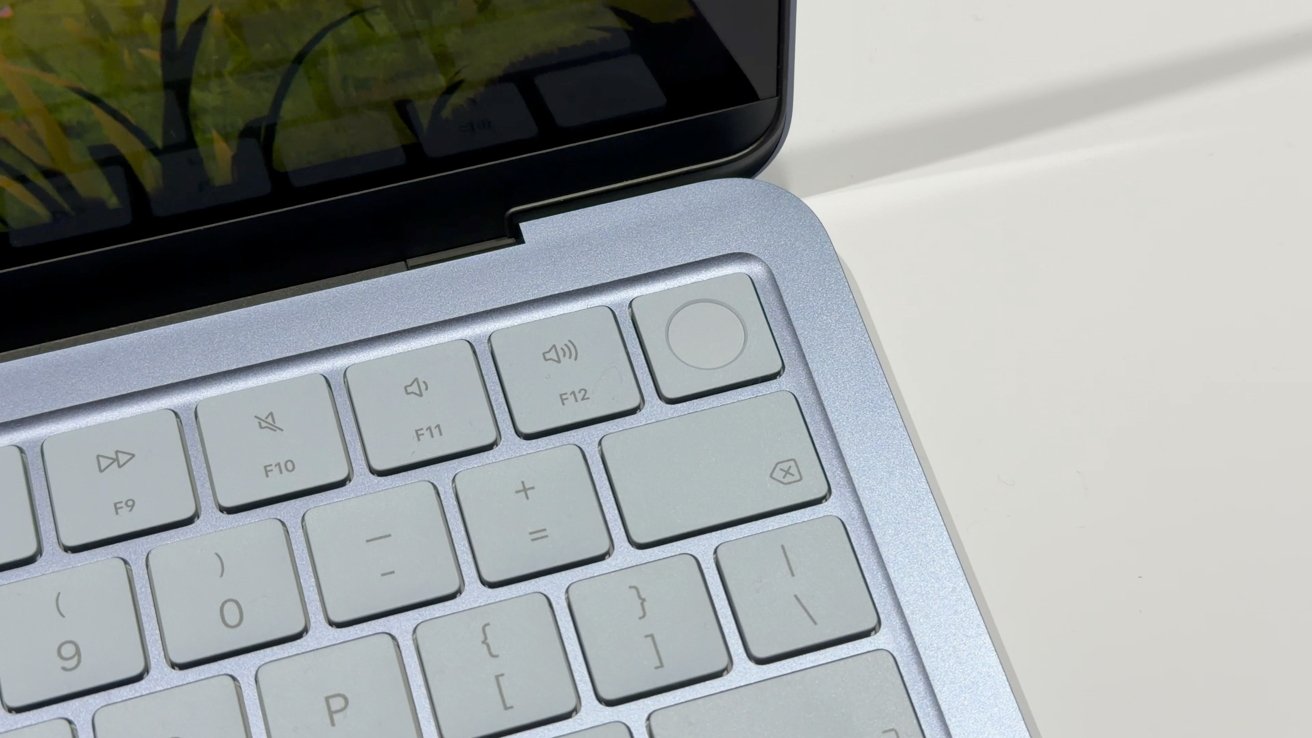
MacBook Neo vs M1 MacBook Air: The Neo only has Touch ID if you pay for a storage upgrade.
The storage can always be solved with some external drives if you absolutely need it. Or, if you’re spending money anyway and can afford it, this is why the MacBook Air and MacBook Pro pricing ladder exists.
If you are fine with the limited specifications of the lower-tier MacBook Air and what’s available in the Neo, there’s no real reason to opt for Apple’s five-year-older model. You would be going down the route of the second-hand market, and the limited warranties and expected reduced macOS support in the future.
The MacBook Neo is cheap enough. Just go with that instead if you’re in the market today, and stick with your older MacBook if you already have one.
Where to buy Apple’s MacBook Neo vs M1 MacBook Air
The MacBook Neo can be ordered now at B&H Photo and Amazon, with a breakdown of prices in our MacBook Neo Price Guide.
M1 MacBook Air inventory, meanwhile, is available in open box condition at Walmart, with the price at press time ringing in at $389.