It might be unfair to say that Android 17 Beta 3’s Bubbles are a new feature, but the premise has definitely expanded. Now live in the latest update, apps beyond Messenger can use the function, and it’s especially useful for multitasking on larger displays.
With the release of Android 17 Beta 3, the newly-designed “Buuble” feature is seemingly now fully integrated. It first appeared in leaks before Google’s OS was ready to debut, and has since appeared in Android Canary without seeing the full light of day.
It might sound familiar because Google Messenger famously defaults to using this feature for certain contacts. Important people get their own screen real estate, even when the app isn’t in use. Tapping the floating bubble icon opens a picture-in-picture window for Messages, making it easier to access.
In Android 17 Beta 3, Bubbles act as a new multitasking platform. Any app can be opened in a floating window and minimized quickly. On foldables like the Pixel 10 Pro Fold, this bridges the gap in multitasking ability seen between Google and other OEMs. It acts as an additional way to get more information on the screen, without splitting two apps.
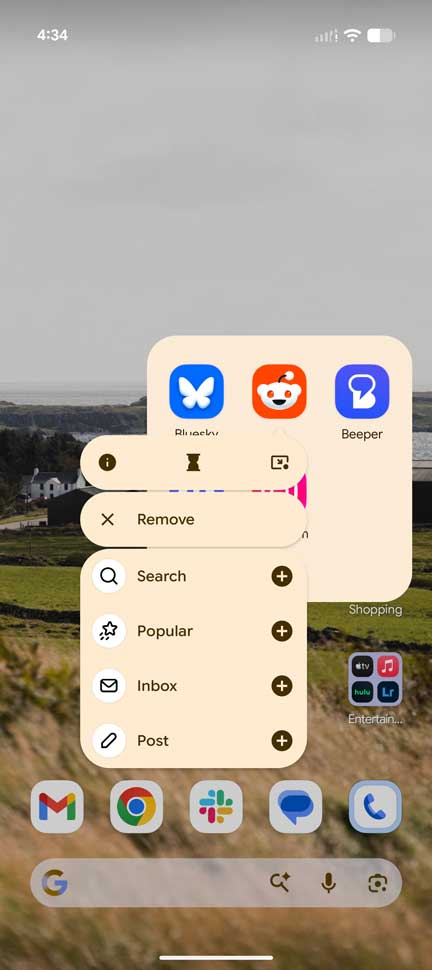
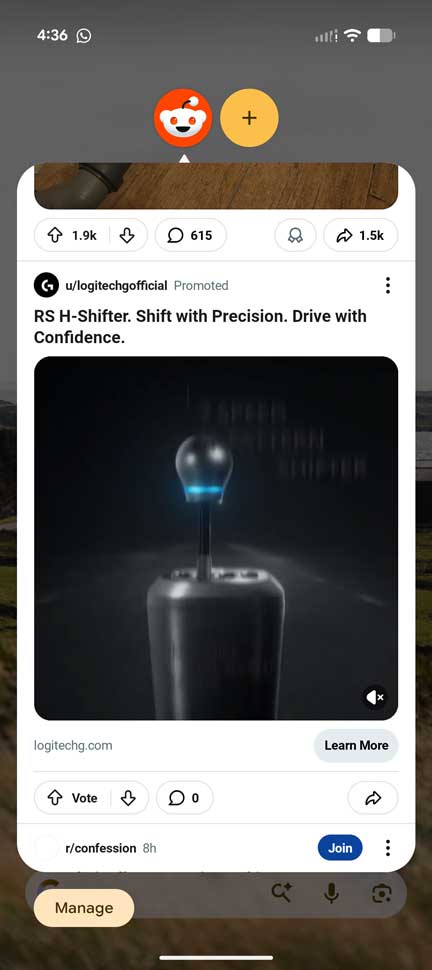
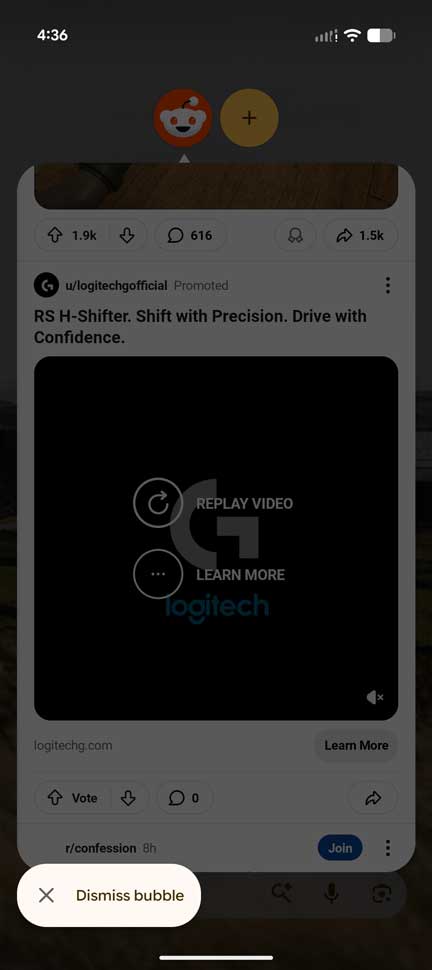
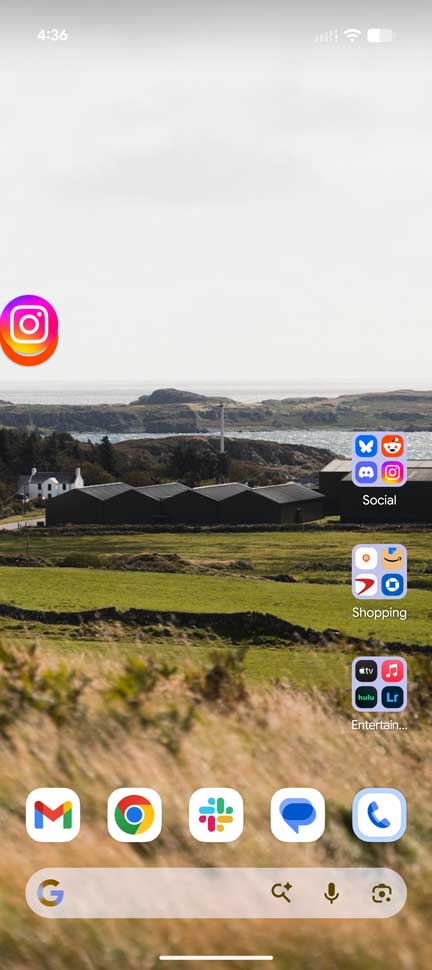
Any app can be turned into a bubble by long-pressing an app and tapping the new icon. It looks like a minimize action button. From there, more apps can be added to easily switch between and recall from any point on the screen. When you’re done, drag and drop to the bottom of the screen to dismiss.
The expanded feature is officially live in Androlid 17 Beta 3, and will likely stick around throughout the rest of the beta phase. Pixel Fold users should be happy about the change, and it may even be a useful addition for those on slab-style devices.


FTC: We use income earning auto affiliate links. More.