
Sponsored Post
If you want to play the latest AAA titles on max settings on a whole range of devices, from laptops to handhelds to smart TVs, and even your humble smartphone, then GeForce NOW is the perfect solution. As long as you have a decent internet connection and your device meets the very reasonable system requirements, you can sign up to one of the three different tiers and give a whole host of games a spin in just a matter of minutes. It’s ideal for people that don’t have the readies for a full-blown gaming rig, for gamers on the move, or those who lack the space for a desktop setup.
With improving internet speeds the world over, cloud gaming makes more sense than ever. NVIDIA’s own cloud gaming service, GeForce NOW, is the best of the bunch, and it’s come a long way since it first came out of beta back in 2020, with improvements to both Frames Per Second (FPS) and latency. Compared to previous generations of the service, you can expect up to 2.8 times faster gameplay! The most premium package the service offers now allows you to access gaming servers with the mighty NVIDIA RTX 5080 for select games, allowing you to unlock all the benefits of this latest Blackwell GPU, including DLSS 4 and the enormous performance uplift of Multi-Frame Generation (MFG). The enormous performance boost of these features means you can now stream up to 5K resolution and generate up to 360 FPS in those games that support the RTX 5080 servers, which is absolutely crazy.
Setting up GeForce NOW on your device
Previous
Next
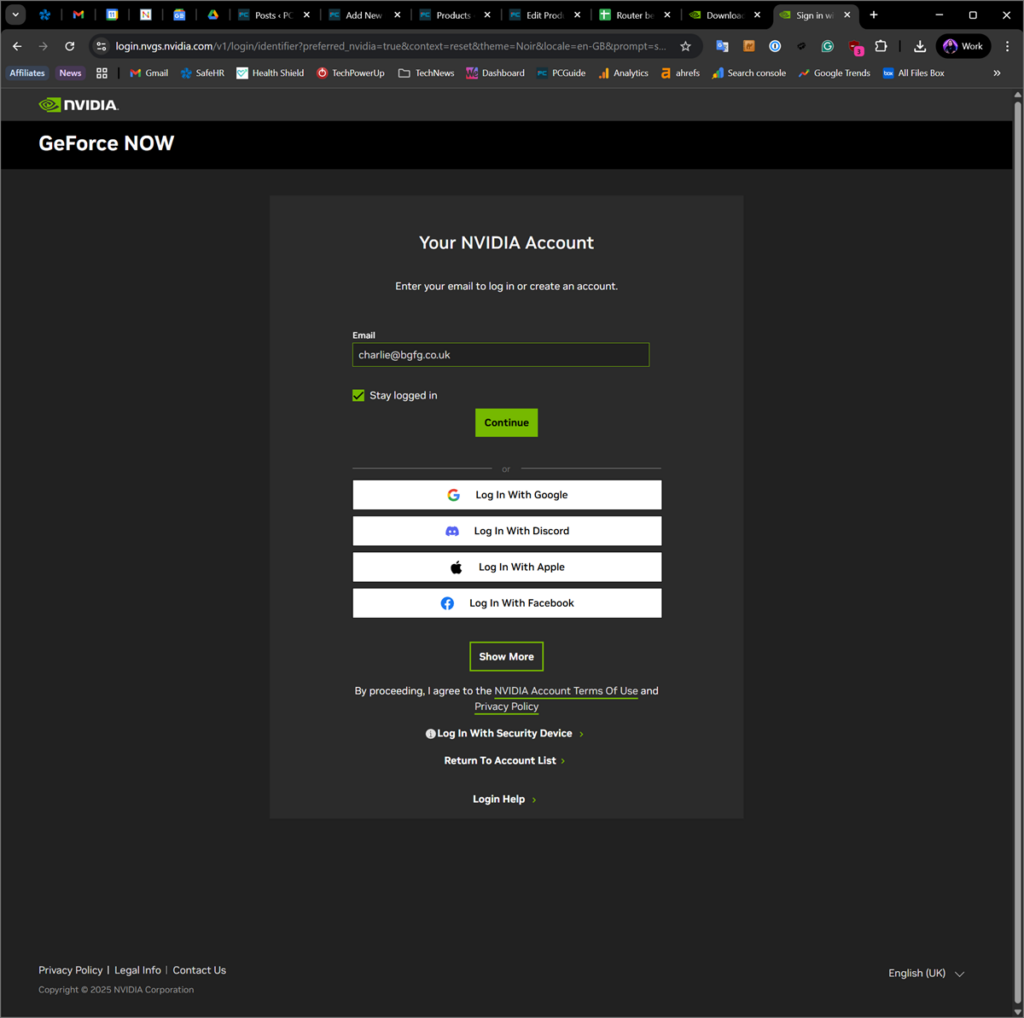
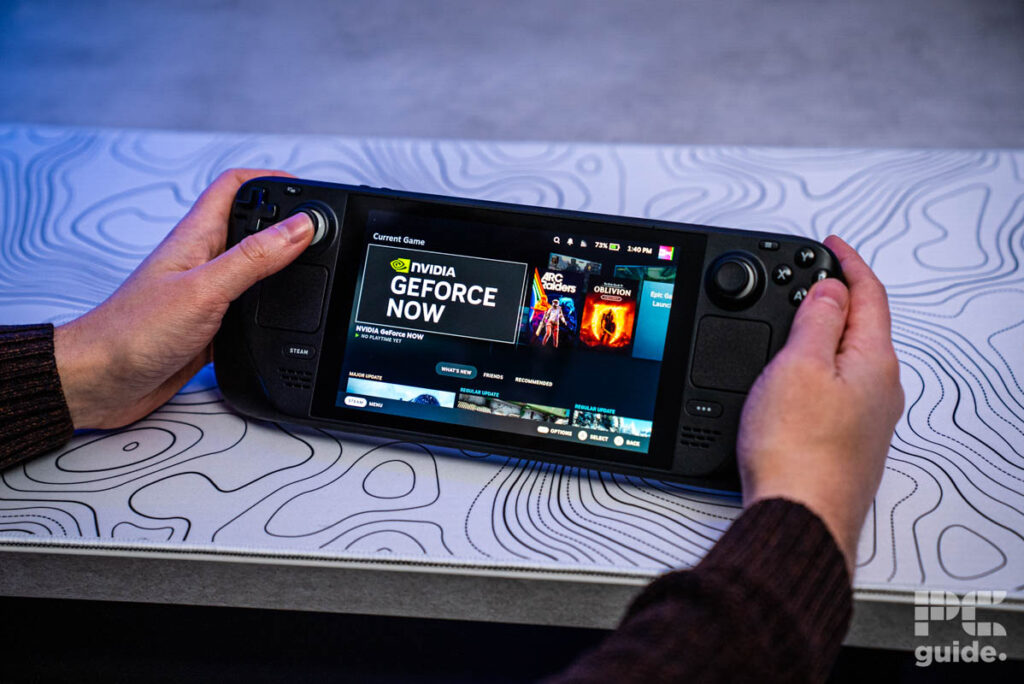
If you’re on a computer or laptop, GeForce NOW can either be downloaded as an application on your desktop (whether you’re using a Windows or MacOS system), or launched within your web browser from this webpage. For most users, performance is best if you download the app, however, if you’re on a Chromebook, it’s best to do so from within the browser. The same link can be opened within Desktop Mode on your Steam Deck. Simply double-click the .exe launcher file once it has finished downloading and follow the steps to setup your account. If you are gaming from a compatible smart TV, you can find the GeForce NOW application within the TV’s app store and install it from there; many of the latest Samsung and LG smart TVs released since 2020 should work with the platform (check your model online to see if yours is).
There are three membership tiers to select from: Free (yes that’s right – 100% free!), Priority, and Ultimate. Pricing depends on your region, but US customers can expect to pay $0 / $9.99 / $19.99 per month, UK customers £0 / £9.99 / £19.99, and EU residents €0 / €9.99 / €19.99, respectively for each subscription option. You can also buy a 12 month subscription that reduces the overall price – effectively giving you two months for free! Alternatively, there is a ‘Day Pass’ option if you just want to give it a try before committing to a month’s worth (though the longer packages are far better value). Even better, there’s currently a Half Price Holiday sale running for the 1-Month Plans, so it’s the ideal time to give the service a try.
Deals season is here folks, and with it comes a plethora of eye-catching price cuts on some of the industry’s most popular tech. Below are some of the best deals you can find right now.
*Prices and savings subject to change. Click through to get the current prices.
Previous
Next
Free Tier
The Free Tier allows you to play for up to an hour at a time, at up to 1080p resolution and 60 FPS, although there’s no guarantee you will get this level of quality (often it will be lower), as it’s only running off a basic server with a non-RTX graphics card. You will have to wait in a queue for anywhere between 2 minutes and an hour usually, before you get a chance to play, and will be required to watch advertisements while you wait. Still, for something that costs absolutely nothing, that’s not bad, plus you can rejoin as many times as you like once your hour is up. The Game Library is limited to 2000+ Ready-To-Play games.
Priority Tier
The first of the paid tiers, ‘Priority’ extends your playtime to 6 hours, at up to 1440p resolution and also at 60 FPS, although you’re much more likely to actually experience a higher, more steady average FPS, as these gaming servers incorporate more powerful RTX graphics cards. Waiting times reduce to ‘typically’ being less than a minute (although they may be longer), and you no longer have to watch ads while you wait. Once again you can rejoin once your playtime is up with no limitations in a single day, although your monthly number of hours is capped at 100 for the initial price of the subscription (you can top this up though for an additional payment). The playable Game Library includes the maximum number of 4000+ Ready-To-Play and Install-To-Play games.
Ultimate Tier
The highest tier available, with ‘Ultimate’ you’ll get access to an RTX 4080-powered server for most titles, meaning you can get up to 4K resolution and 240 FPS in the latest AAA titles, thanks to not only the raw performance of the hardware itself, but also the benefits of DLSS 3 and Single Frame Generation tech. Since September 2025, some titles will also benefit from the even more powerful RTX 5080, which as mentioned can run up to 5K resolutions and 360 FPS, thanks to DLSS 4 and Multi Frame Generation. Under this subscription you will get priority access, allowing you to skip towards the front of any queue to play your chosen game (though there may still be a short wait). Gaming sessions are extended to 8 hours per day, with the monthly cap remaining at 100 hours, though again you can extend this for additional cost.
What games can you play on GeForce NOW?
Import your existing games
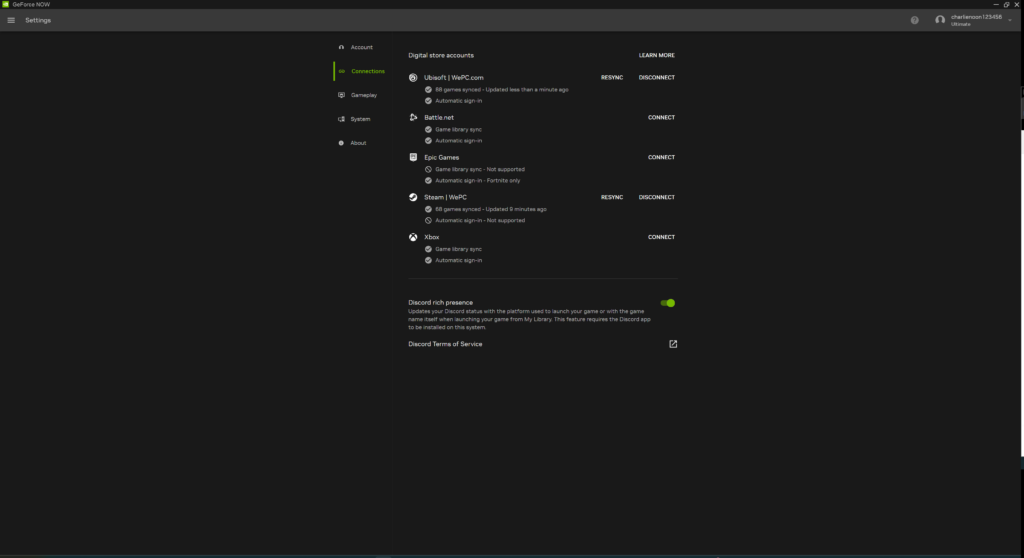
After you’ve set up your account and picked your tier, you can connect your GeForce NOW account to those on various other game platforms like Steam, Epic Games, your Xbox account etc. and it will import those games where possible so that you can play them within GeForce NOW. At present there are over 2,000 games already set up and ready to go, and another 2,000, which you can transfer over through the Install to Play method.
The GeForce NOW game library
Besides games you already own there is also a list of 2,300 titles curated by NVIDIA which you can stream as Ready to Play, including Cyberpunk 2077, Red Dead Redemption 2, Baldur’s Gate 3, Alan Wake 2, Diablo 4, Starfield, Forza Horizon 5, the recent Resident Evil titles (2, 3, 7, and Village), STALKER 2, The Witcher 3, the Total War: Warhammer series, Devil May Cry 5, and many more!
Previous
Next
Ready to Play vs Install to Play
Ready to Play is a feature which allows you to run any of the curated games in the GeForce NOW library through streaming, though it does not have persistent save files and is more limited when it comes to mods and other tweaks to the game files.
Install to Play works by taking pre-owned games from your Steam Library and installing them in the 100GB of allocated storage you are allowed on the server (with Performance and Ultimate tiers only). This also allows for use of mods and additional files in your installation, which you are not able to do with Ready to Play. Once installed, you’ll enjoy much faster loading times, and crucially, be able to store your saved games on the server – allowing you to load them up as you normally would in your next play session.
Performance
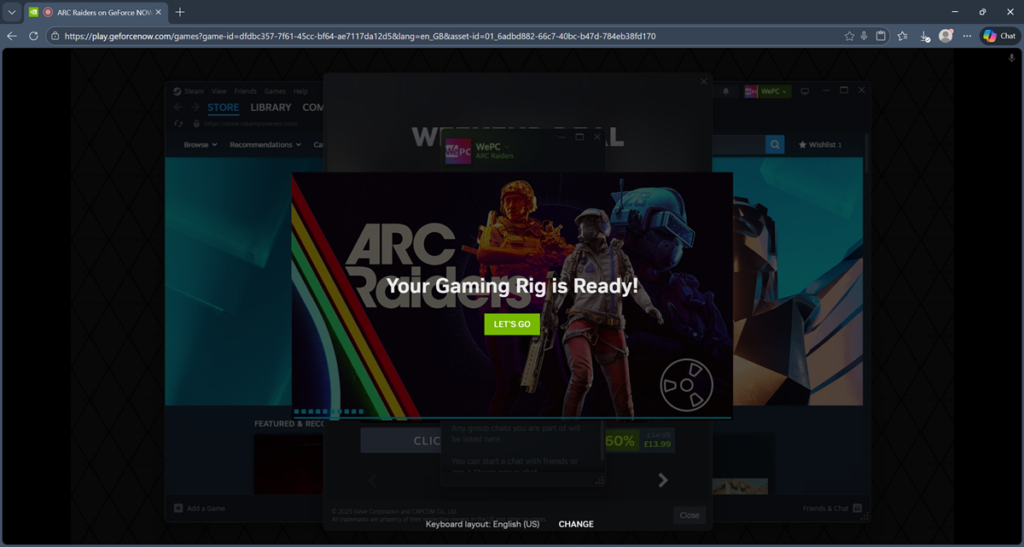
We wanted to put the GeForce NOW Ultimate Tier to the test across multiple devices, to see how well it handled gaming on each of them and if there were any notable differences between them. We ran the service on an older desktop PC with a low-powered CPU and GPU, on a non-gaming laptop, and also tried it out on the Steam Deck. To mix it up a bit we installed the desktop application on the desktop PC and Steam Deck (via desktop mode) and went with the browser-based method for the laptop. As described above this was a fairly straightforward process.
Previous
Next
The game we chose to test was the current popular favourite: ARC Raiders, which has a good mix of fast-paced combat, where latency issues can mean the difference between life and death (in the game that is), and some nice graphical effects, including Ray-Tracing, which we wanted to test. We ran the game at 4K, 1440p, and 1080p resolutions, on Low, Medium, and Epic graphical settings for each; for these settings we ran the game using pure hardware-driven, raster performance, both with and without Ray-Tracing, and finally with DLSS 4 enabled along with Multi-Frame Generation set to its maximum 4x setting. We made sure that NVIDIA Reflex was enabled in our playthrough in all our tests, so as to guarantee the best possible input latency.
In addition to the in-game graphical settings, GeForce NOW also has Streaming quality settings to consider, under the Gameplay menu (pictured below). These settings adjust the quality of the visual output getting streamed to your device, to enable you to match the available bandwidth of your internet connection and/or any data usage caps that you might have; you can conduct a Network test for each in order to make sure the settings match your requirements – which is a nice and useful feature. The different Streaming Quality Modes to choose from include: Balanced, Cinematic, Competitive, Data Saver, and Custom, each with their own Max bit rate, Resolution, and Frame rate cap among many other settings. For the purposes of our test, we set our own custom preset with the maximum FPS cap, plus bit rate and Reflex enabled. In our tests we recorded both the ‘Game FPS’, which is system and graphical settings dependent, and the ‘Stream FPS’, which is affected by these streaming quality settings, to give you the comparison.
Previous
Next
You can see the results we recorded below for both FPS and latency. So as not to overload you with data, we’ve only included the PC results, but can confirm that both FPS and latency were more or less the same across all three devices. In short, we were very impressed with the performance we got, particularly when DLSS 4 and Multi-Frame Gen were enabled, which almost doubled FPS performance in most cases. Even when gaming at 4K on maximum settings with Ray-Tracing on, we were still enjoying average ‘in-game’ FPS of around 165.
As you can see, connection latency was kept nice and low – below 10ms across the board, which is small enough not to be noticed generally when playing. Connection latency will vary somewhat of course, depending on the internet connection, but it’s great that game streaming has advanced to levels where you can effectively play without any noticeable lag, as if you were playing from your own PC, providing your web connection is good. Although it’s not shown as numerically measured data, end-to-end system latency or input lag was also very good thanks to NVIDIA Reflex, and we enjoyed a great experience throughout.
| 4K Resolution | |||
| Raster performance only, RTX disabled | ‘Low’ graphics | ‘Medium’ graphics | ‘Epic’ graphics |
| Game FPS (average) | 153 | 128 | 108 |
| Stream FPS (average) | 121 | 121 | 101 |
| Connection latency (ms) | 7 | 7 | 7 |
| Raster performance only, RTX enabled | ‘Low’ graphics | ‘Medium’ graphics | ‘Epic’ graphics |
| Game FPS (average) | 138 | 109 | 97 |
| Stream FPS (average) | 120 | 117 | 88 |
| Connection latency (ms) | 7 | 7 | 7 |
| DLSS 4 & MFG performance, RTX enabled | ‘Low’ graphics | ‘Medium’ graphics | ‘Epic’ graphics |
| Game FPS (average) | 164 | 167 | 164 |
| Stream FPS (average) | 120 | 121 | 121 |
| Connection latency (ms) | 7 | 8 | 7 |
| 1440p Resolution | |||
| Raster performance only, RTX disabled | ‘Low’ graphics | ‘Medium’ graphics | ‘Epic’ graphics |
| Game FPS (average) | 185 | 163 | 139 |
| Stream FPS (average) | 184 | 165 | 139 |
| Connection latency (ms) | 6 | 10 | 7 |
| Raster performance only, RTX enabled | ‘Low’ graphics | ‘Medium’ graphics | ‘Epic’ graphics |
| Game FPS (average) | 165 | 154 | 112 |
| Stream FPS (average) | 167 | 155 | 117 |
| Connection latency (ms) | 6 | 6 | 6 |
| DLSS 4 & MFG performance, RTX enabled | ‘Low’ graphics | ‘Medium’ graphics | ‘Epic’ graphics |
| Game FPS (average) | 240 | 240 | 240 |
| Stream FPS (average) | 241 | 240 | 240 |
| Connection latency (ms) | 6 | 6 | 7 |
| 1080p Resolution | |||
| Raster performance only, RTX disabled | ‘Low’ graphics | ‘Medium’ graphics | ‘Epic’ graphics |
| Game FPS (average) | 212 | 200 | 167 |
| Stream FPS (average) | 214 | 204 | 171 |
| Connection latency (ms) | 8 | 7 | 8 |
| Raster performance only, RTX enabled | ‘Low’ graphics | ‘Medium’ graphics | ‘Epic’ graphics |
| Game FPS (average) | 187 | 188 | 135 |
| Stream FPS (average) | 191 | 186 | 140 |
| Connection latency (ms) | 7 | 8 | 8 |
| DLSS 4 & MFG performance, RTX enabled | ‘Low’ graphics | ‘Medium’ graphics | ‘Epic’ graphics |
| Game FPS (average) | 360 | 360 | 369 |
| Stream FPS (average) | 360 | 363 | 269 |
| Connection latency (ms) | 8 | 7 | 7 |
Previous
Next
Final thoughts: Is GeForce NOW worth the money?
From our time testing out the Ultimate tier of GeForce NOW, we can definitely say it is well worth the money if you don’t already own a powerful gaming PC, particularly if you take advantage of the Half Price Holiday deal that’s currently on. Even if you do already own a gaming rig, the flexibility it offers, allowing you to log into myriad types of devices wherever you have a good internet connection, makes it a superb option for those on the move who nevertheless want to enjoy high-end AAA gaming. Being able to enjoy a year’s worth of gaming on such a machine for just $199.99 and access it wherever you are, is a fantastic offer that you just can’t argue with. 2026 looks like it could be the year of cloud gaming!