
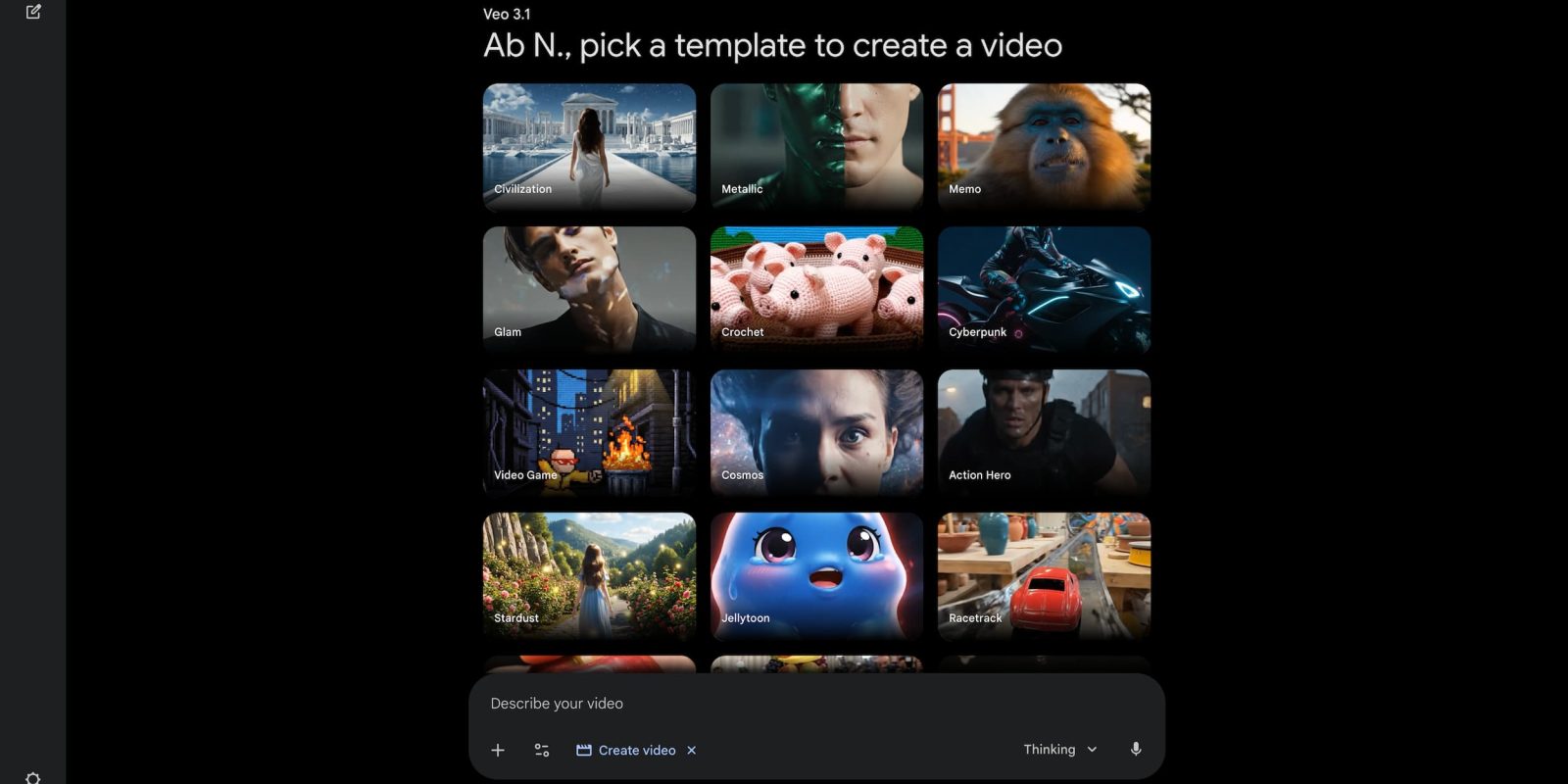
Following music generation last week, the Gemini app is upgrading video generation with templates.
Open the Tools menu and select “Create video” to get a grid of Gallery styles with previews. At the moment, we’re seeing: Civilization, Metallic, Memo, Glam, Crochet, Cyberpunk, Video Game, Cosmos, Action Hero, Stardust, Jellytoon, Racetrack, ASMR Apple, Red Carpet, and Popcorn.
This gets added to the prompt box where you can “Customize with a photo or description.” Adding a photo — such as an image of yourself to become the clip’s main character — is part of the Ingredients to Video feature. It was updated last month along with support for native 9:16 aspect ratios.
In the example below, the prompt is “Turn this photo of me into a video.” With this update, Google wants to cut down on complex prompting.
This is rolling out today to gemini.google.com and the mobile apps. We’re already seeing it on the former this morning.
Veo 3.1 video generation is available for Google AI Plus (two videos per day), Pro (three), and Ultra (five).
Meanwhile, the usage limits for Lyria 3 music generation are as follows:
- Free: 10 tracks/day
- AI Plus: 20 tracks/day
- AI Pro: 50 tracks/day
- AI Ultra: 100 tracks/day
More on Gemini app:


FTC: We use income earning auto affiliate links. More.
