
GMKtec is a brand we tested mini PCs for twice last year (1) (2). As a reminder, GMKtec is a sub-brand of Shenzhen GMK Technology Co., Ltd, based in China, which started operations in 2019, and according to their own website, their Mini PCs are sold in over 70 countries with official distributors and service networks established in 35 of them. Looking online, and from the point of view of end users on places like Reddit, GMKtec appears to have the mindset of “a cheaper Beelink” equivalent, which is not a bad place to be, really!
They contacted me again, asking if I was interested in taking a look at the Intel-powered NucBox K15. The specs aren’t cutting edge, but it has a few surprises up its sleeve to make it a worthy contender in the saturated Mini PC space.
Table of contents:
Before we get underway, here is a disclaimer: GMKtec provided a free sample without any review pre-approval. Below are its full specifications.
| GMKtec NucBox K15 | ||
|---|---|---|
|
Dimensions |
|
|
|
Weight |
877 g | |
|
CPU |
Intel Core Ultra 5 125H 4nm, Up to 4.3GHz Boost, 12MB Cache; 12 cores, 14 Threads (4P + 8E + 2(LP)E cores) Silent 15W, Balanced 25W, Performance 35W (via BIOS), 65W TDP |
|
|
Graphics |
Intel Arc graphics (7 Xe-cores) 112 EU, 1.85 GHz | |
| NPU | Intel AI Boost 1.4 GHz (Up to 11 NPU TOPS) | |
|
Memory |
16 GB / 32 GB Dual-channel DDR5 4800 MT/s TWSC SODIMM | |
|
Storage |
1 x M.2 2280 PCIe Gen 3×4, TWSC 1 TB, 2TB (PCIe Gen 4×4 slot) 2 x M.2 2280 PCIe Gen 3×4 slot (unpopulated) |
|
| Expansion | OCuLink (PCIe 4.0 x4) | |
|
Operating System |
Windows 11 Pro 25H2 | |
|
Bluetooth |
Bluetooth 5.2 | |
|
Ethernet |
Dual Realtek 8125B 2.5G LAN | |
|
Wireless LAN |
Wi-Fi 6E (MediaTek MT7922, RZ616, up to 2.4Gbps) | |
|
|
||
|
Rear I/O ports |
2 x USB 2.0 (480Mbps) |
|
| Front I/O ports | 1 x USB Type-C (USB 3.2 Gen2, PD 100W input, DP 1.4, 20Gbps) 3 x USB 3.2 Gen2 (10Gbps) 1 x 3.5mm audio jack (CTIA, 4-segment headphone with MIC support) Power / LED button (white indicator) |
|
| (Bio) Security | No | |
| SD Card slot | No | |
| Kensington Lock | Yes | |
| Power | DC IN (5.5/2.5mm) 20V/5A, External PSU / built-in CMOS battery | |
|
MSRP |
$479.99, $719.99 $849.99 | |
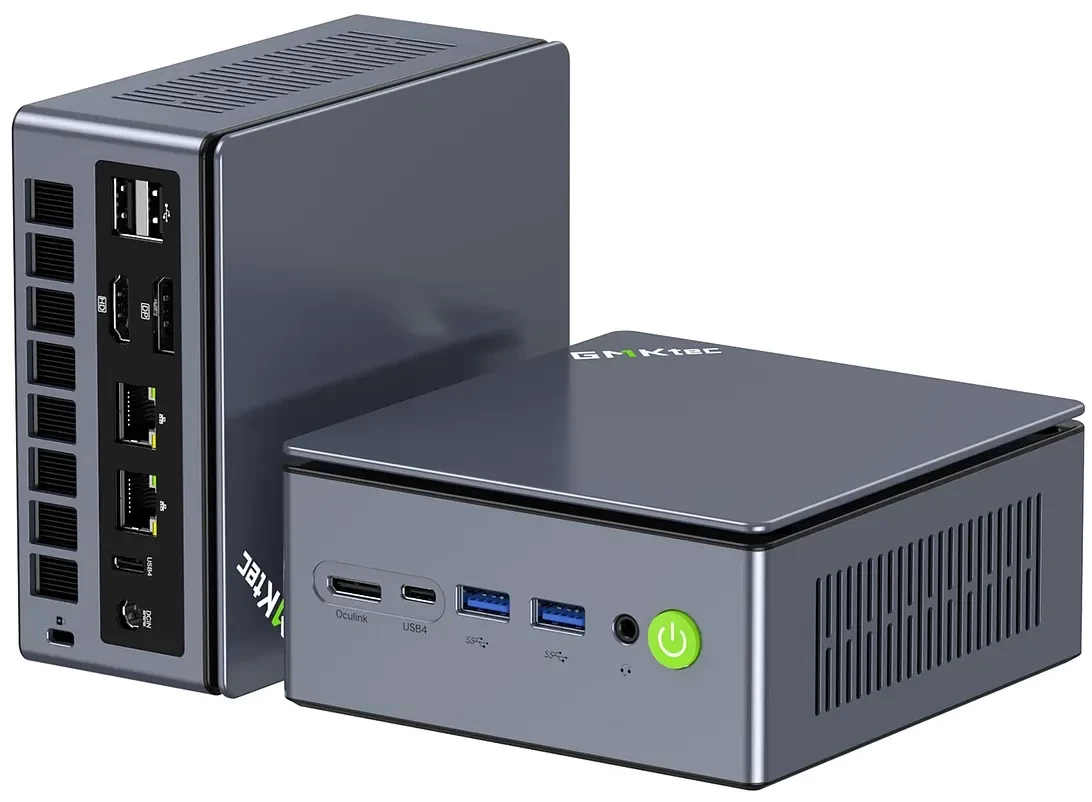
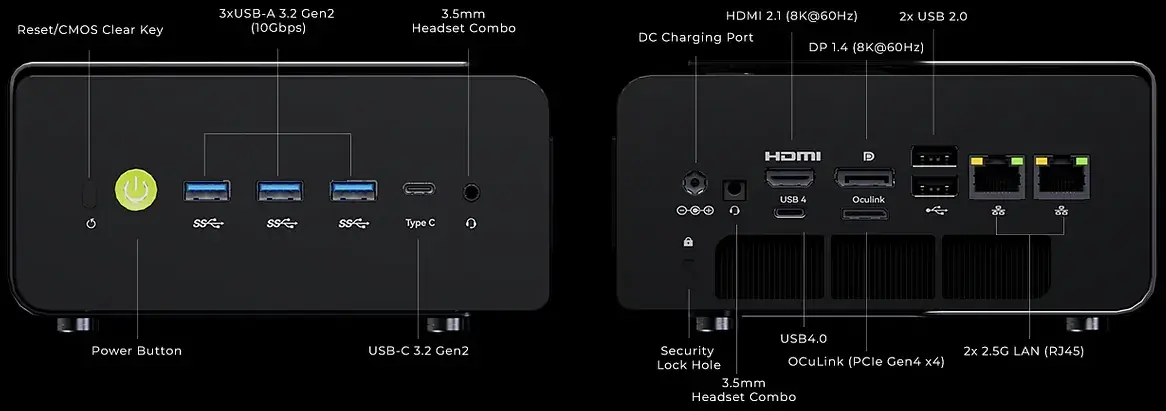
The NucBox K15 is available as Barebone (No OS, memory or SSD) or in 16G+1TB or 32G+1TB configurations with Windows 11 Pro preloaded. The specs claim there is a 2TB variant, but that is not listed at all in the pricing, maybe an idea, and remnant of the current GPU, memory, and storage worldwide shortages and price hikes.
Despite its almost three-year-old CPU, our variant comes with 32 gigs of DDR5 memory and a USB4 port supporting power delivery at up to 100W. Unfortunately, it also ships with a 1TB PCI 3.0 X4 SSD; all NVME ports are capable of PCIe 4.0 X4, so you could swap it out for something quicker.
Introduction
The NucBox K15 is powered by the in Q4 2023-released Intel Core Ultra 5 125H, which is a mobile CPU usually found in mid-ranged affordable laptops.
On the graphics front, it includes an Intel Arc graphics integrated GPU with a max GPU frequency of 1850 MHz across 7 Xe cores. It has been said that the iGPU is equivalent to the NVIDIA GeForce GT 1030 GPU in gaming and synthetic benchmarks, which basically means it is not suited for gaming. Other highlights include DDR5 memory at 4800 MT/s, Wi-Fi 6E, Bluetooth 5.2, and a Kensington Lock.
AI PC?
Nope.
Although the Intel Core Ultra 5 125H includes a dedicated NPU at 11 TOPS, along with CPU (3 TOPS) + GPU (7 TOPS), making up a total of 21 TOPS, it does not qualify as a Copilot+ PC.
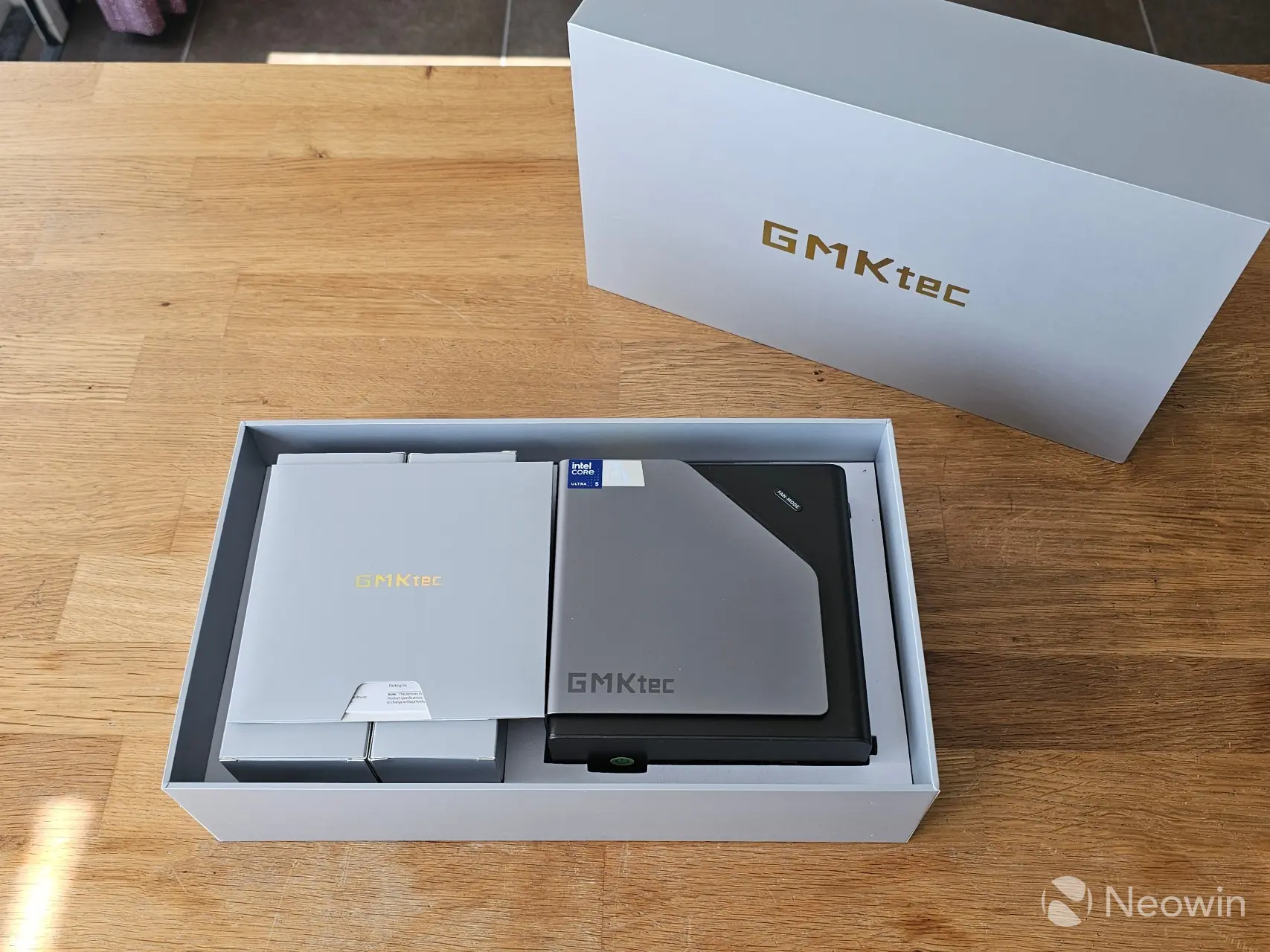
The packaging is a little different than the standard square box. Once the box top is lifted off, it reveals the NucBox K15 sitting in a foam cushion. On the left of the Mini PC, you will find an envelope full of documentation above two cardboard boxes with the other components, such as the power brick and lead, HDMI cable, and the VESA mount plate with screws.
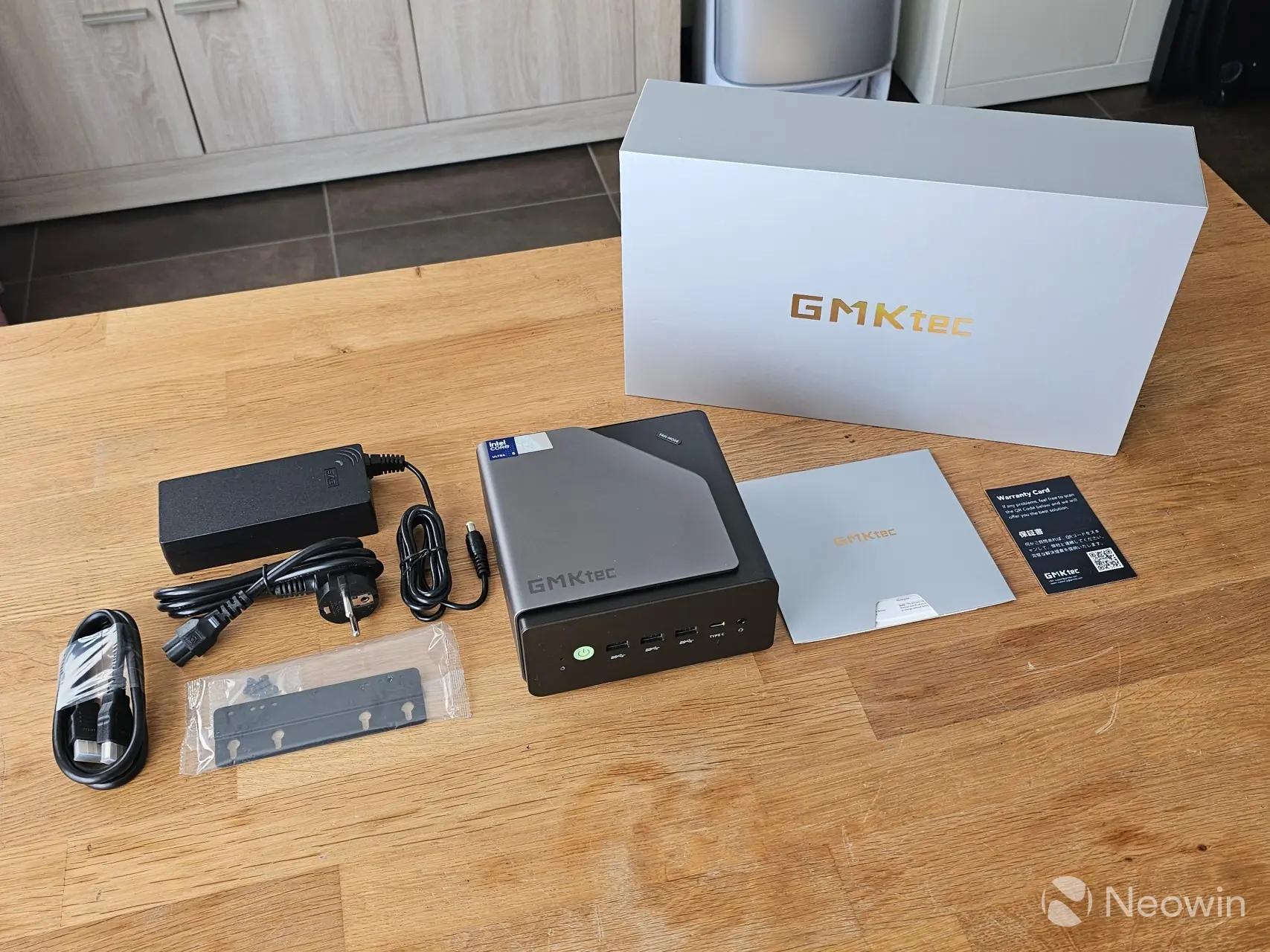
What’s In The Box
- GMKtec NucBox K15 Mini PC
- HDMI cable
- VESA mount and bag of screws
- Power adapter
- Warranty card
- 1 x User Guide
Instead of a link to the online user manual, GMKtec has a web page with tens of “how to” videos on various things and different Mini PCs. Anyway, I could not find a digital version of the user manual.
Design
The NucBox K15 is a familiar square design, at 877 grams of weight, it retains a good heft to it, while not being extremely heavy. There’s also a metal covering that wraps around from the top and left side and to the bottom, this serves both for airflow and the RGB lighting. It definitely gives off a premium and balanced feel to it. The Mini PC itself is made up of a plastic housing.
The NucBox K15 also includes just one USB 4.0 port (Type-C) on the back of the Mini PC. Regarding ports, on the front from left to right, there’s an audio jack, the power button, three USB 3.2 Gen 2 ports (10Gbps), and a Type-C USB 3.2 Gen 2 port (10Gbps).
As far as looks go, it has a two-tone grey exterior and a bit of a fingerprint magnet. GMKtec does not say what materials are used for the exterior on the product page or specs. Like other Mini PCs I have tested, it’s physically possible to directly attach four screens to the NucBox K15 using the two full HDMI (2.0) and DisplayPort (1.4) ports, along with the two Type-C ports, one of which has 100W Power Delivery to power an external portable monitor.
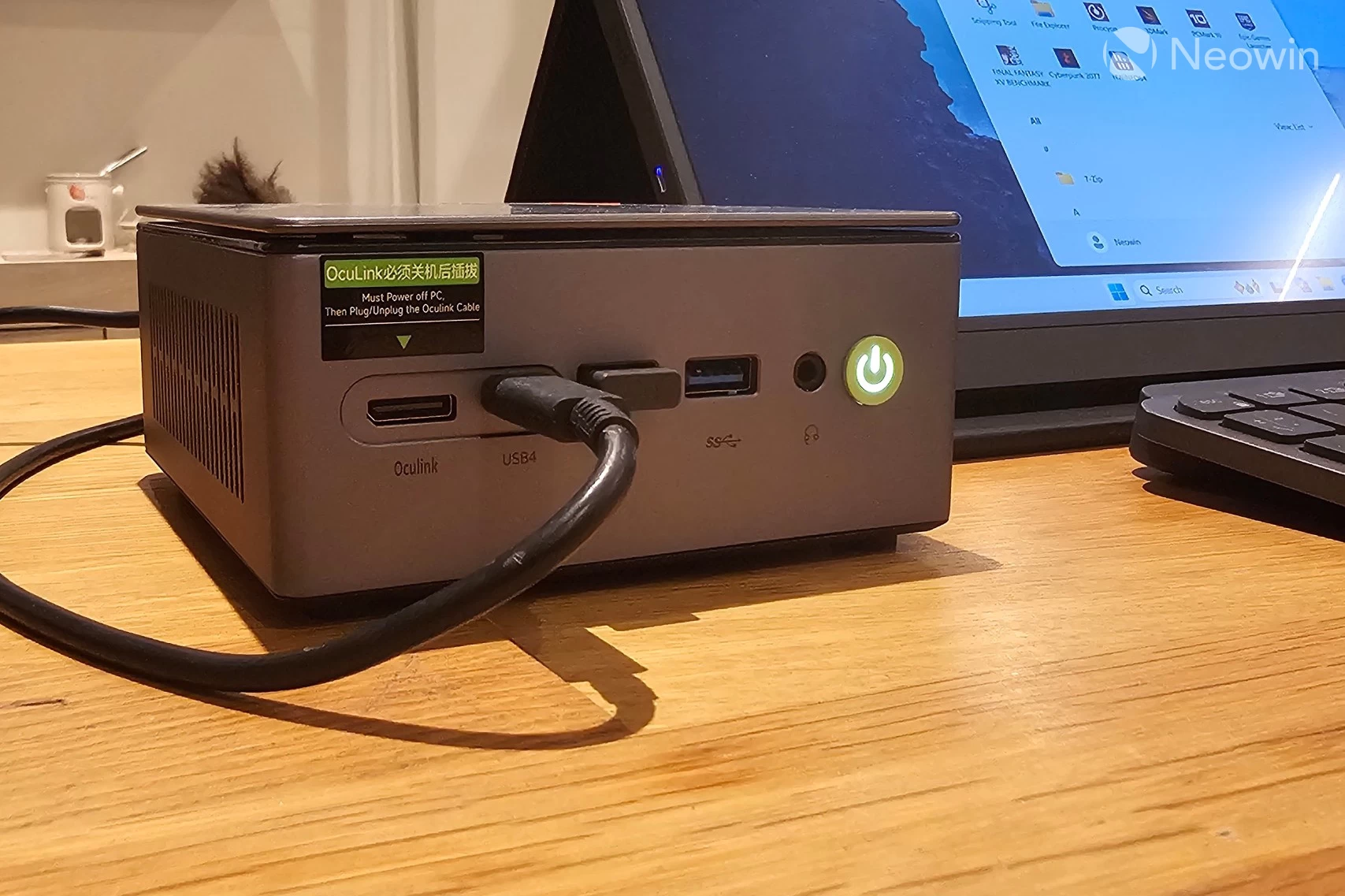
Regarding connectivity, around the back, from left to right, there is the DC jack port, an HDMI 2.1 port with USB4 below it, a full DisplayPort 1.4 and OCuLink port below it, two USB 2.0 ports, and two 2.5 GbE Ethernet ports. You can also affix a Kensington lock on the back side, below the barrel port.
Teardown
No review I do would ever be complete without some sort of teardown.
Accessing the NucBox K15 is a bit different than what I am used to:
- Unscrew the four metal feet (tool-less);
- Slide out the metal cover;
- Remove the screws on the left and right sides of the Mini PC;
- Lift off the cover containing the fan (be careful not to pull the fan lead);
- Unplug the fan cable (optional);
- You now have access to the NVME and memory slots.
As you can see from the above images, the design is pretty good for airflow, and it’s not overly complicated to access the K15 Nucbox, which is a plus. The fan cable also has a decent length, so you don’t really need to unplug it to just manage the SSDs or memory.
There is ample room to manage the SODIMMs and 1 TB SSD, so you can swap it out for something else if you want, or add in two more SSDs in the unpopulated M.2 slot. All of the NVMe slots are PCI 4×4.
Setup and Usage
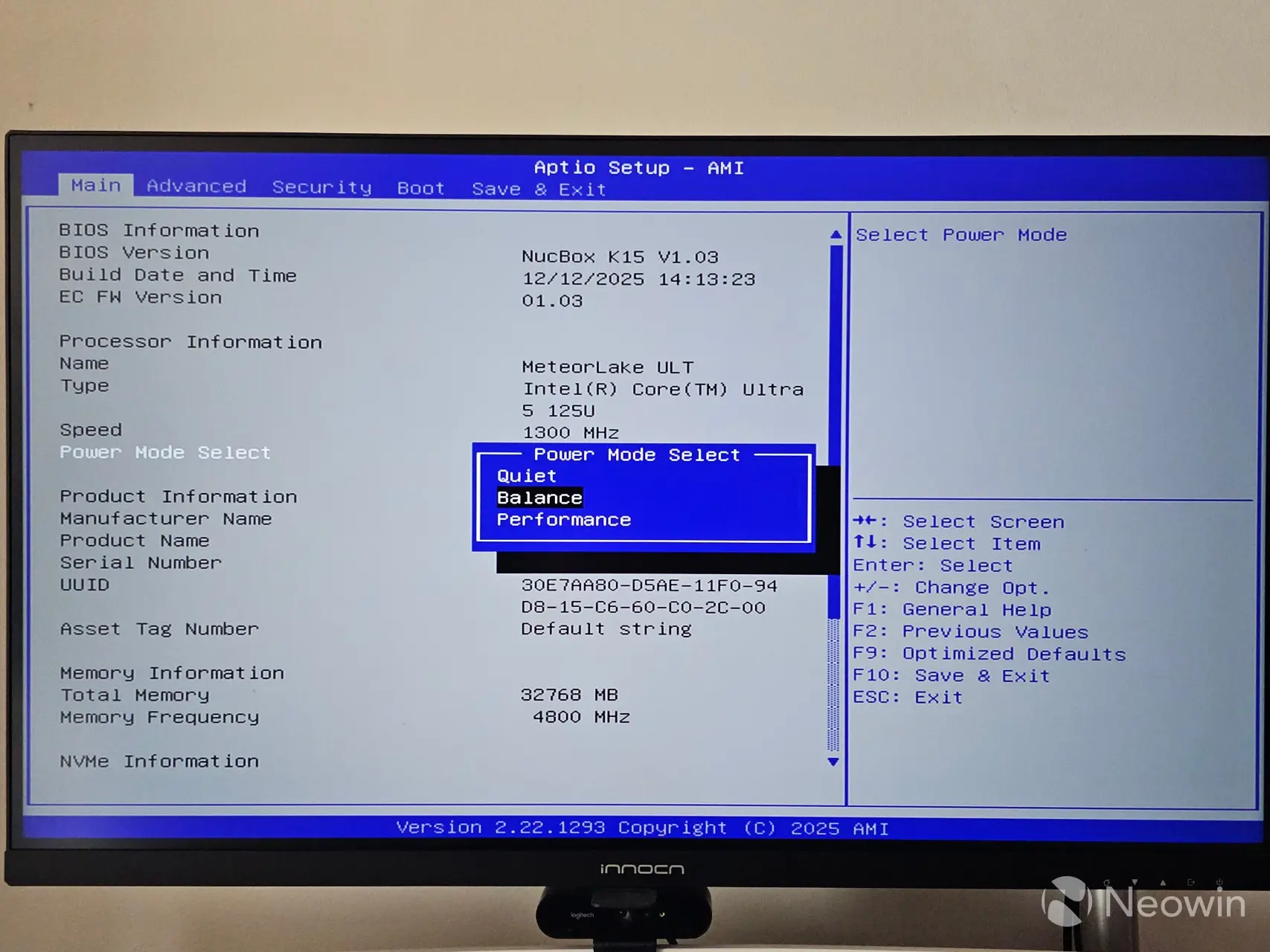
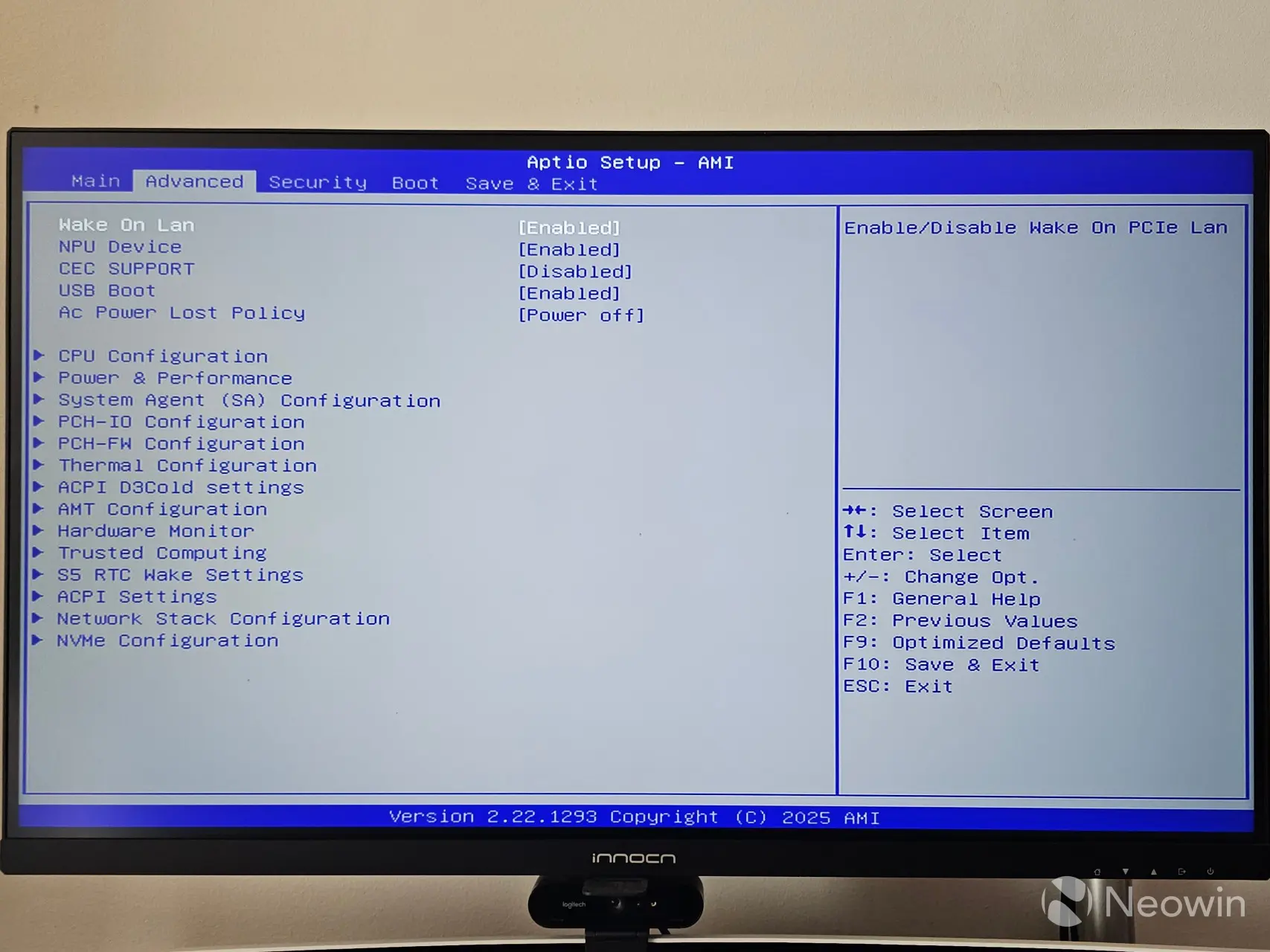
The NucBox K15 includes an AptiBIOS, which can be entered during boot up by mashing the ESC key. Everything is available to configure here, and you can also manage the Security and Boot order. However, it’s not possible to take screenshots with the F12 key.
Setting up the NucBox K15
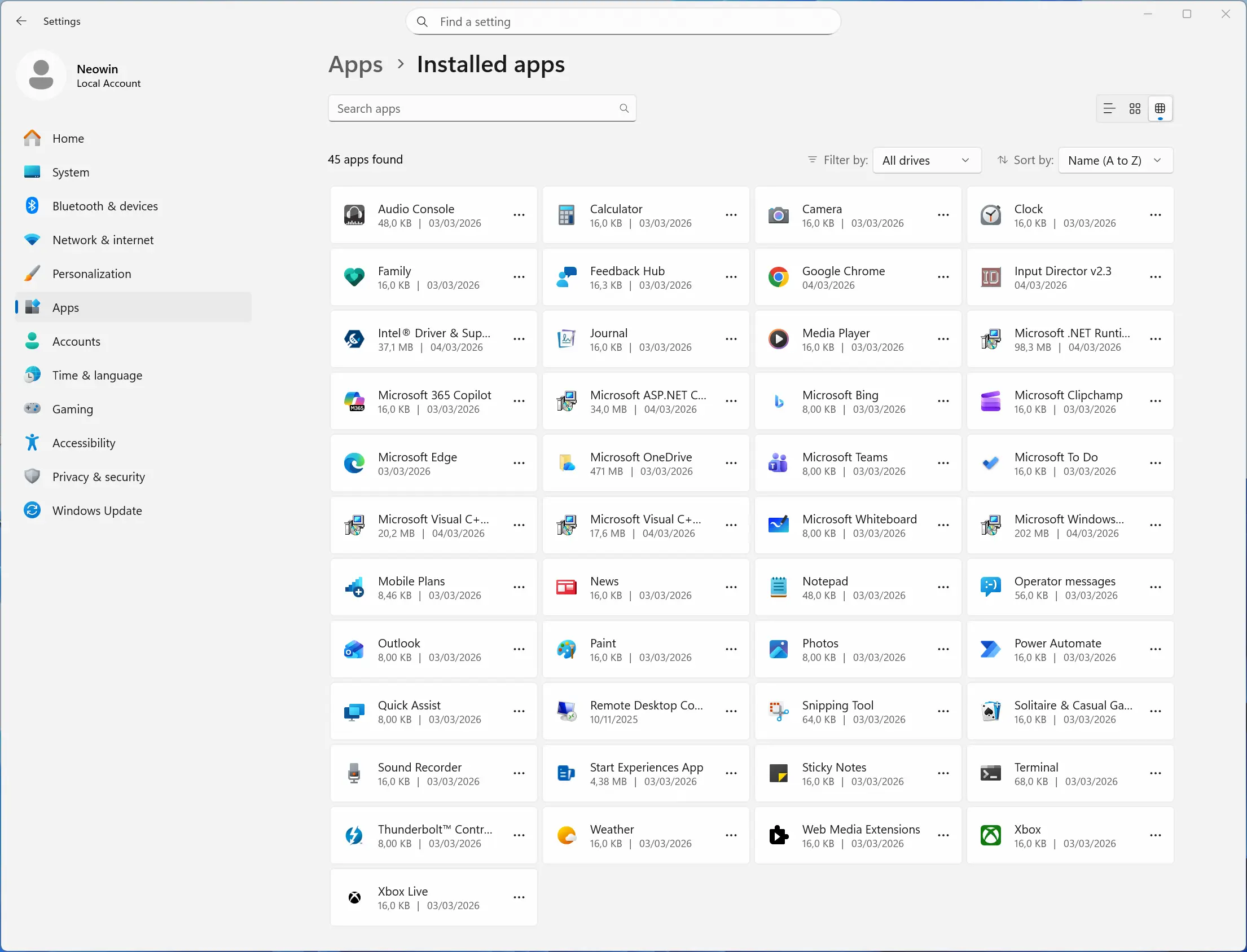
On first boot, you are prompted to complete the setup of Windows 11 Pro, meaning you do not have to fork out for a license, which is nice. After the setup is finished, I am happy to report that it does not come with any bloatware installed. The OOBE also installs several updates to Windows 25H2 February 2026 Patch Tuesday update 26200.7623.
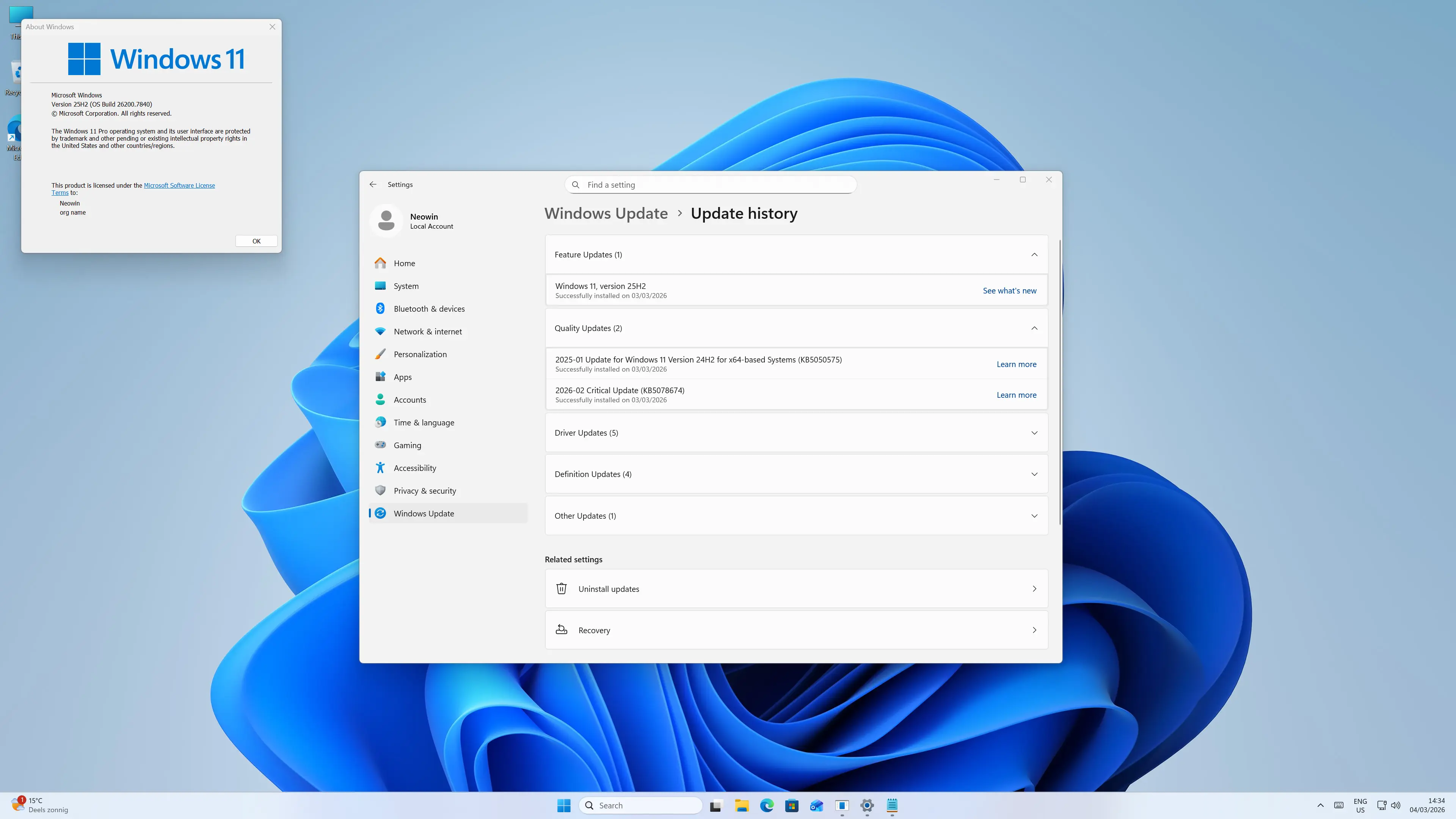
Before starting with benchmarks, I checked Windows Security, which gave several alerts, which ended up being because OneDrive was not set up and because I was not logged in with a Microsoft account (unsure how these two things affect PC security but hey ho,) after dismissing them the Windows Security dashboard was green across the board. Memory Integrity was already enabled.
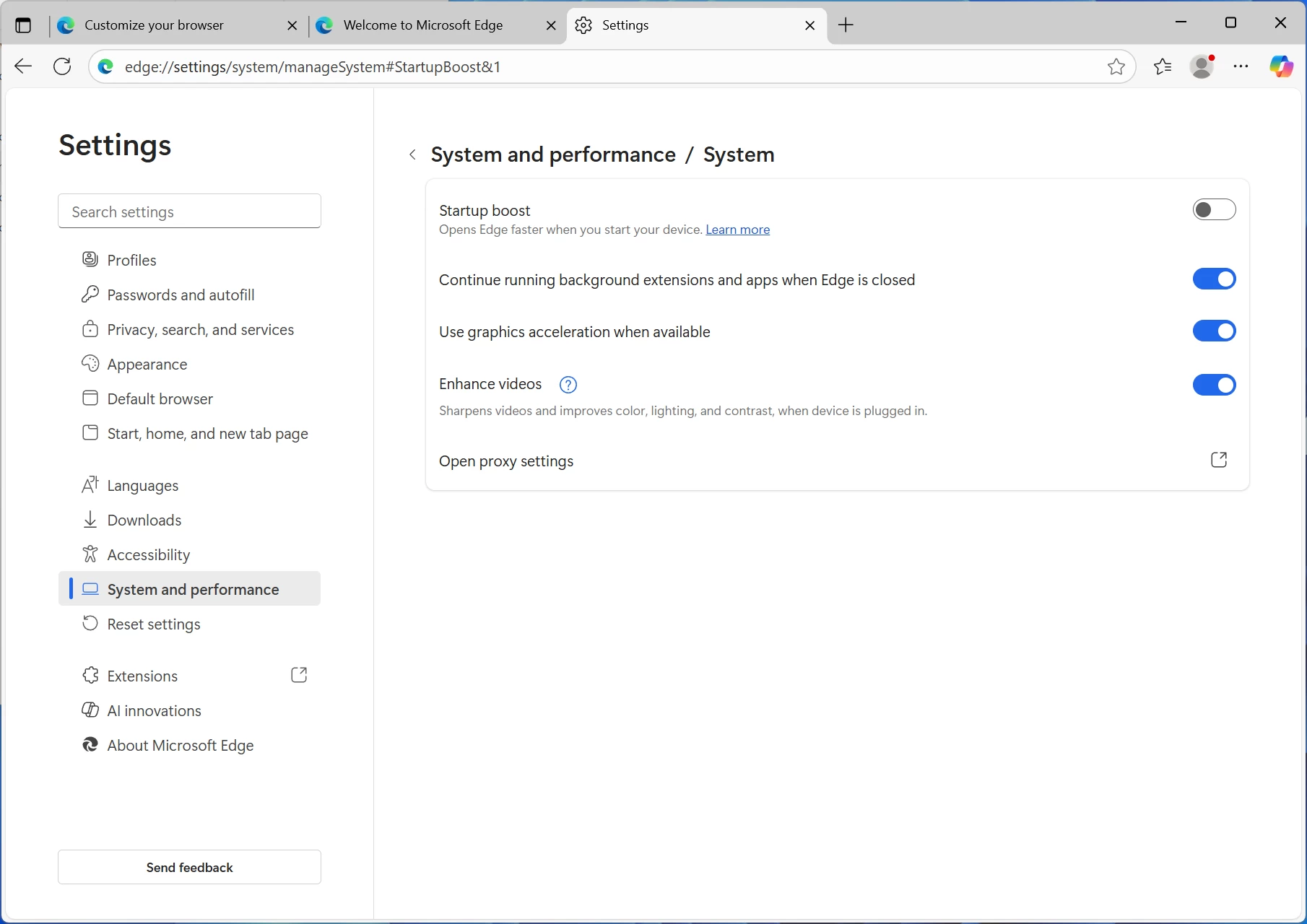
I also disabled Copilot and Edge browser Startup boost so that Edge wasn’t running in the background during benchmark tests, and I disabled OneDrive from startup programs via Task Manager.
Benchmarks
With that out of the way, and because people like that sort of thing, I ran some benchmarks and compared them with a couple of other Mini PCs, one with a Ryzen 9 HX370 Mini PC, and the other with a Ryzen 7 6850U. The NucBox K15 is running Windows 11 Professional 25H2 build with the latest updates, and the latest Intel ARC Graphics drivers (32.0.101.8509).
For the benchmarks, I used Cinebench 2024, 7-Zip, AS SSD, and CrystalDiskMark. 3DMark, PCMark 10, and Procyon (Windows ML for CPU and GPU) were provided to Neowin by UL Solutions; Primate Labs Inc. provided us with commercial versions of Geekbench 6 and Geekbench AI.
3DMark Time Spy tests gaming capability with DX12 graphics performance. PCMark tests are a mix of CPU and real-world productivity tests, such as using an office suite, web browsing, light photo/video editing, and making conference calls. Cinebench stresses the entire CPU as it is a multi-threaded rendering test. Geekbench is a synthetic benchmark that is great for a quick look at the potential performance across a wide range of workloads.
I also used HWiNFO to monitor hardware sensors and temperature readings.
| GMKtec NucBox K15 Intel Core Ultra 5 125H |
GMKtec M7 Ultra Ryzen 7 PRO 6850U |
Geekom A9 MAX Ryzen AI 9 HX370 |
|
|---|---|---|---|
| 3DMark: Time Spy Steel Nomad Light Steel Nomad Fire Strike Wild Life |
1,928 1,351 340 4,383 9,563 |
2,542 2,187 364 6,479 14,273 |
3,732 3,293 518 8,579 20,773 |
| PCMark 10: Standard Extended test |
6,211 5,972 |
6,767 6,841 |
7,762 7,675 |
|
Procyon: Windows ML CPU |
67 88 337 |
99 187 – |
129 255 788 |
| Geekbench 6 CPU: Single Multicore Compute GPU: OpenCL Vulkan |
2,145 8,748 18,430 19,820 |
2,087 9,752 27,913 – |
2,885 15,196 39,233 – |
| Geekbench AI |
Single, Half, Quantized |
Single, Half, Quantized |
Single, Half, Quantized |
| ONNX CPU ONNX DirectML OpenVINO NPU |
2224, 1067, 5006 2834, 4896, 2084 2421, 8563, 13205 |
3333, 1529, 5226 5889, 8590, 4545 3969, 3746, 6037 |
4229, 2100, 7774 7596, 12469, 5730 6197, 6177, 16420 |
| Cinebench 2024: Single Multicore |
99 554 |
87 631 |
120 1,146 |
| 7-Zip | 56,091 | 89,999 | 123,551 |
Geekbench AI scores are in the following order (left to right): Single Precision, Half Precision, Quantized.
As was to be expected, the Intel Core 5 125H falls below both the Ryzen AI 9 HX370 and Ryzen 9 8945HS in most tests, except in cases where the dedicated NPU is utilized; no surprises here.
As we often do, we have included comparative charts through which the differences are easier to visualize. The benchmark chart comparisons were provided by Sayan Sen.
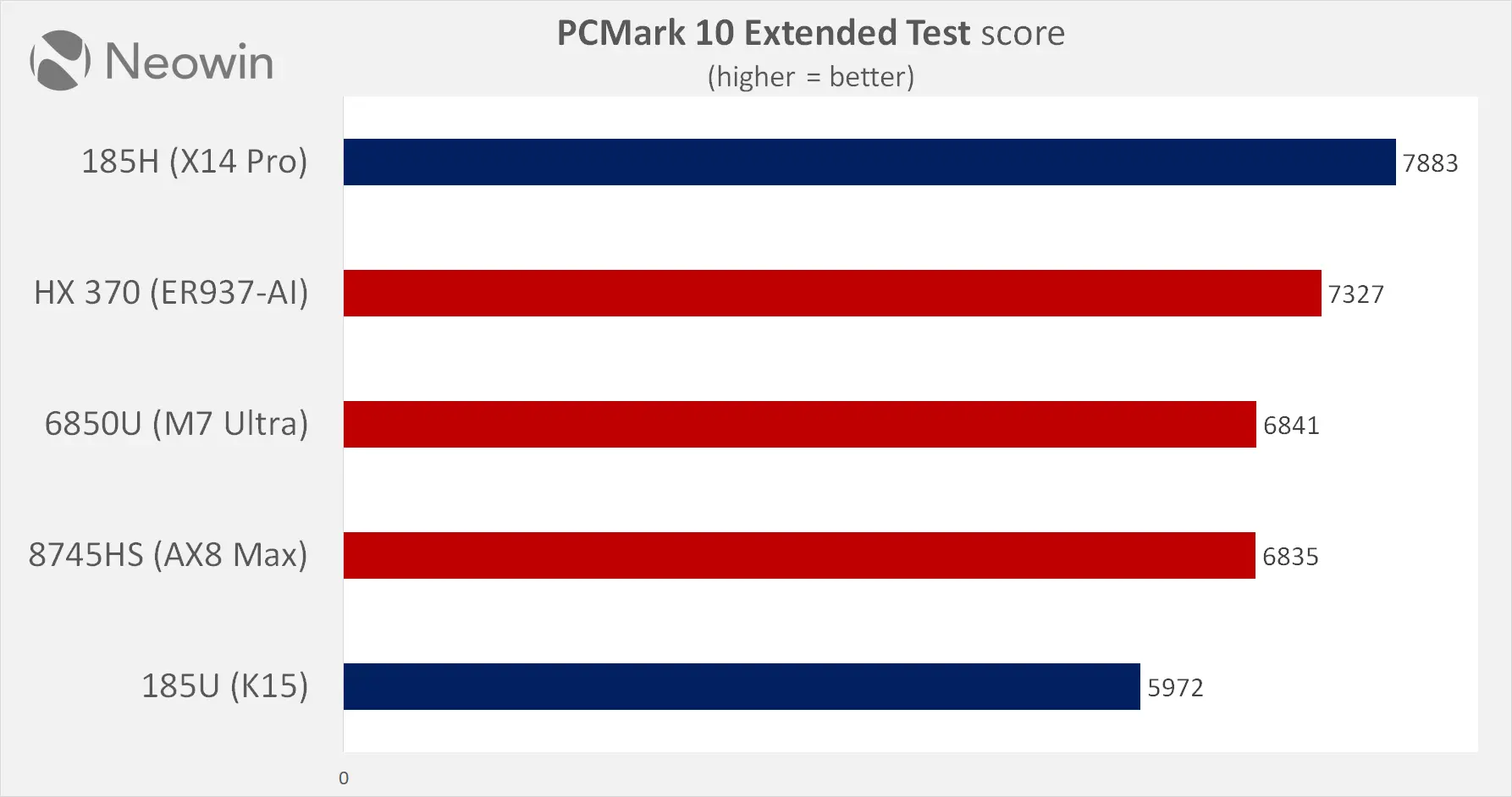
We have the PCMark 10 Extended test first, and here the NucBox K15 was the slowest of the bunch. This is a mixed workload PC usage test that mainly assesses the CPU, but can also leverage the on-board graphics as well.
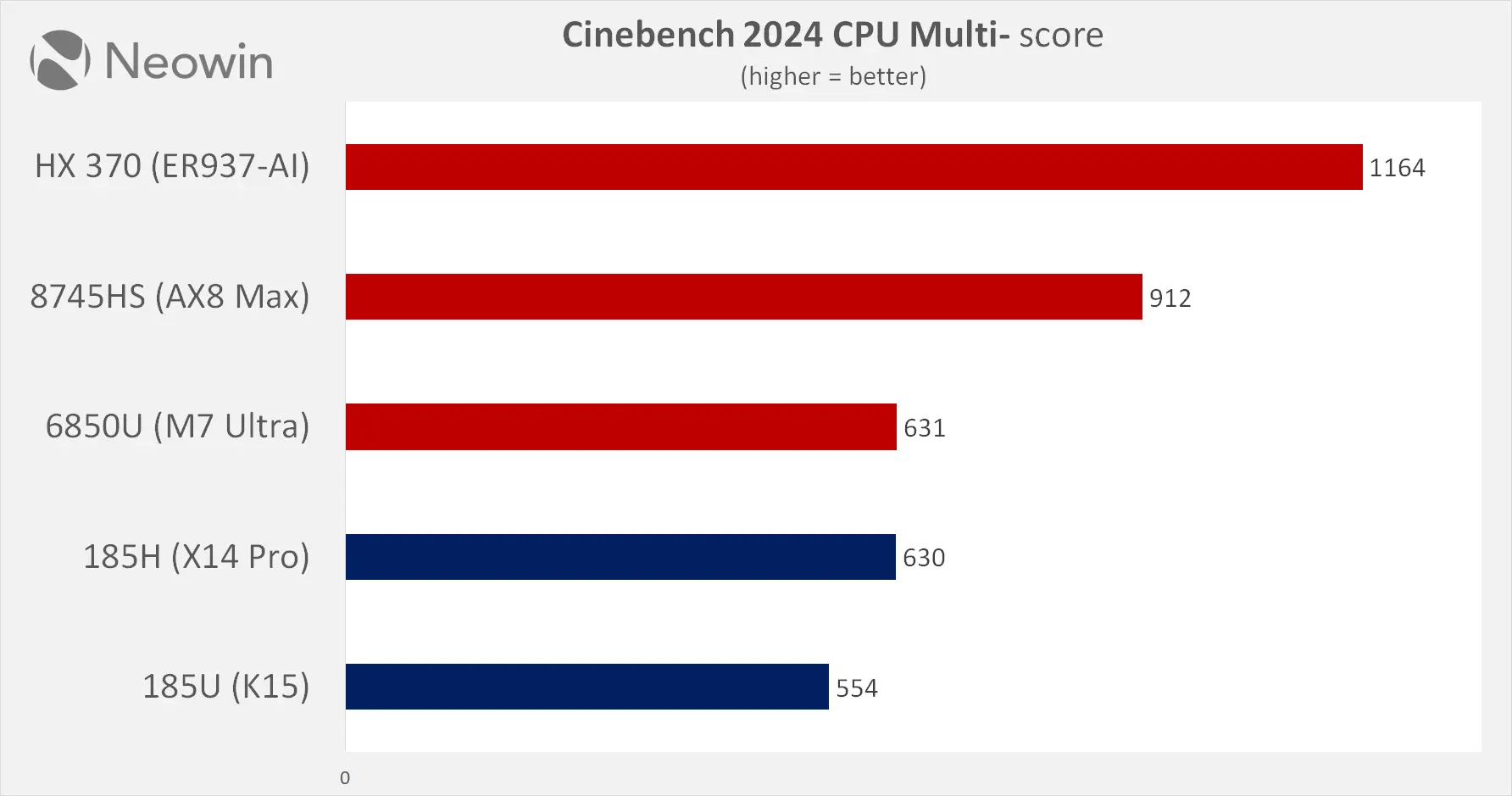
Next, we have Cinebench 2024, which is a rendering test that takes up all available CPU threads. Interestingly, both the GMKTec and the Geekom laptop, powered by Intel processors, were the worst here.
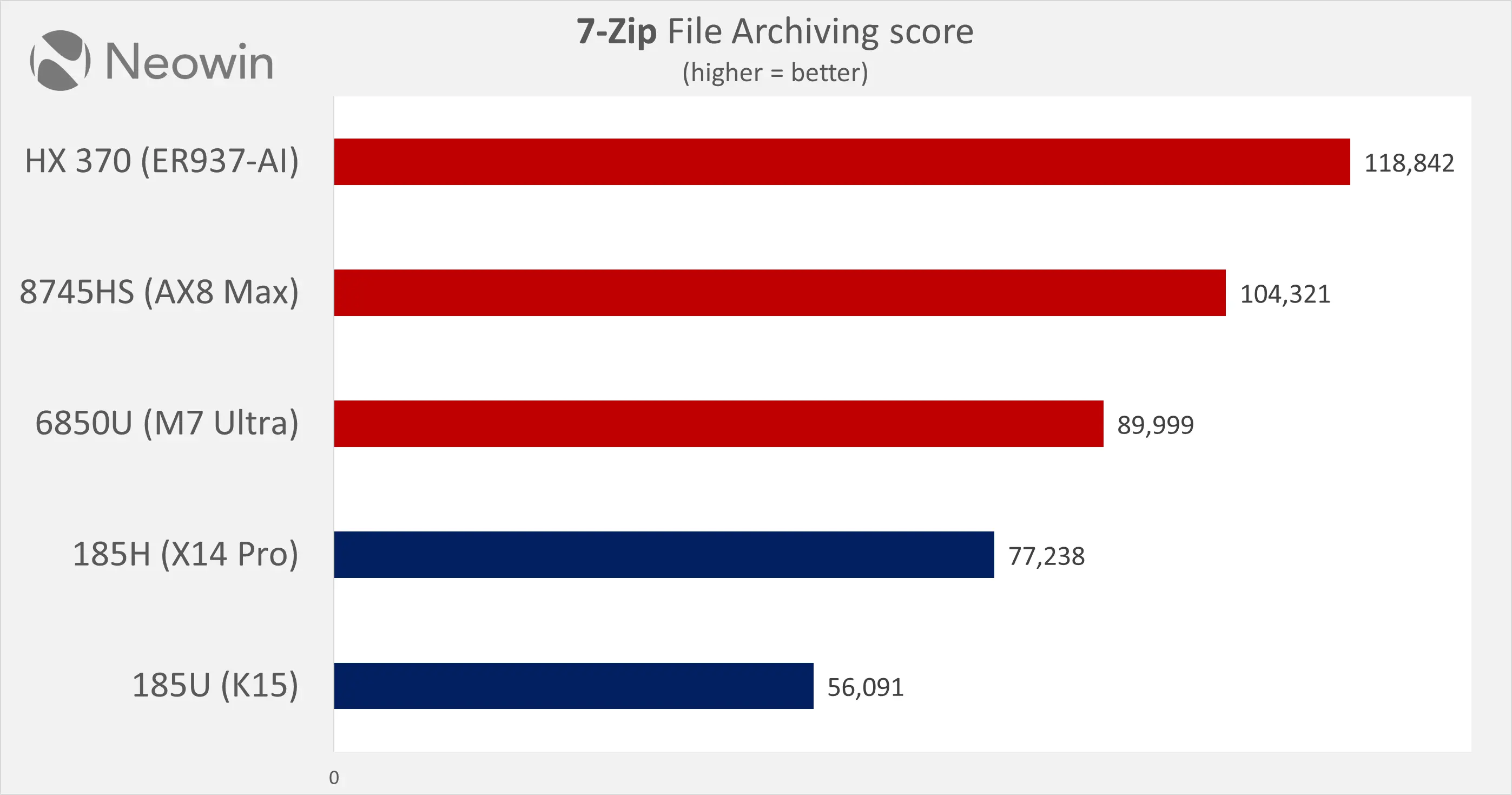
In 7-Zip too, we saw Intel trailing behind the AMD processors. The 185U inside the NucBox K15 was especially slow.
Following our CPU testing benchmarks, we move on to GPU testing.
We used 3DMark tests to get an idea of how capable the iGPU on the Intel Core 185U is. We start off with Fire Strike.
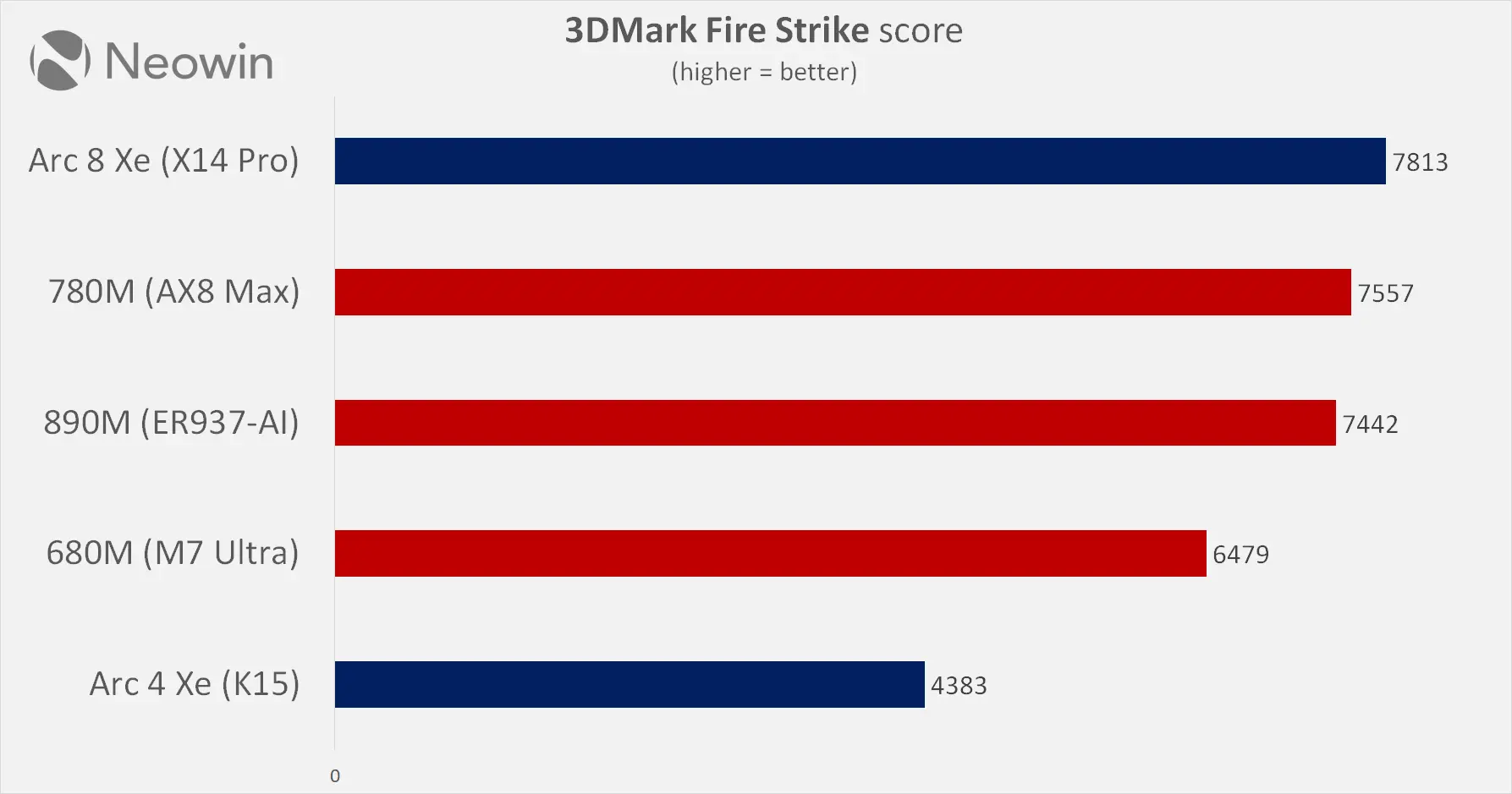
This is a DX 11-based synthetic benchmark, which makes it a good gauge for those still playing older titles.
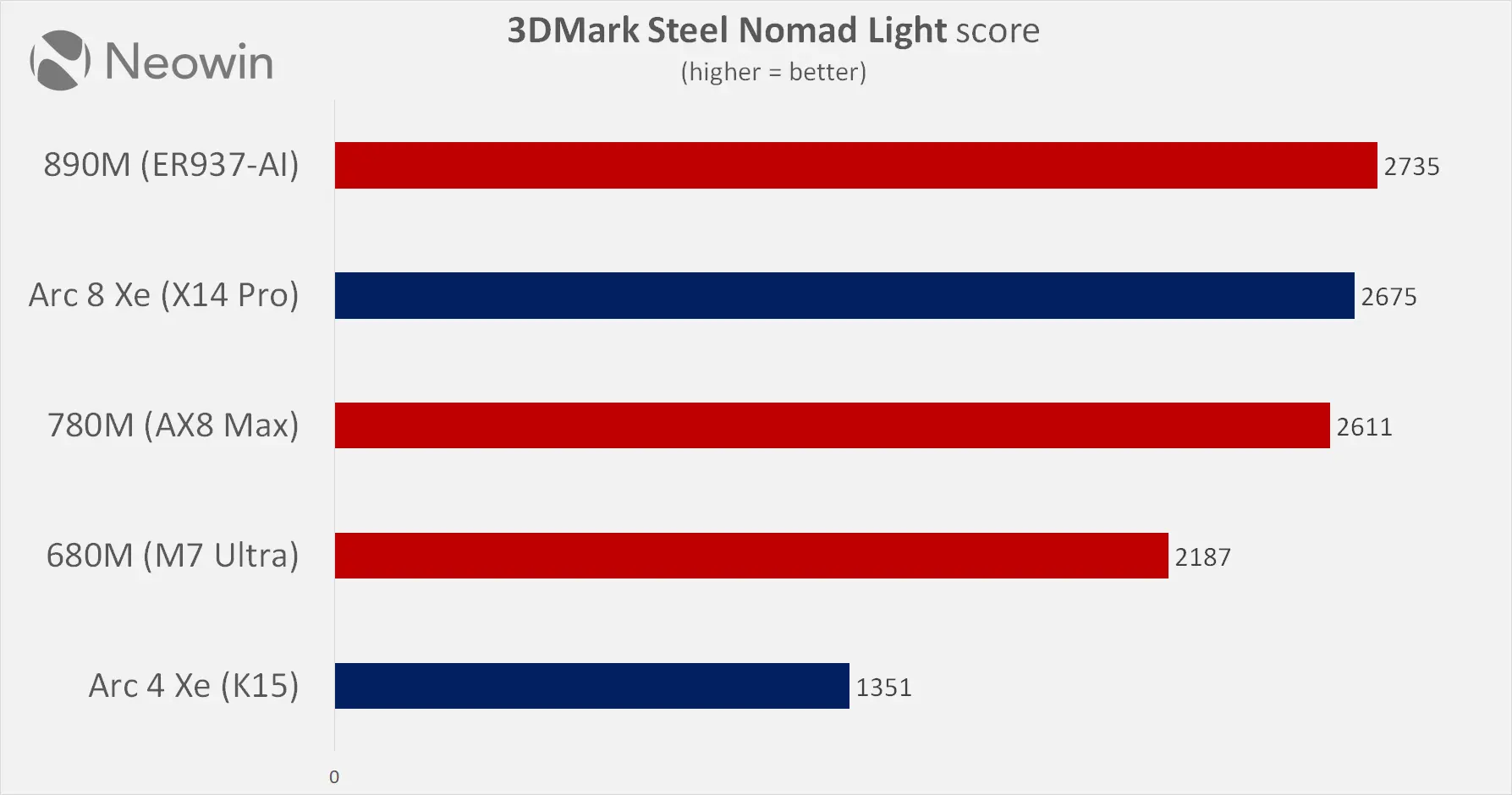
Next, we have Steel Nomad Light, which is much more modern and is powered by DirectX 12. The much more powerful Geekom X14 Pro does a much better job in some of these tests.
Gaming
The NucBox K15 has a pretty weak iGPU that does not come close to any dedicated GPU, so it goes without saying that expectations should be checked in this department; when looking for an equivalent, it falls just below the pretty old GT 1030 (nine years old now) dedicated GPU in terms of performance.
Final Fantasy XV
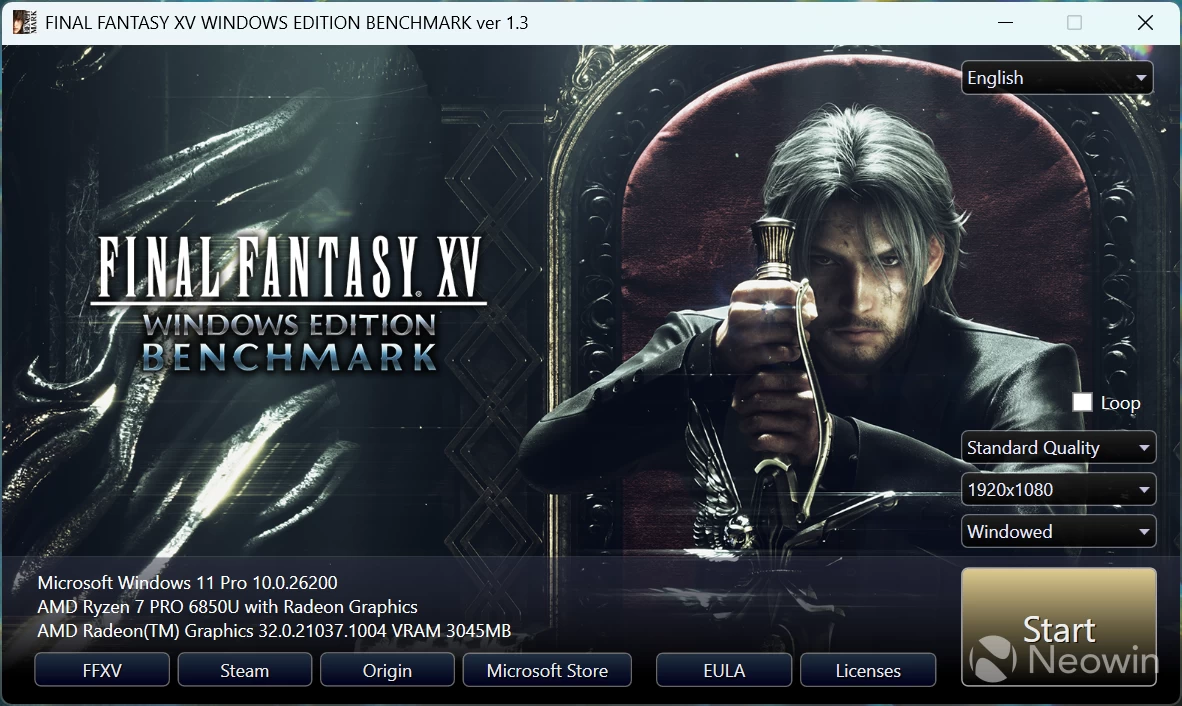
To gauge the capability of the 4CU Intel ARC integrated graphics processor (iGPU), I ran the standalone Final Fantasy XV Windows Edition Benchmark on different resolutions at the Standard Quality preset to see what kind of gaming performance one can expect from the onboard GPU.
The full scores are below, and are based on the settings detected for the game, which recommended 720p at Standard quality.
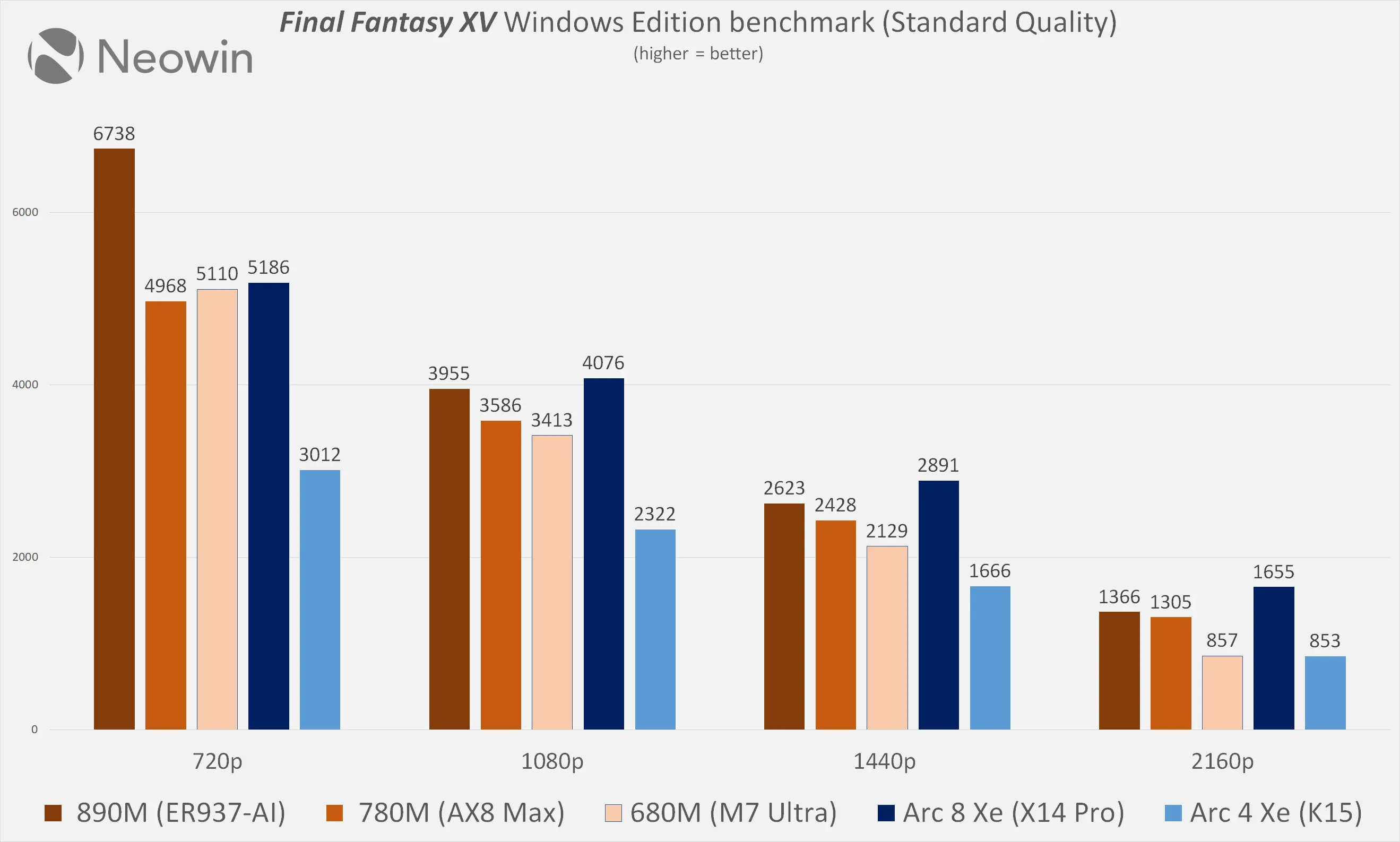
In Final Fantasy XV, we observe that the higher the screen resolution, the more comfortable it gets for the Intel integrated graphics. It appears that Intel’s graphics driver is suffering from overhead, and upping the resolution simply helps in reducing and alleviating that bottleneck.
Browser Performance (result is best to worst)
| Browser | Low | High |
|---|---|---|
| Edge | 30.3 | 30.5 |
| Chrome | 29.3 | 30.2 |
| Firefox | 23.2 | 23.6 |
Next up, I tested browsing performance using Speedometer 3.1. Speedometer provides a value and also a range showing the lowest and highest scores after three runs, as indicated in the chart above by the two scores for each browser. Edge is the winner here, with Chrome coming out in second. Firefox was left in the dust, coming in 6.9 points below Edge on the high, and 10.1 points behind on the low score recorded on each browser after three runs.
Disk performance
I also tested the SSD’s capability using AS SSD and CrystalDiskMark.
| AS SSD | CrystalDiskMark |
|---|---|
|
|
|
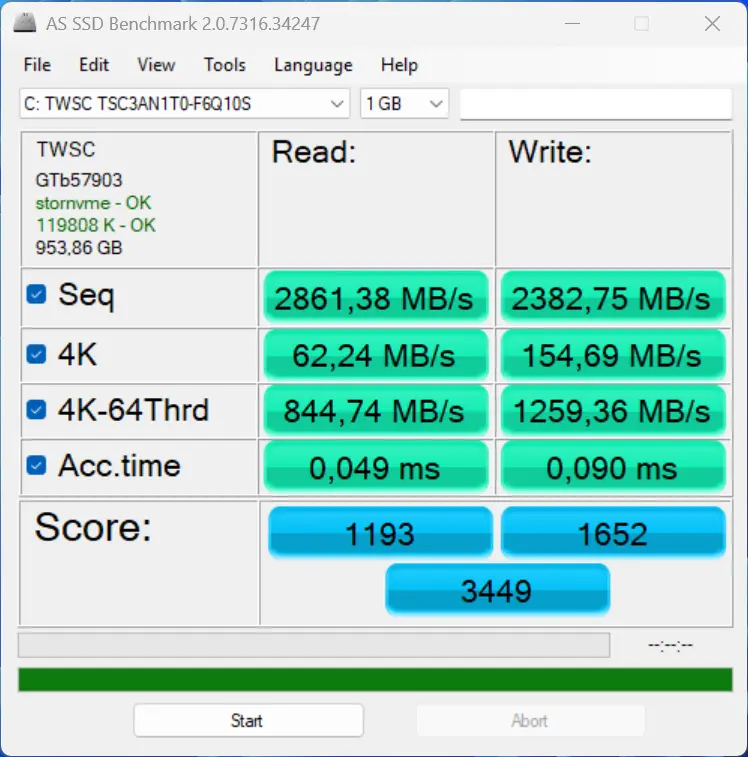
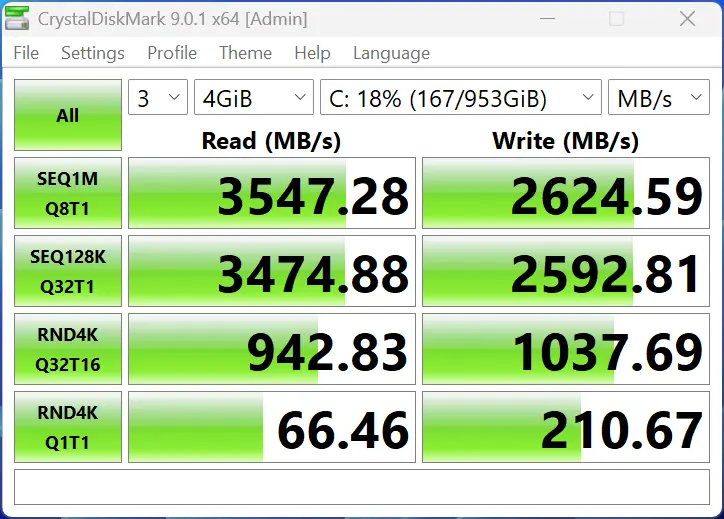
The TWSC 1TB SSD is rated for 3500/3100 MB/s read/write, and you can see that it’s pretty mediocre with writes, not coming close to its own rating; however, read speeds are better, matching or exceeding the claimed rating in our tests. It’s unclear why GMKtec decided to go with such an SSD when the world has mostly moved onto PCIe 4×4 drives, most likely a cost-cutting exercise!
3DMark Storage Benchmark
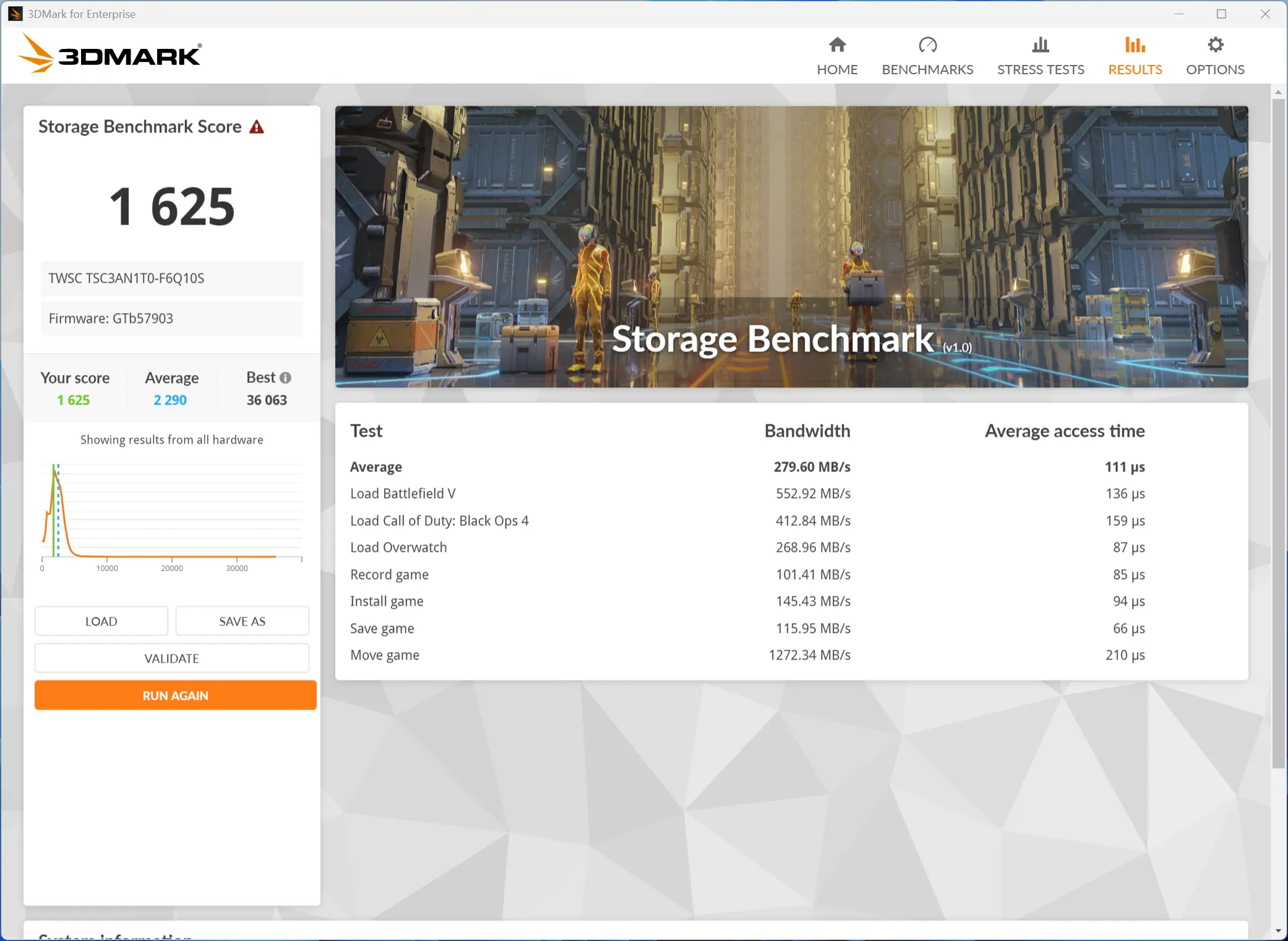
Next, I ran the Storage Benchmark, which is a component test that measures the performance of the TWSC SSD, particularly for gaming, using real-world gaming-related activities like loading games and recording gameplay. As you can see, this SSD falls well below the average of all those tested.
Heat
Despite running all of the above benchmark tests, the NucBox K15 did not get warm at all, and no annoying noises were coming from the single fan that cools the unit. The Highest CPU temperature recorded was during the Fire Strike test, where the CPU Core reached 72 °C.
Power draw
During my testing, I also kept an eye on the power draw using a Green Blue energy meter.
| in Standby | Windows 25H2 idle |
|---|---|
|
|
|
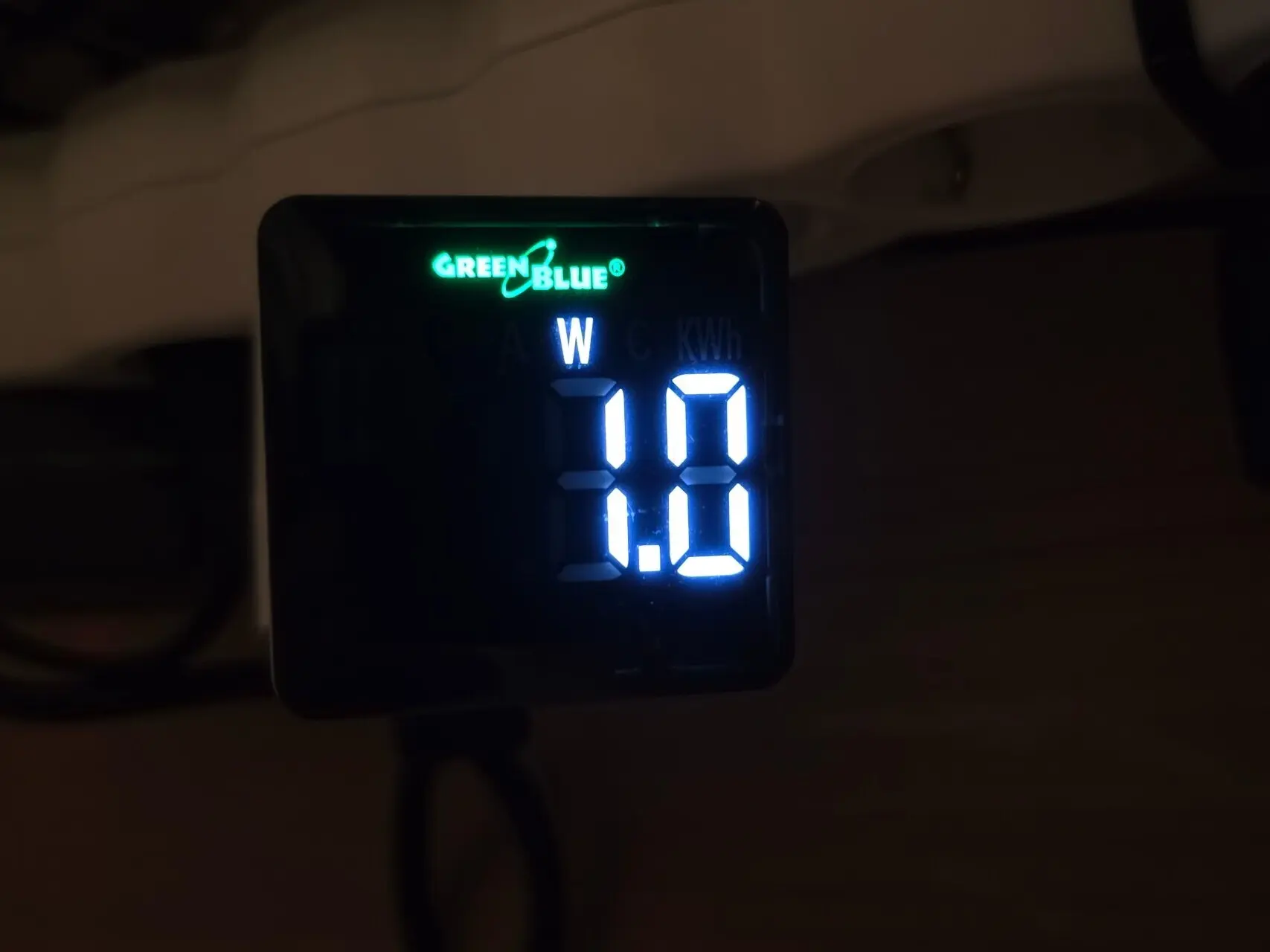
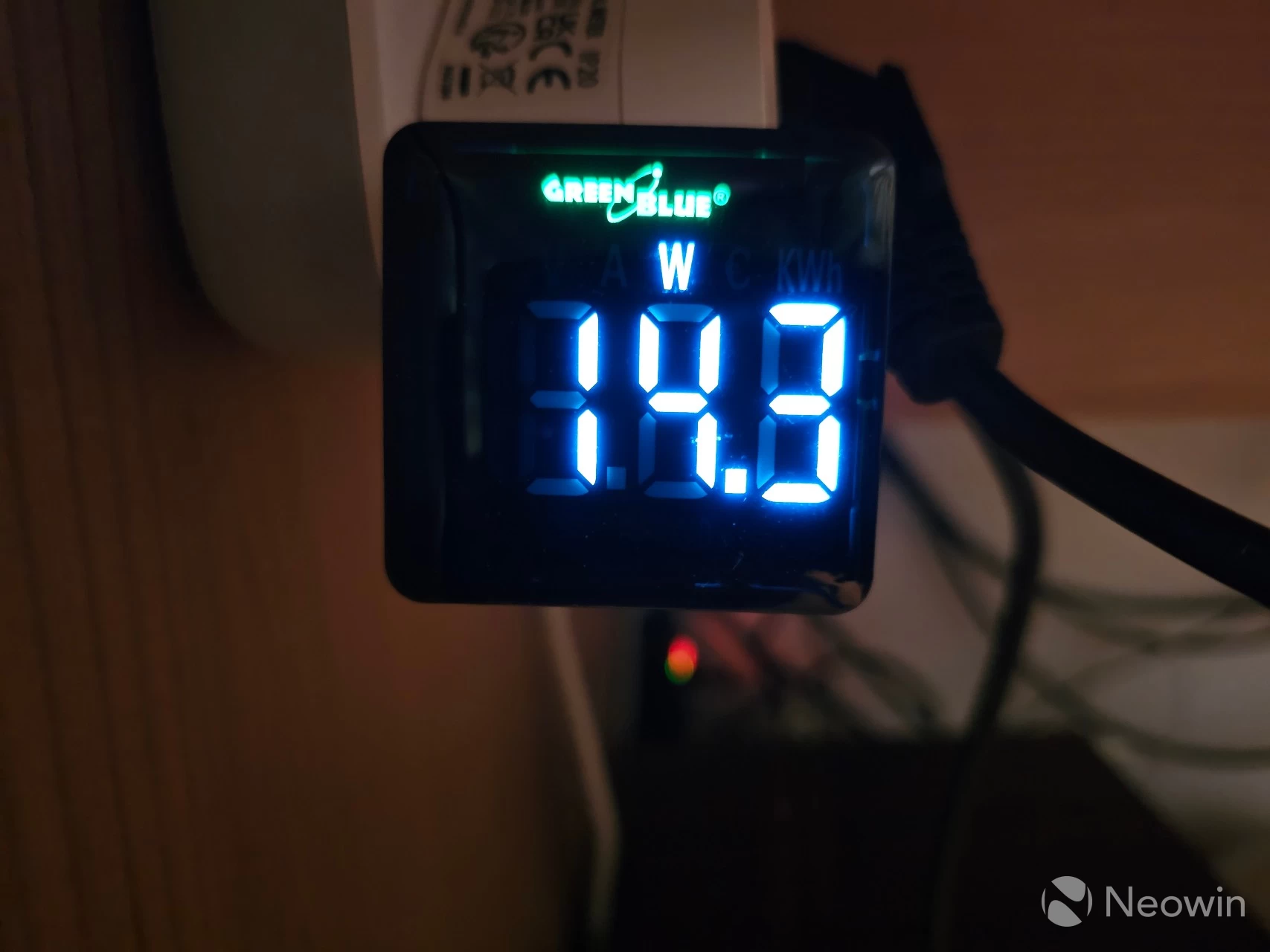
As you can see above, when powered off, it draws roughly 1W in Standby. When turned on and idle with no apps opened and just sitting in the Windows desktop, the draw was roughly 10W.
| Cinebench 2024 | CrystalDiskMark (peak) | 3DMark Fire Strike |
|---|---|---|
|
|
|
|
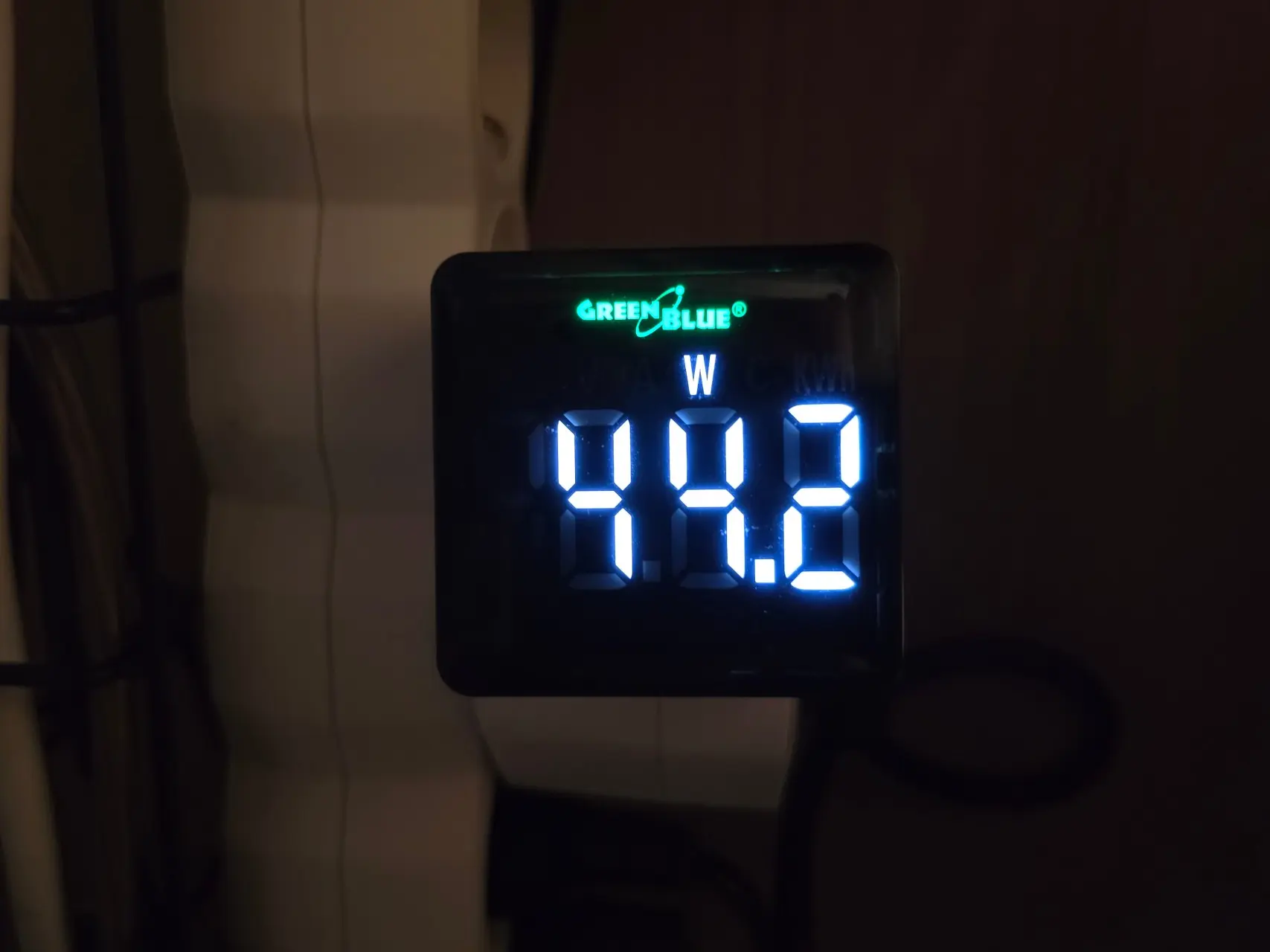
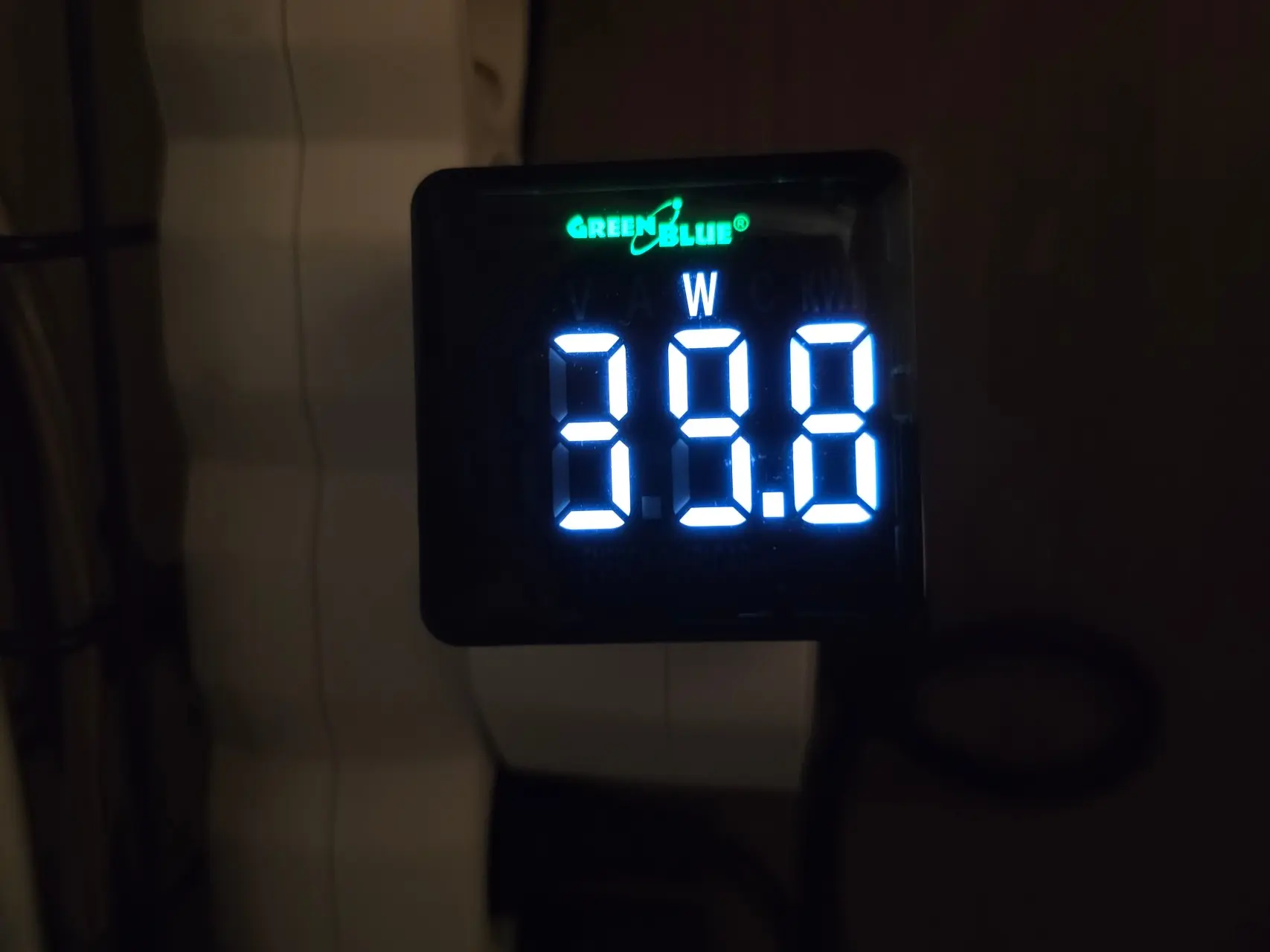
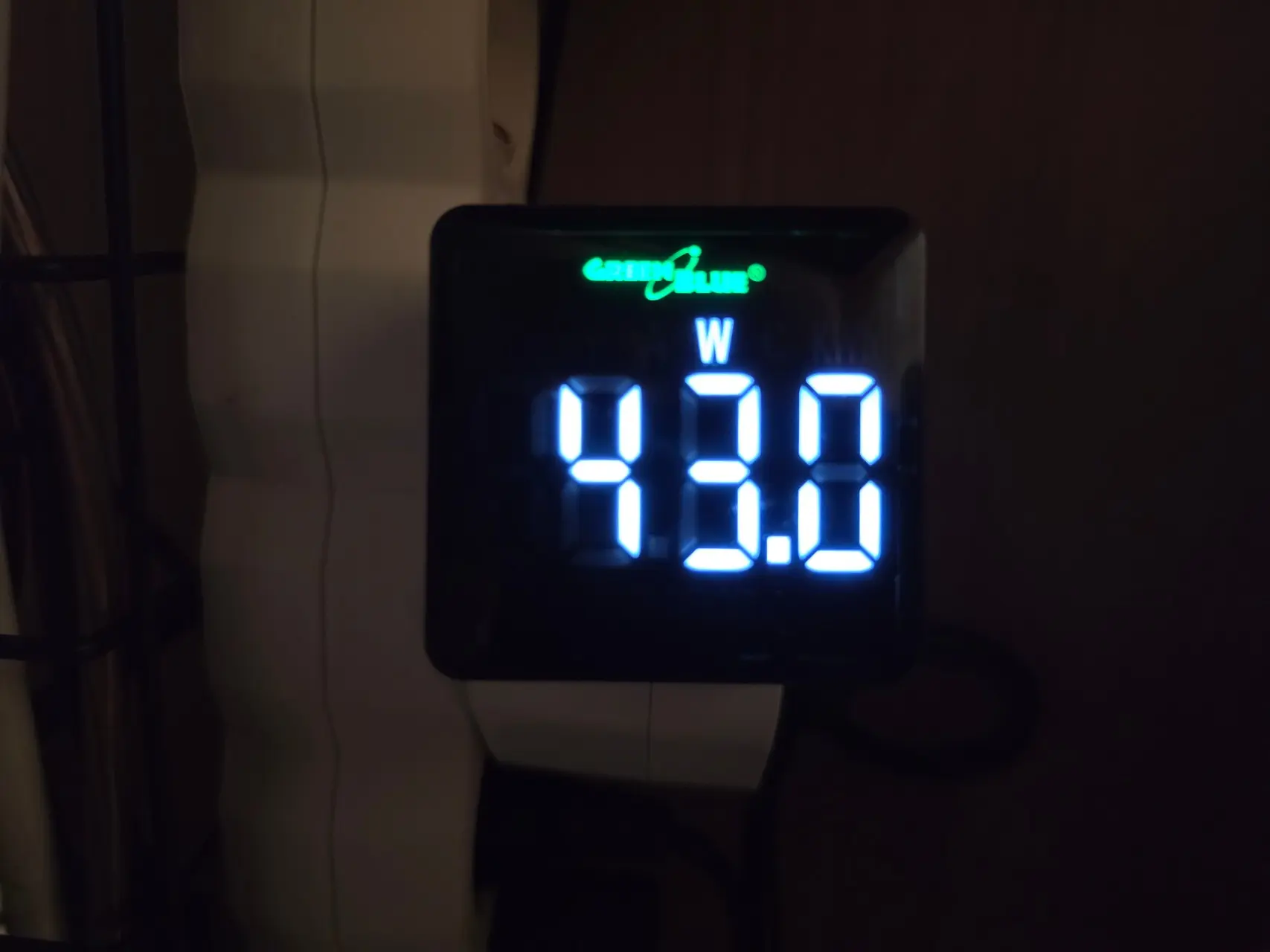

Next, I measured the maximum power draw when running the Cinebench 2024 test, which relies mostly on CPU access. I also measured power usage during the CrystalDiskMark and saw a peak of 39.8W, and finally, a peak of 43W was measured when running the 3Dmark Fire Strike benchmark.
Conclusion
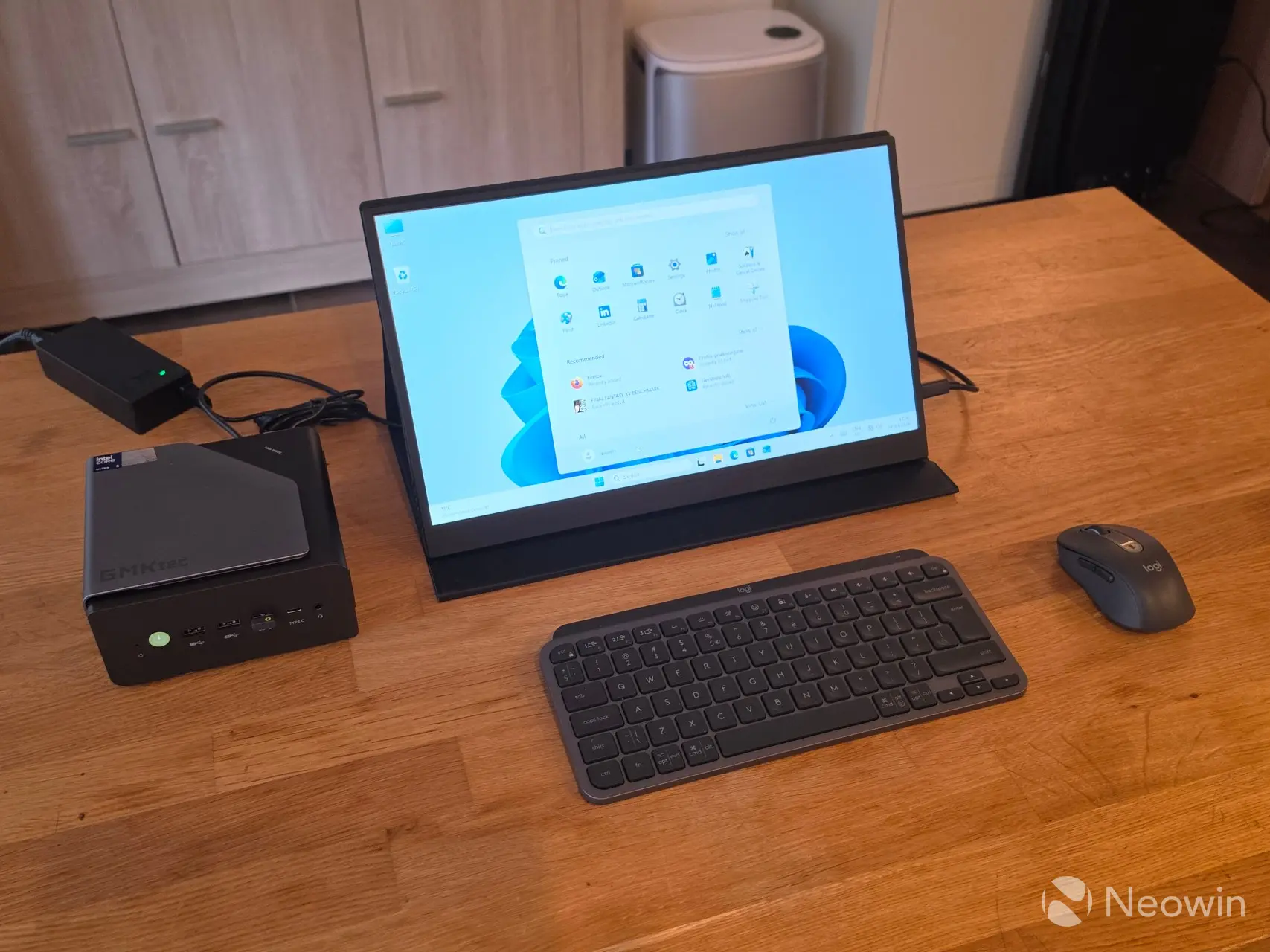
I’ve said it time and time again, I love these Mini PCs. They simply aren’t gaming PCs, though, so you will not be able to enjoy graphically intensive games on them. For that, you need a dGPU along the lines of the mobile Nvidia 4060, AMD 7600 (XT), or better. In this case, it isn’t quite suited for light gaming, perhaps more so as an office workstation. It would be a good solution for a student with limited living space, with the ability to pack this into a backpack for a portable solution. This thing isn’t taking up much room; you can even screw it to the back of a screen if it has VESA support with the included mount plate.
In a world that is apparently too stingy for phone manufacturers to include a power lead and charger for their flagship phones, GMKtec has provided all of the cables and tools necessary to get started straight away, along with a Windows 11 Pro license and a booklet with instructions on how to access the internals.
When it comes to Mini PCs, the market is saturated with crap, so you really have to be on the lookout and study the specs properly. One trick I have seen often is Mini PCs utilizing old tech, sometimes two generations behind. This Mini PC will let you connect to four displays, whereas cheaper solutions will be limited to two screens.
The good
What I like about the NucBox K15 is the option for three SSDs and fully functional USB4 port on the back, this means no messing about during presentations, just whack the portable/external display in the port, need to charge your phone? That port offers up to 100W power delivery, so it will juice any modern flagship with PD 3.0 support. I also like the OCuLink option, which means you can get this relatively cheap mini PC and pair it with any dedicated GPU to beef up the performance.
The bad
While there’s not a lot to dislike about this Mini PC, I have to fault the decision to include a PCIe 3.0 SSD. There’s also no SD card slot, but that’s just me nitpicking now, it has everything else you could want from a mini PC, a Type-C port on the front, and even HDMI 2.1 and a full DisplayPort 1.4 support.
Would I recommend?
With a discount, and you don’t care about gaming, (or you can afford the OCuLink dGPU option). Yes.
Where to buy
Assuming you’ve made it this far, this definitely feels like it has been affected by the AI datacenter-related price hikes. Our variant at 32GB+1TB for the discounted price of $699.99 feels about right, and on Amazon, there are even more listings with 48GB+1TB and 32GB+512GB that aren’t on the official site.
Official website
Amazon
Our stories may contain affiliate links for products/apps where Neowin is paid an affiliate fee if you complete a purchase via those links.
Pros
Power efficient
DDR5 memory
HDMI 2.1 port
OCuLink port
Great airflow
Cons
Ships with PCIe 3.0 x4 SSD
Just one USB 4 port (on the back)
A little pricey (thanks to AI)