
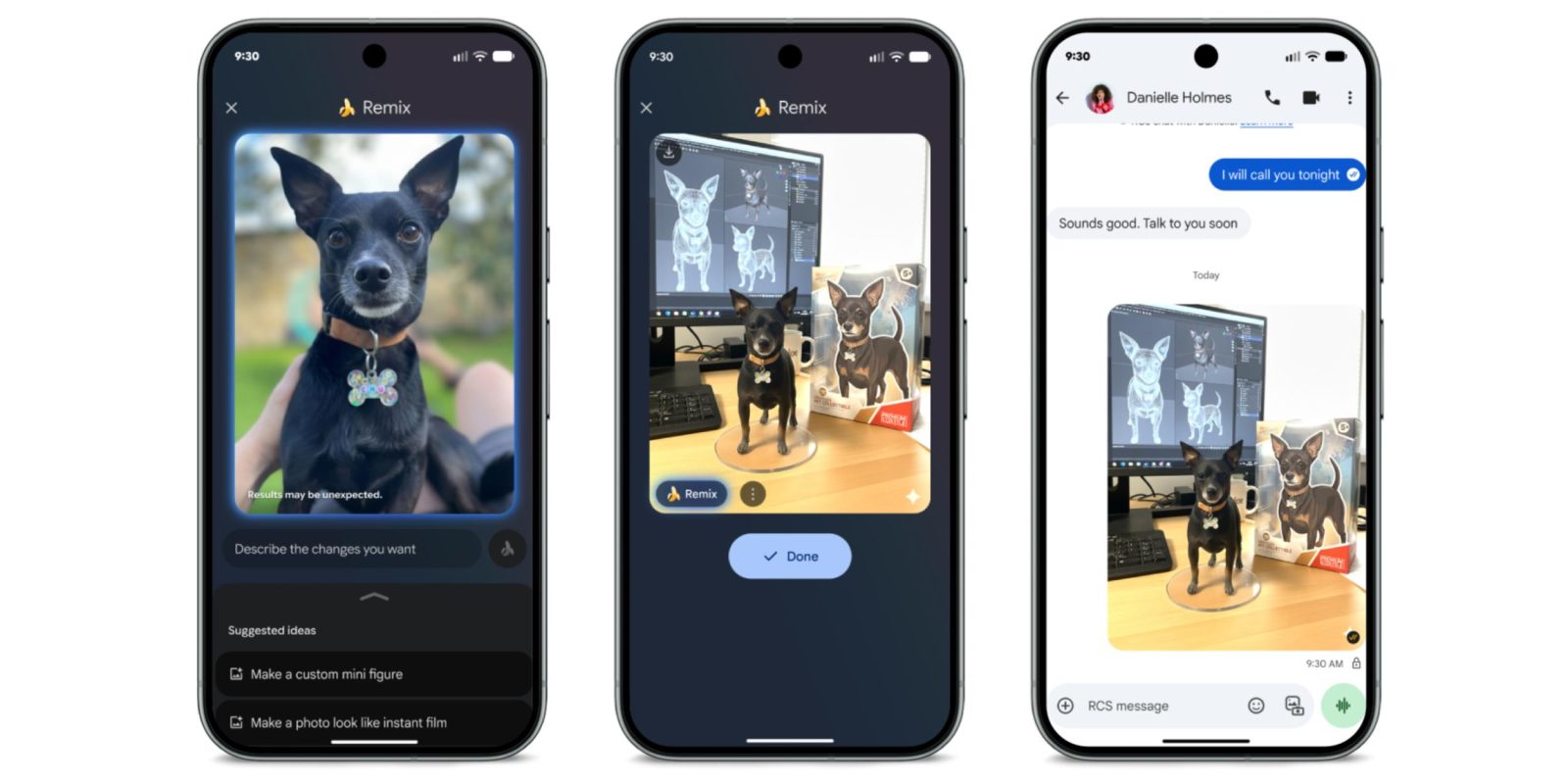
With the November 2025 Pixel Feature Drop, Google announced that Messages is adding a Remix editing for photos that will be available on all Android phones.
Powered by the Nano Banana image generation and editing model that’s already available in the Gemini app and AI Mode, Remix in Google Messages lets you pick a photo and prompt.
“Remix” will appear as a new pill-shaped button in the bottom-left corner of images you long-press in the conversation view, or select in the gallery.


Specifically, you “Describe the changes you want,” with a banana-themed enter button. Google will give you a list of “Suggested ideas” like “Make a custom mini figure” or “Make a photo look like instant film.” Google Messages is using the existing gallery interface for this experience.
You’ll see a preview of your Remix image, with all works featuring a Gemini spark watermark in the bottom-right corner. You can also download the image from here.
This is available on the Pixel 6 and above, but it’s a feature for all Android devices. It’s coming first in English for RCS users in the US, Australia, Canada, India, Ireland, New Zealand, and UK. (Remixed images can be sent over MMS.) It’s already going live for users in the Google Messages beta today.
It joins existing image features like Photomoji and Selfie GIF.
Google Messages Remix is coming to more countries and languages in the future.


FTC: We use income earning auto affiliate links. More.