
The March Google Pixel update arrived today as the March Pixel Feature Drop and there are a ton of new features and changes.
If you own a Google Pixel phone, you have a big day ahead. The March Pixel Feature Drop is here and it’s one of the best updates we’ve seen in a bit. There are at least 14 new features for you to check, plus big expansions of previously-released features. Things like the new Now Playing app, new theme packs, custom icons, a Personal Calling Card for yourself, real-time location sharing, upgrades to Circle to Search, and more fun with Magic Cue are all a part of this latest update.
As an added note, this March Drop arrives alongside the March Pixel update, which is a major quarterly update. In addition to all of the new toys, there are bug fixes and new builds for just about every Pixel phone that Google still provides updates too.
Below, we’ve got the full recap on everything new for the March Drop.
March Pixel Feature Drop
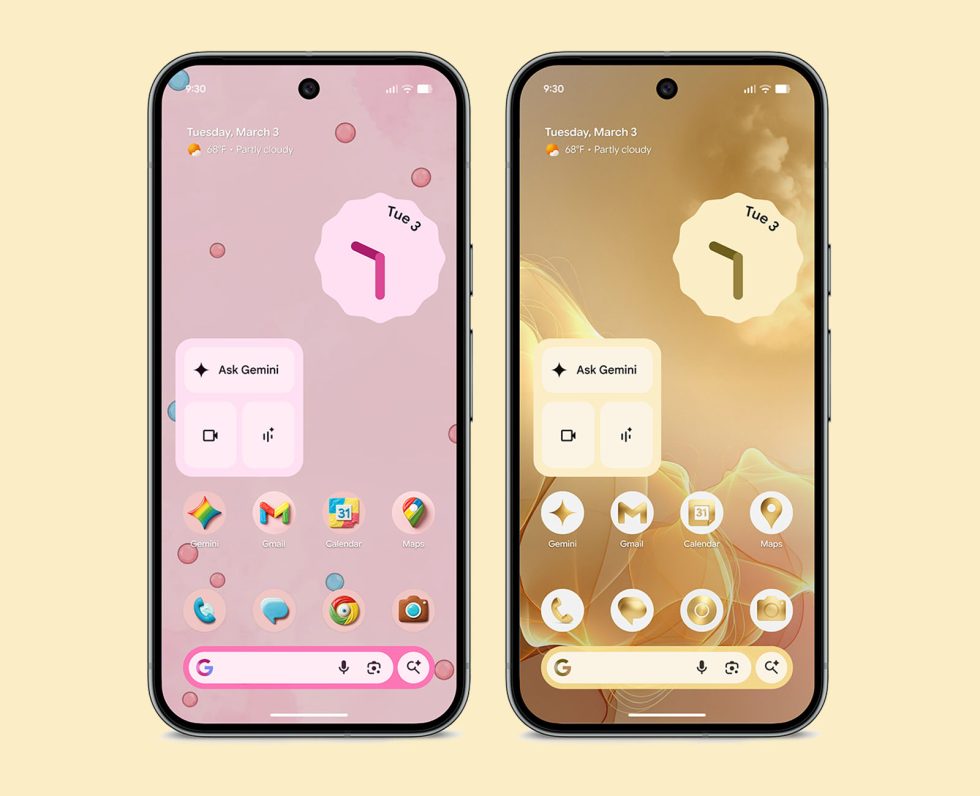
- Custom icons: Google is bringing some level of custom icons to Pixel phones, which they say are AI-generated. There are 6 styles to choose from and they’ll redesign all of your home screen icons to a consistent look. An example can be seen above and we’re dying to take this new feature for a spin.
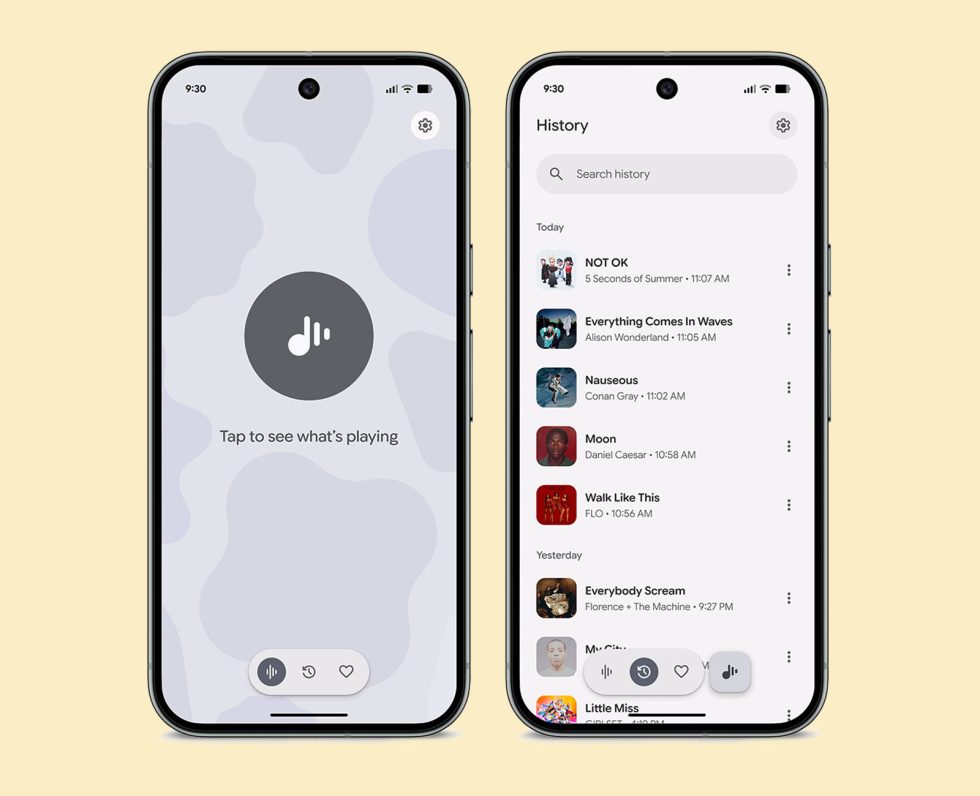
- New Now Playing app: That new Now Playing app for Pixel devices that was spotted yesterday is now super official as a part of the March Feature Drop. It’s a stand-alone app that makes Now Playing so much more ready for the future. You can read more about it here. This is available to Pixel 6 and newer phones.
- SpongeBob SquarePants theme packs: Following the Wicked theme packs, Google is bringing us new SpongeBob theme packs. You’ll access these through your Wallpaper & Style settings. More on the new theme pack here.
- Personal Calling Card: Google previously rolled out a calling card feature in the Phone app on Pixel phones that allowed you to setup calling cards for your favorite contacts. Now, Google is letting you create your own personal calling card that others will see when you call them. This is pretty huge and has already begun rolling out.
- Google Messages location sharing: Google is rolling out real-time map view location sharing to Google Messages and it’s powered by Find Hub. You’ll find it by opening messages and a conversation, tapping the + button and then “Real-time location.” Users can follow your location for a minimum 1 hour, but you can also customize the length. You can stop sharing at any time too.
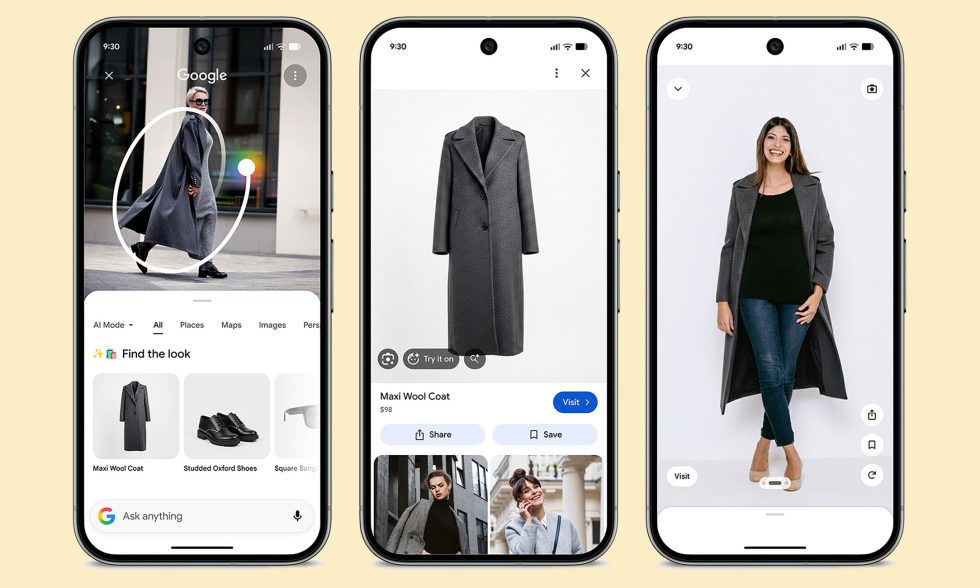
- Circle to Search: The first new Circle to Search feature that Google is showcasing is one that was introduced a week ago for Pixel 10 and Galaxy S26 devices. This feature allows you to circle an entire image and then find all items from within it. We have more on this update here.
- Try It On with Circle to Search: With a Pixel 10 device, you can use Circle to Search to find clothing items and then “Try It On” to see how it could look on you.
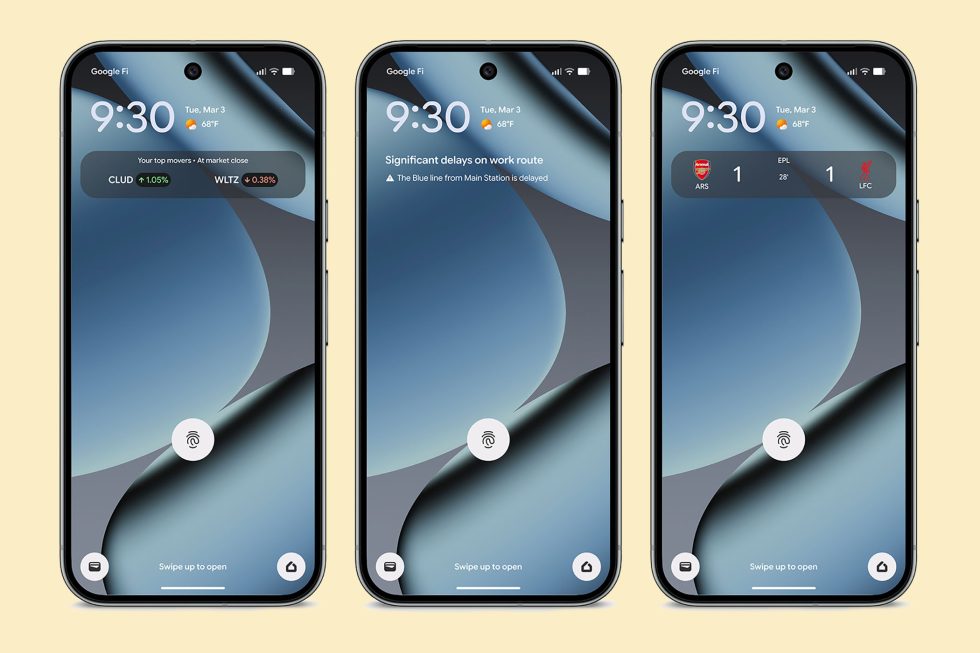
- At a Glance: The At a Glance widget on Pixel phones is getting several new pieces of info, like your Commute, Sports scores (more here), and Finance. These updates bring real-time transit updates to your home and lock screen, live scores for the teams you follow, and end-of-day updates from the top movers in your Google Finance watchlist. Sports and Finance are available on Pixel 6 and newer, while the commute info is Pixel 7 and newer.
- Restaurant recommendations with Magic Cue: Magic Cue hasn’t seen many updates since first launching late last year on Pixel 10, but Google is bringing restaurant recommendations to it. Now, when someone asks you for recommendations in a chat, Magic Cue will try to proactively suggest places based on the criteria from your friend.
- Gemini orders groceries and cars: Google told us about this new Gemini experience a week ago, but it’s a part of the Feature Drop. Gemini can now order groceries for you, as well as rideshare vehicles. This all happens in the background and you can see progress along the way. More here.
- Comfort view: Google is adding a comfort view for sensitive users that has a refined display color filtering mode that attempts to reduce visual stimulation from very bright or saturated colors. This is available on the Pixel 10.
- Connected cameras support for new cameras: you can now connect your Pixel to new camera applications, as well as DLSR cameras through cable (UVC devices only).
- Desktop experience on Pixel & monitor: Google will let you connect your Pixel 8 and newer (including foldables and the Tablet) to a monitor using a USB-C cable to get you a desktop-like experience that allows for mouse and keyboard input.
- Desktop Windowing on tablet: The Pixel Tablet adds desktop windowing to allow for arranging and resizing of windows.
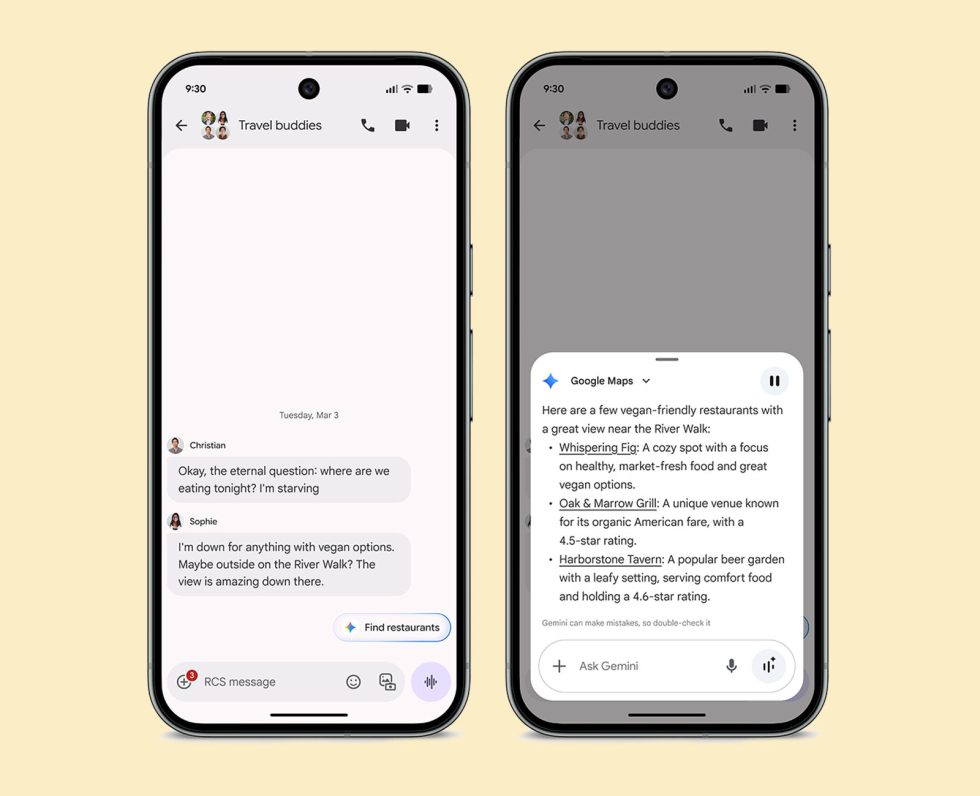
- Scam Detection expansion: Scam Detection is now available in new countries on Pixel 9 and newer – France, Italy, Spain, Mexico, Germany and Japan.
- Call Notes expansion: Call Notes is now available in India on Pixel 10 phones.
- Notification Summaries expansion: Notifications summaries are now available in Japanese.
- Journal app AI features expansion: The AI features in the Journal app (Reflection, Revisit Topics, and Mood ID) are expanding Pixel 9 and newer now.
- Guided frame expansion: The viewfinder guide that assists blind or low vision users is expanding to new languages.
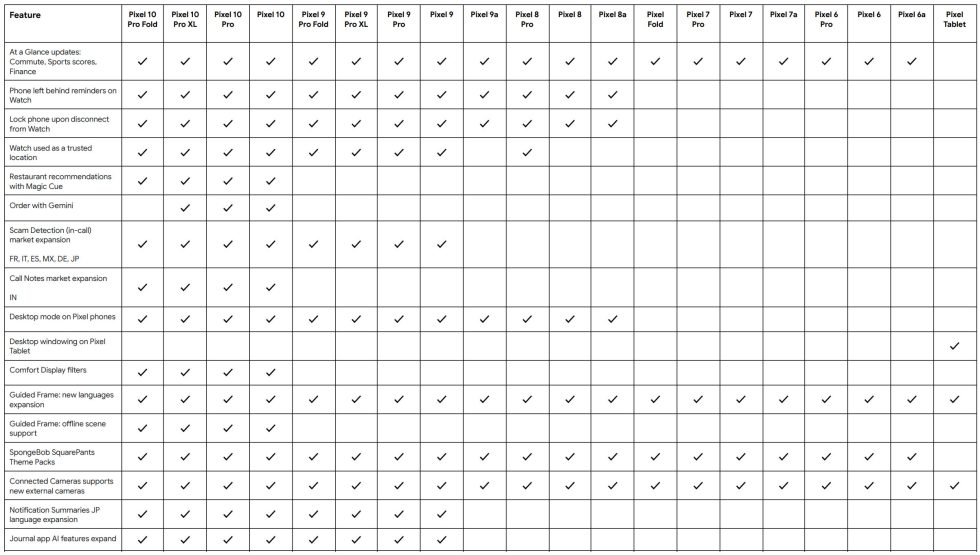
Finally, here’s the full breakdown of features and which devices they are arriving on:
All of this should starting rolling out as early as today. We’ll have more info on availability in a minute.