The new Dev channel and Beta channel builds bring improvements for FAT32, network data usage, and more.
Microsoft, today, has released the newest builds to the Windows 11 Beta channel and Dev channel Insider programs for users flighting those channels. The Dev build is available under KB5083632 and build 26300.8170; the Beta build under KB5083635 and build 26220.8165. These channels are set to change soon.
The builds are identical and as such bring the same improvements and fixes. These include improvement of the FAT32 file system such that it can now support up to 2TB via the command line, a performance boost for disk navigation, network data usage bug-fix, and more. The full changelog is given below:
Changes and Improvements gradually being rolled out with toggle on*
[Storage]
- We’re increasing the size limit for formatting FAT32 volumes via the command line from 32GB to 2TB.
- Improved the performance when navigating to see storage on large volumes via Settings > System > Storage > Advanced Storage Settings > Disks & Volumes.
- Updated Settings > System > Storage, so rather than seeing a UAC prompt immediately when you go to the page, you’ll only see it when going to view temporary files.
[Network]
- Fixed issue causing Settings > Network & Internet > Data Usage to show large unrealistic values in recent Insider builds.
[Windows Security app]
- We have recently started to roll out enhancements to the Windows Security app > Device security > Secure Boot experience, which shows green, yellow, and red icon badges as well as new text that reflects your device’s Secure Boot state and certificate status. Microsoft is updating Secure Boot certificates on consumer devices and some business PCs, and you can now check your certificate status with this new feature. This experience is disabled by default on enterprise IT managed devices and servers.
[Feedback Hub Improvements]
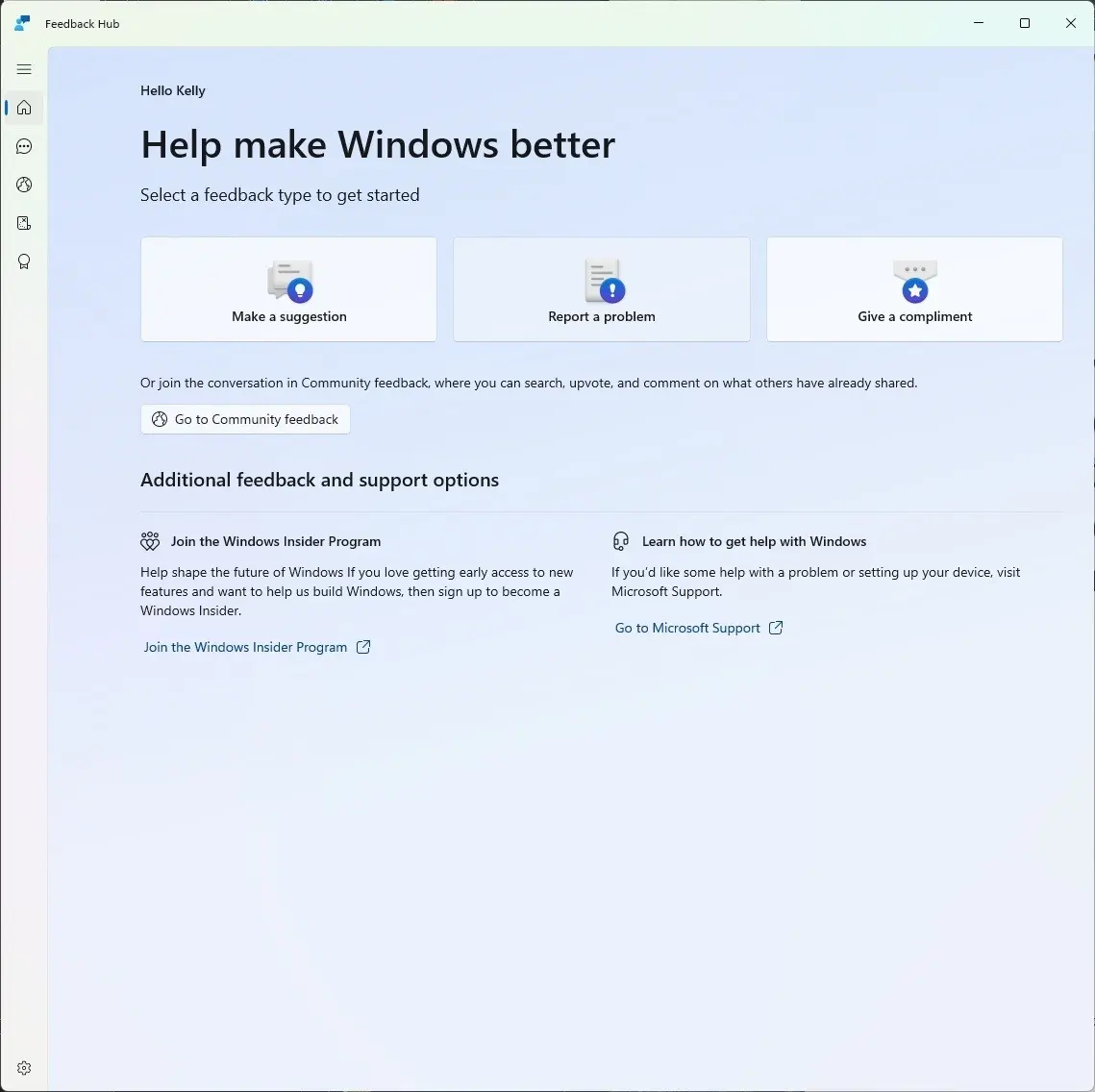
What’s new in Feedback Hub
- Simpler feedback submission flow: Feedback is now submitted using a single unified template, with the added ability to search categories. The feedback form itself has been modernized enabling for faster iteration and future improvements.
- Simpler navigation: My Feedback now lives directly in the navigation pane, and Community feedback (formerly All feedback) makes it easier to discover and engage with feedback from others. The Announcements page has been removed to focus more on giving and exploring feedback. You can still find announcements on the Windows Insider Blog.
- New compliment feedback type: Call out what’s working well.
- Private or public feedback: Choose whether your feedback is visible to the Insider community.
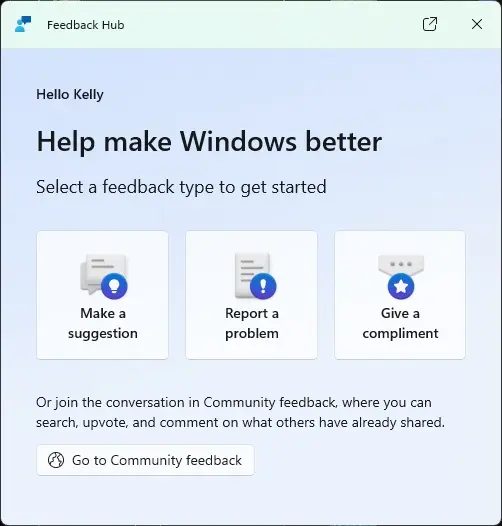
- New focused feedback experience: A new smaller Feedback Hub surface, making it easier to provide quick, in-the-moment feedback. You can expand to the full Feedback Hub experience by pressing the button in the upper right corner.
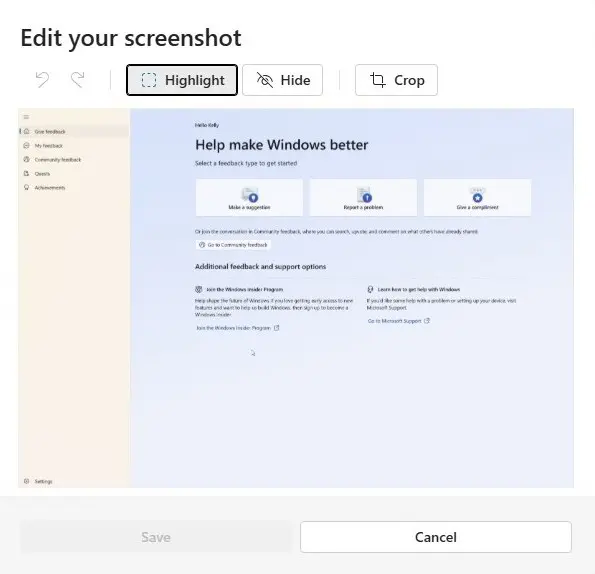
- Improved screenshot capture and review tooling: Making it easier to capture and include visuals when sharing feedback.
Feedback: Your feedback helps shape what comes next, so try out the new experience and share your thoughts in Feedback Hub (WIN + F) under Apps > Feedback Hub.
- Thanks Windows Insiders who have been sharing such great feedback about the new Feedback Hub version. As some of you may have already noticed, we’re currently rolling out version 2.2604.101.0 to Dev and Canary. This includes design refinements based on your feedback, such as:
- Improved the default window size, and now it will remember window size across session.
- You can now use the mouse back button to go back between pages.
- If you were seeing less community feedback than usual, that should be addressed now.
- Upvote buttons for feedback should display correctly for Insiders using the Chinese display language now, … and more.
You can find the official blog post here (Dev/Beta) on Microsoft’s website.