
The Chrome for Android app gets a small change that might improve your experience using the app. | Image by PhoneArena
The side of the Home icon now is flush with the roof, as the overhang has disappeared. The new Home icon now includes a cutout door, which is a quick way to determine if your phone is running the latest version of Chrome (more on this later).
And that brings us to this question. Have you ever wondered what that small Home icon does? I’ll tell you right now. Ready? Here goes. Go back to the Homepage screen by opening the Chrome for Android app and going to Settings > Homepage. Toggle on the Homepage setting at the top of the page. Doing that allows the Chrome Browser to immediately open the browser’s default page whenever you tap the Home icon regardless of the website you are viewing on Chrome.
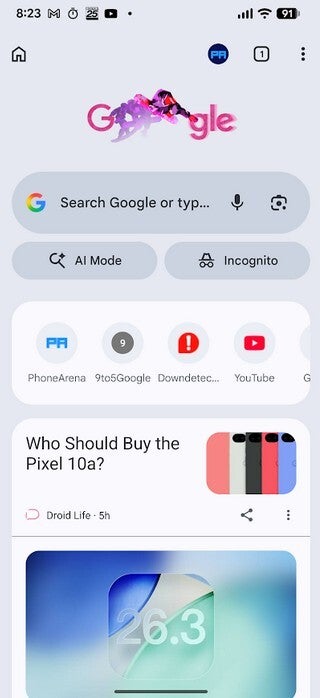
Google changes the Home icon seen in the top left corner of the Chrome for Android app. | Image by PhoneArena
You can customize a shortcut to a single website on Chrome for Android
Or you can set a website that you will be directed to every time you tap on the Home icon. On the Homepage screen, tap the second button that says “Enter custom web address” and type in the URL of the site you want to use. Now, whenever you tap the Home icon to the left of the Omnibox, you will be automatically sent to that website. It’s one of those cool built-in features that Google sprinkles throughout Android to make navigating the platform more fun and a little easier to use.
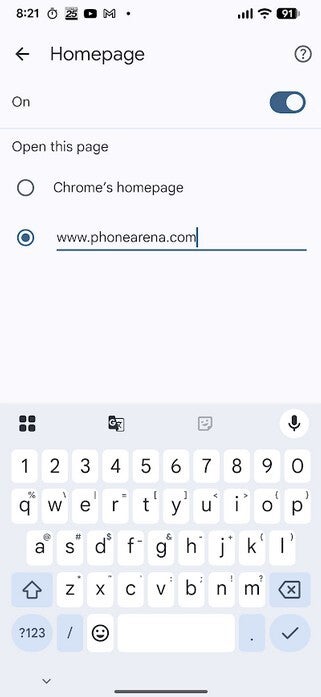
The Homepage screen where you can customize the website that Chrome will go to when you tap the Home icon. | Image by PhoneArena
How to see which version of Chrome is on your Android phone
You can check to see which version of Chrome you do have on your Android phone. As I said, Chrome 145 has the new icon. To see the version number of the Chrome app on your Android handset, go to Settings > Apps > See all xxx apps. Scroll down to Chrome and tap on it. That is the App info page for Chrome. Scroll down all the way to the bottom to see the current version number. After the aforementioned update, the page showed that I am running version 145.0.7632.75, which is the same as version 145
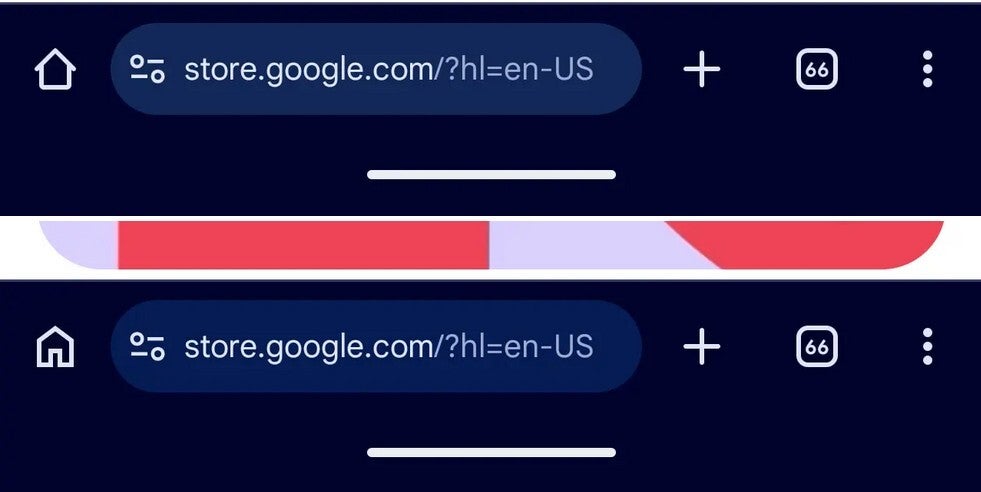
The old Home icon for Chrome on top, and the new icon on the bottom. | Image by 9to5Google
As I said, this might feel like a small, insignificant nothingburger of an update. But it just shows you how Google is constantly working on Android, trying to improve the user experience of the Operating System.