
For the past three years, we’ve been chatting with AI, mostly for simple tasks — from summarizing long documents and polishing emails to figuring out what’s for dinner. We ask questions, it gives answers. But with the rollout of Gemini 3.1 Pro, Google has officially moved into the Agent Era.
The difference is an agent doesn’t just tell you how to do something; it executes the steps across the apps you use every day. By toggling on the new “Agent Mode” in the prompt bar, Gemini gains the ability to use “Reasoning Chains” — breaking a complex goal into a dozen smaller tasks and knocking them out one by one.
If you’re still just using Gemini as a chatbot and haven’t explored what it can do with AGI, you’re leaving 90% of its power on the table. If you’re ready to make the move, Gemini 3.1 Pro is available in Pro and Ultra subscriptions.
Here are 7 ways to use Gemini 3.1 Pro as your personal digital sidekick (almost like an employee).
Article continues below
1. Achieve ‘inbox zero’ in seconds

I hate to admit it, but I’m an email hoarder. I even email myself sometimes as a way of notetaking. In other words, I have thousands of unread emails. Now, instead of manually sifting through 100+ unread emails, let Gemini act as your gatekeeper. Start by launching Agent Mode and then use this prompt.
The prompt: “Analyze my Gmail from the last 24 hours. Summarize only the emails that require a response, archive the promotional newsletters I’ve already seen, and draft a reply to the latest email.”
The agent edge: For me, it felt like Gemini did the impossible. It doesn’t just list the emails; it performed the archiving and leaves the drafts waiting for your final click. When you do this for the first time, you might find it fun to watch the Agent think and work.
2. The end-to-end travel guide

Planning a trip used to take a lot of time, calendar/schedule checks and plenty of planning. Now, Gemini 3.1 does it in one step.
The prompt: “I’m going to Tokyo for 5 days in October. Find flights under $900 from JFK, book a 4-star hotel in Shibuya with a gym, and add the full itinerary to my Google Calendar.”
The agent edge: By leveraging Project Mariner, Gemini can navigate booking sites, compare live prices and place a 24-hour “hold” on a room for you. The first time I did it, I thought “Wait, is it done?” It’s surprising just how fast Gemini works when you think about how long this type of task used to take.
3. Automated meeting transcriptions

I am a note taker to my core. But with Gemini, now I can start particpating in meetings more. I just use this prompt (with the consent of the meeting guests, of course) and Agent gets to work.
The prompt: “Listen to my Google Meet. When it ends, extract the action items, assign them to the correct team members, and sync those tasks directly into our shared Google Task board.”
The agent edge: Using Gemini for this task bridges the gap between audio processing and project management apps without any manual copy-pasting. It reduces the need for external notetakers and lets you fully stay present in the meeting.
4. The smart financial auditor

Here’s the thing, Gemini has a massive 1-million+ token window, which means it’s a whiz at financial accountability, like sifting through spreadsheets to discover where your paycheck is going. I use this prompt to help stay financially responsible and on budget.
The prompt: “Scan the last three months of bank statements in my Drive. Identify any recurring subscriptions I haven’t used and draft cancellation emails for those services.”
The agent edge: Gemini recognizes patterns in PDF data and prepares the “exit” emails so you don’t have to look up customer service contact info. It’s so easy you’ll wish you had done it sooner.
5. Vibe code your home automations
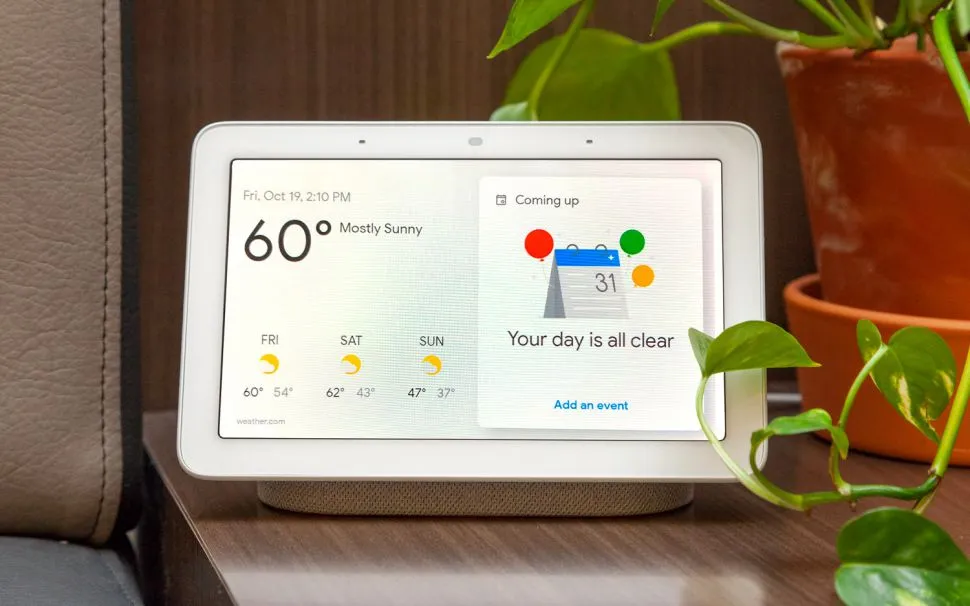
If you thought you needed to be a developer to create complex home automations, think again. I use this prompt and it works like a charm.
The prompt: “Write a script that checks my local weather. If rain is forecast, send a push notification to my phone and add ‘Bring in the patio furniture’ to my Apple Reminders.”
The agent edge: Gemini 3.1 can now write, test and help you deploy “bridge” scripts that connect Google’s AI to external ecosystems like iOS or Home Assistant. To think this is done with a single prompt is seriously mindblowing.

Getting new followers or even maintaining the influence you have takes a lot of work. Well, it did. Now, you can turn one piece of content into a week’s worth of engagement.
The prompt: “Take the main points from my latest Google Doc, generate 5 LinkedIn posts with different hooks, and schedule them to go out every Tuesday at 10 AM using my linked Buffer account.”
The Agent Edge: It acts as a content router, formatting and “handing off” data to third-party scheduling tools autonomously. You can create a content calendar weeks in advance with this trick.
7. The deep research personal assistant

If you find yourself getting stuck on the blue links in search, try this simple prompt to get more out of your next Google search.
The prompt: “I need a new waterproof running shoe in size 7 (woman). Find the 3 best-reviewed models, compare prices across five major retailers and add the best deal to my Chrome cart.”
The agent edge: The AI executes the “Search > Compare > Cart” pipeline in a single fluid motion. Don’t worry, it won’t purchase anything unless you consent first.
The takeaway
I’ve spent hours testing Gemini 3.1 Pro and have found it to be one of the best models for real work. Now, with agent mode, it successfully transitions from a “conversational assistant” to a “functional sidekick.”
By toggling on Agent Mode you gain the ability to delegate multi-step, cross-app workflows like travel booking and inbox management that previously required hours of manual clicking. While rivals like GPT-5.4 are fast, Google’s deep integration into Workspace gives Gemini a massive home-field advantage for anyone looking to actually automate their daily life.

Follow Tom’s Guide on Google News and add us as a preferred source to get our up-to-date news, analysis, and reviews in your feeds.